Using the Printing Functions
4-19
Printing a Document
4
■ Manual Scaling / Page Order (See p. 4-34.)
When [1 Page per Sheet] is selected for [Page Layout], [Manual Scaling] appears. When
2, 4, 8, or 9 (Pages per Sheet) is selected for [Page Layout], [Page Order] appears.
• [Manual Scaling]: When the settings in [Page Size] and [Output Size] are different, the
scale factor will be adjusted automatically, producing an enlarged or reduced print. If you
want to specify the scale factor manually, select [Manual Scaling], then specify the value
in the spin box. You can specify from 10 to 200 %.
• [Page Order]: You can select the page order when printing multiple pages on one sheet
of paper.
■ Paper Type
Specify the type of paper to be used.
Specify as follows.
*
1
If paper curls excessively when printed with [Plain Paper] selected, select [Plain Paper L].
*
2
If print fixing is not sufficient when printed with [Heavy Paper] selected, select [Heavy Paper H].
*
3
For printing on labels, select [Heavy Paper] for the paper type. If print fixing is not sufficient when printed with
[Heavy Paper] selected, select [Heavy Paper H].
*
4
For printing on envelopes, select any of [Envelope C5], [Envelope COM10], [Envelope DL], or [Envelope
Monarch] for the paper size. Then, printing is performed in the appropriate print mode automatically. You do not
have to set the paper type.
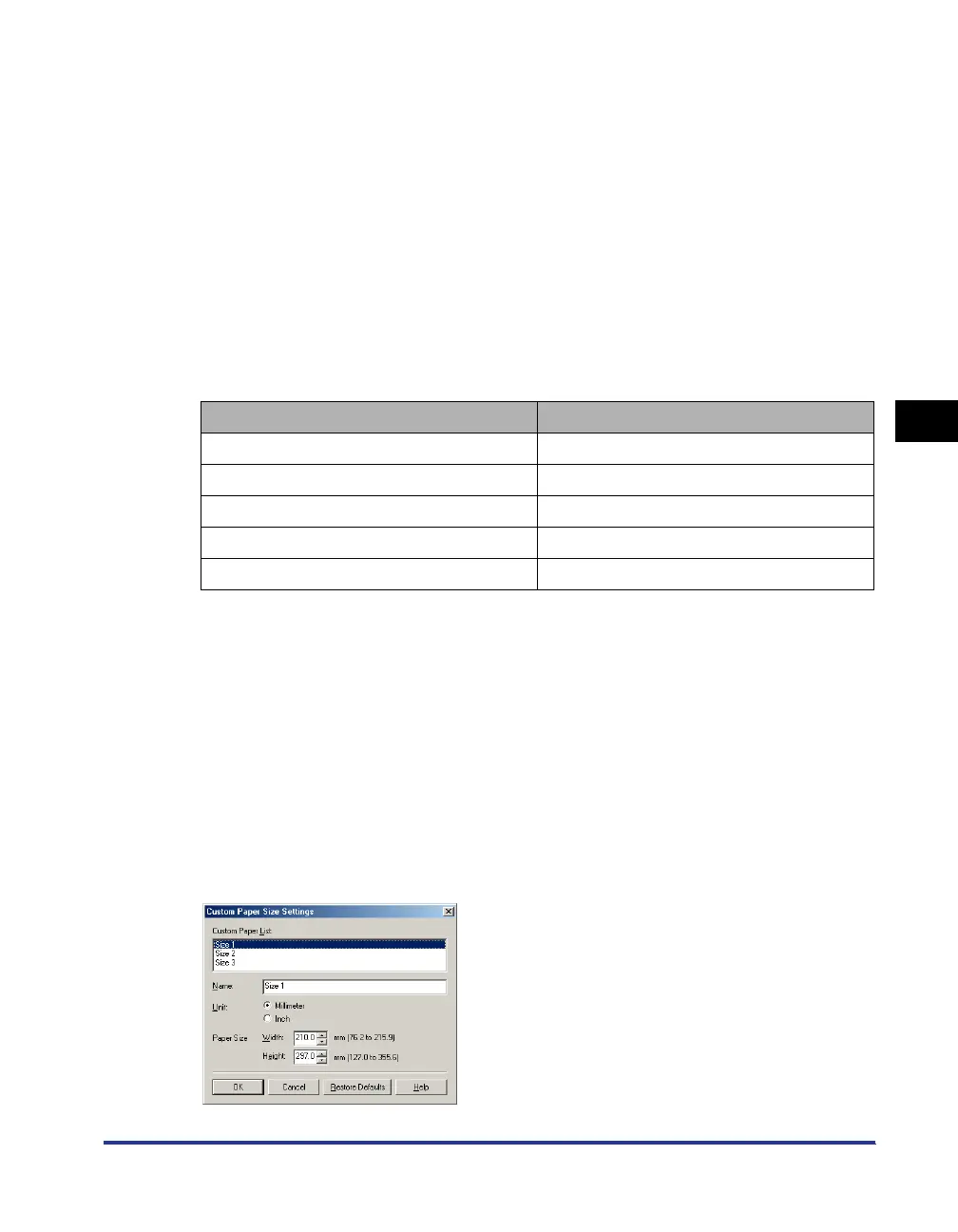
■ Custom Paper Size (See p. 4-36.)
The dialog box shown below will appear by clicking [Custom Paper Size].
This dialog box allows you to specify the height and width of custom paper, which is
different from the standard paper.
Up to 3 custom paper sizes can be specified in the LBP3200.
Paper Type Printer Driver Setting
Plain paper (64 - 90 g/m
2
) [Plain Paper] [Plain Paper L] *
1
Heavy paper (91-163 g/m
2
) [Heavy Paper] [Heavy Paper H] *
2
Transparency [Transparencies]
Label [Heavy Paper] [Heavy Paper H] *
3
Envelope *
4












 To Next Page