Replacing the Toner Cartridge
5-14
Routine Maintenance
5
IMPORTANT
•
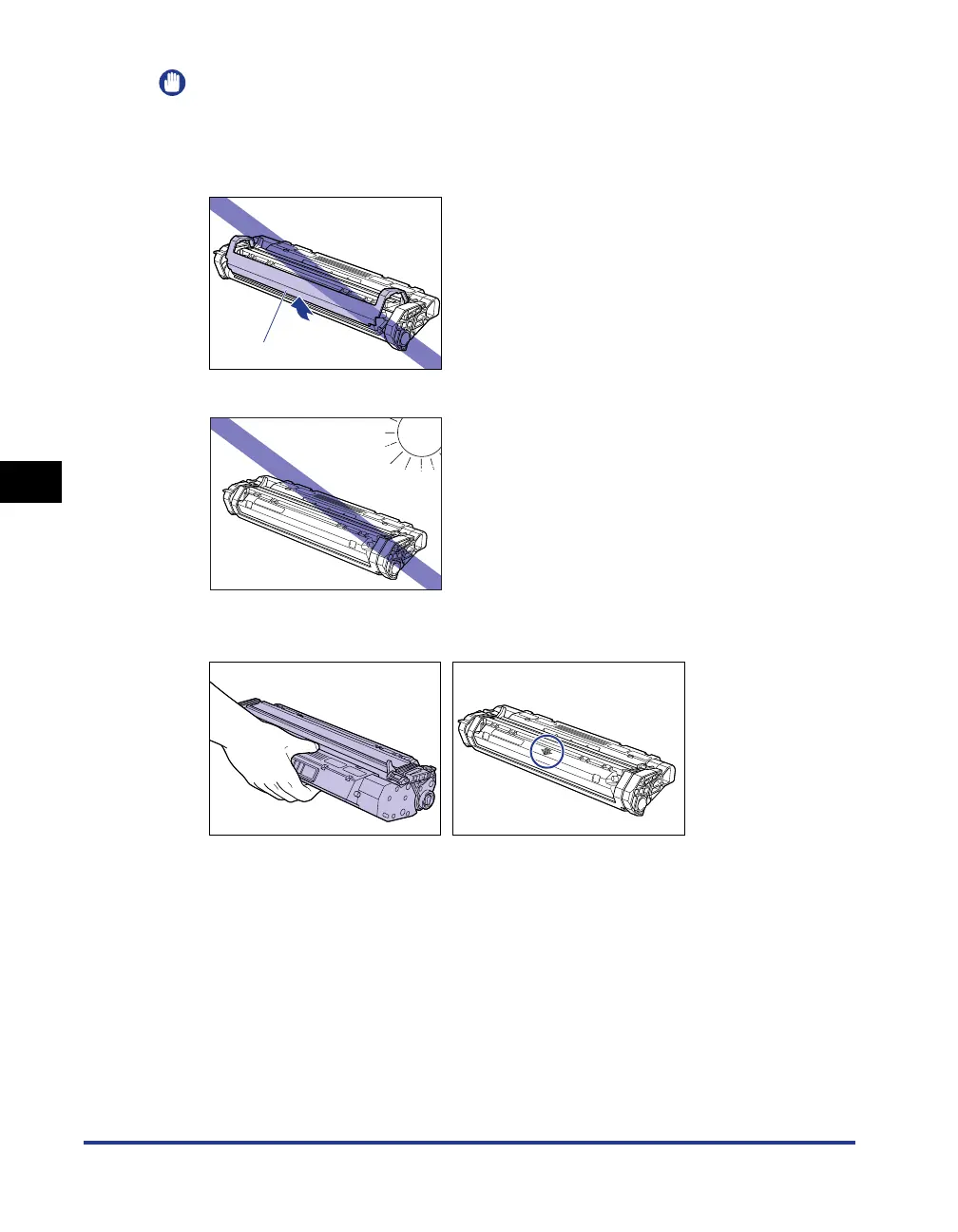
Print quality may deteriorate if you touch or damage the drum inside the toner cartridge.
Be careful not to touch the drum or open the drum protective shutter. Be careful not to
hold or touch the portions that are not described in this procedure. This may result in
damage to the printer.
•
Do not expose the toner cartridge to direct sunlight or strong light.
•
When handling the toner cartridge, properly hold it with an arrow face up as shown in the
figure. Do not set it vertically or upside-down.
•
Never attempt to disassemble or modify the toner cartridge.
•
If the toner cartridge is brought to an environment where the temperature differs
extremely, condensation may occur both inside and outside of the toner cartridge. If you
are going to install in a warm room the toner cartridge that was stored in a cold place,
leave the toner cartridge stored in the protective bag for over one hour so that it can
adapt to the ambient temperature.
•
Be sure to use a new toner cartridge within the expiration date indicated on the package.
•
Using a genuine Canon toner cartridge is recommended.
•
Keep the toner cartridge away from the products that generate magnetic waves, such as
a display or computer.
•
A toner cartridge is a magnetic product. Keep the toner cartridge away from products that
may be damaged by magnetic waves, such as a floppy disk or disk drive. This may lead
to damage to data.
Drum protective shutter












 To Next Page