Installation Problems
6-25
Troubleshooting
6
3
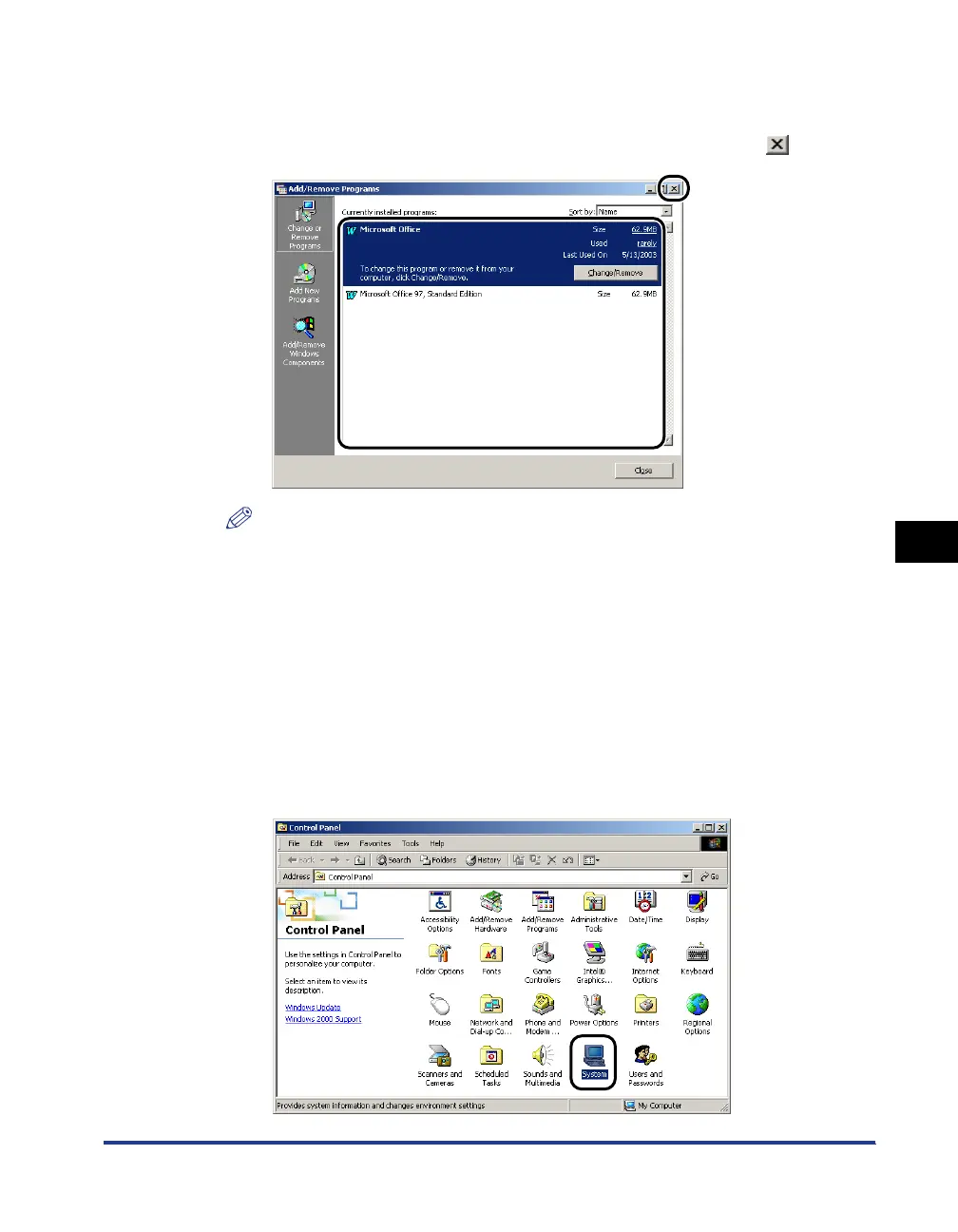
Make sure that [Canon LBP3200] is not displayed in the [Add/
Remove Programs] dialog box (the [Add or Remove
Programs] dialog box for Windows XP), then click [ ].
NOTE
If [Canon LBP3200] is displayed in the [Add/Remove Programs] dialog box (the
[Add or Remove Programs] dialog box for Windows XP), delete [Canon LBP3200]
in the [Add/Remove Programs] dialog box (the [Add or Remove Programs] dialog
box for Windows XP). (See "When Uninstallation Fails," on p. 6-23.)
4
Select the [Start] menu ➞ [Settings] ➞ [Control Panel], then
double-click the [System] icon.
For Windows XP Professional: Click the [Start] menu ➞ [Control Panel] ➞
[System].
For Windows XP Home Edition: Click the [Start] menu ➞ [Control Panel] ➞
[Printers and Other Hardware] ➞ [System].












 To Next Page