Printing on Custom Paper
2-44
Loading and Delivering Paper
2
3
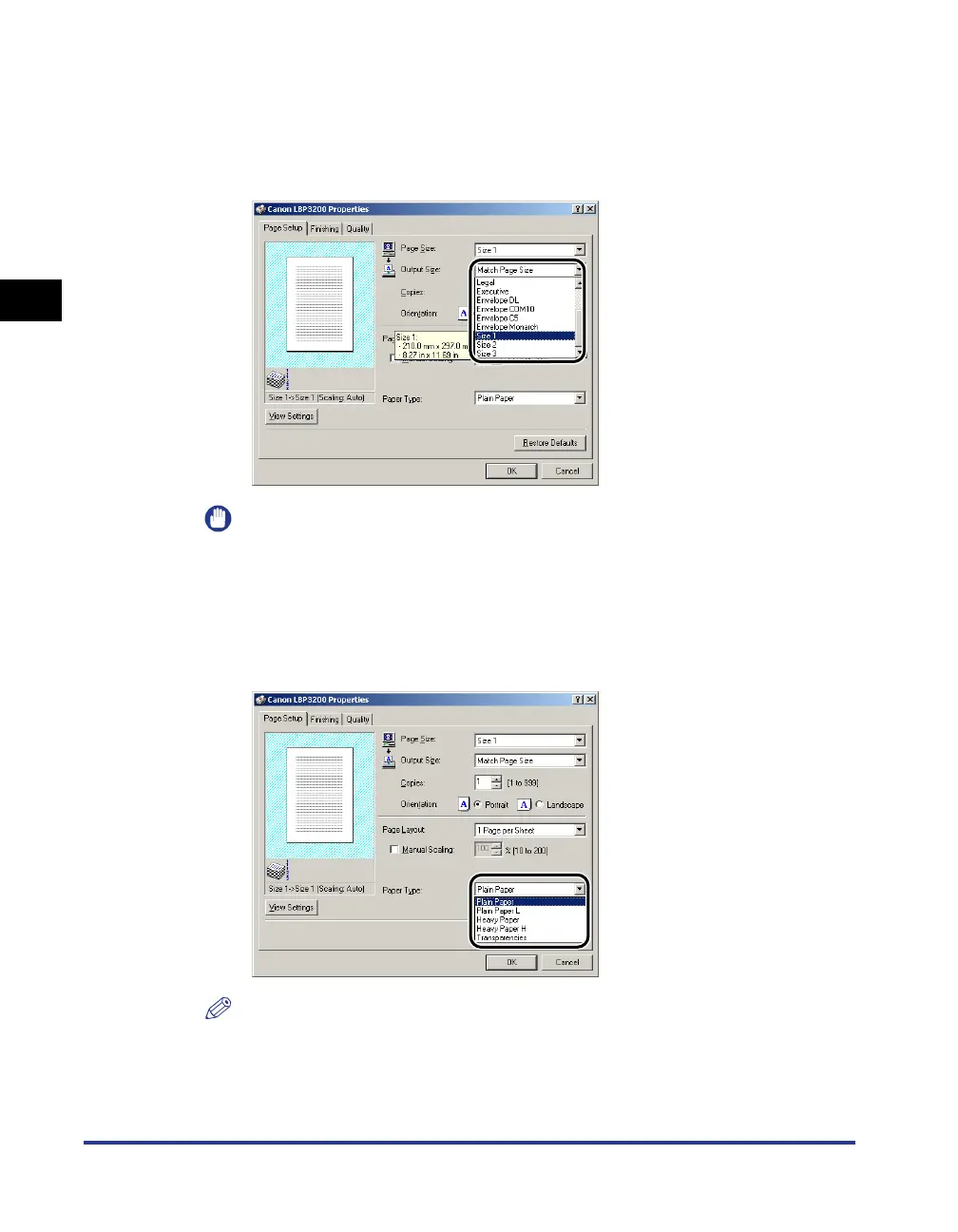
From [Output Size], select the name (size) of the set custom
paper as needed.
If the size of a document is the same as that of paper (custom paper name) set in
the manual feed slot, select [Match Page Size].
IMPORTANT
If the settings are different between [Page Size] and [Output Size], the printer
produces an enlarged or reduced print automatically.
4
From [Paper Type], select the type of paper that you set.
Select [Plain Paper] for using plain paper, [Heavy Paper] for heavy paper.
NOTE
•
If paper curls excessively when printed with [Plain Paper] selected, select [Plain
Paper L].
•
If print fixing is not sufficient when printed with [Heavy Paper] selected, select
[Heavy Paper H].












 To Next Page