Install the Stitch Wire into the Stitch Head
Step Action Information
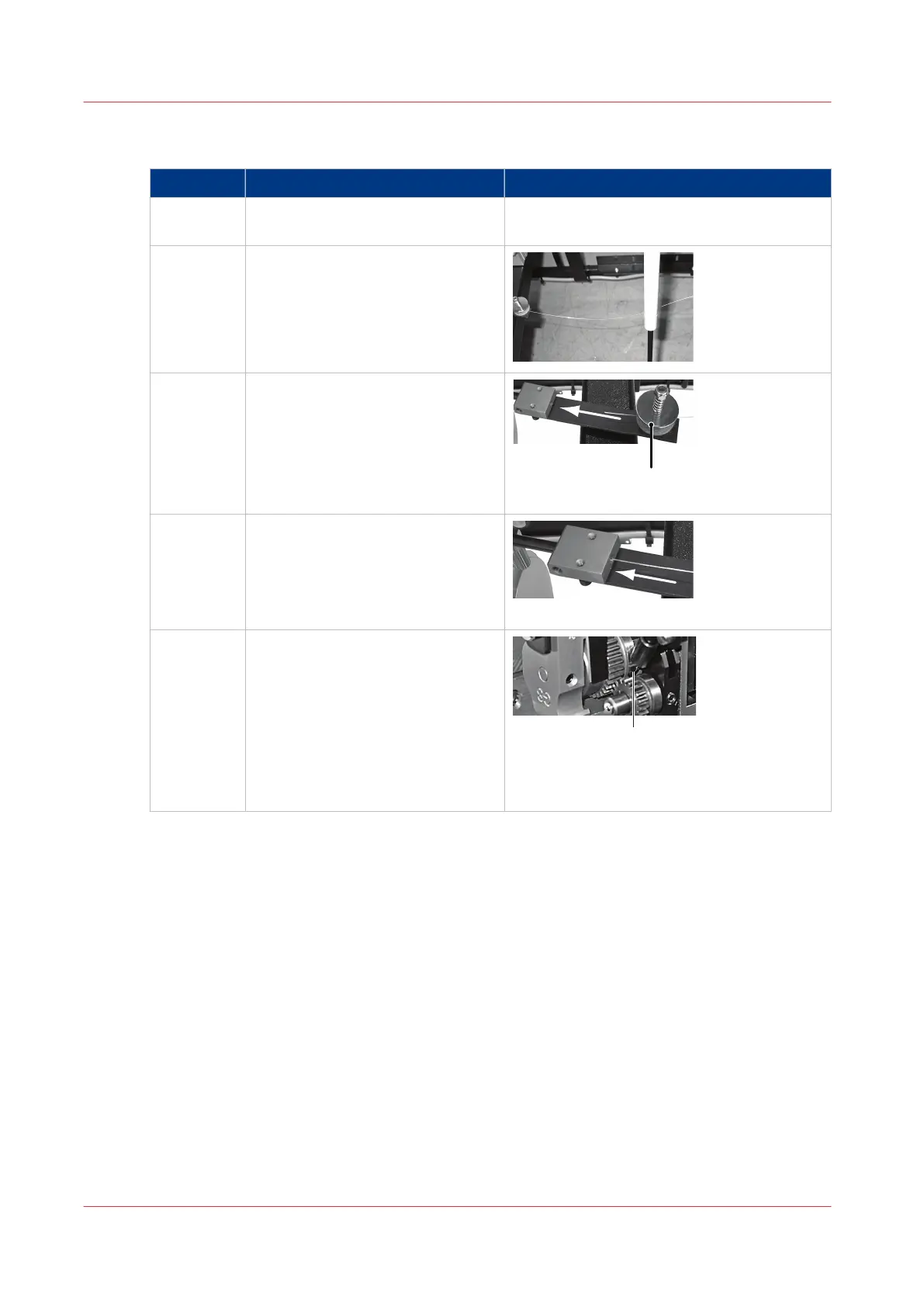
1 Pull the stitch-wire from the end of
the stitch-wire guide.
2 Make sure the stitch-wire runs be-
hind the gas-strut.
3 Feed the end of the stitch-wire be-
tween the felt wire-cleaning pads.
Detail A: Felt Wire-Cleaning Pads
4 Push the stitch-wire into the stitch-
wire guide block.
Push stitch-wire in direction of arrow
5 Push the stitch-wire as far as possi-
ble.
Detail A:Make sure the stitch-wire runs be-
tween the wire feed rollers and into the mid-
dle wire tube.
Install the Stitch Wire into the Stitch Head
126
Chapter 7 - Maintenance



 To Next Page