Apply Grease to the Driver Bar
Step Action Information
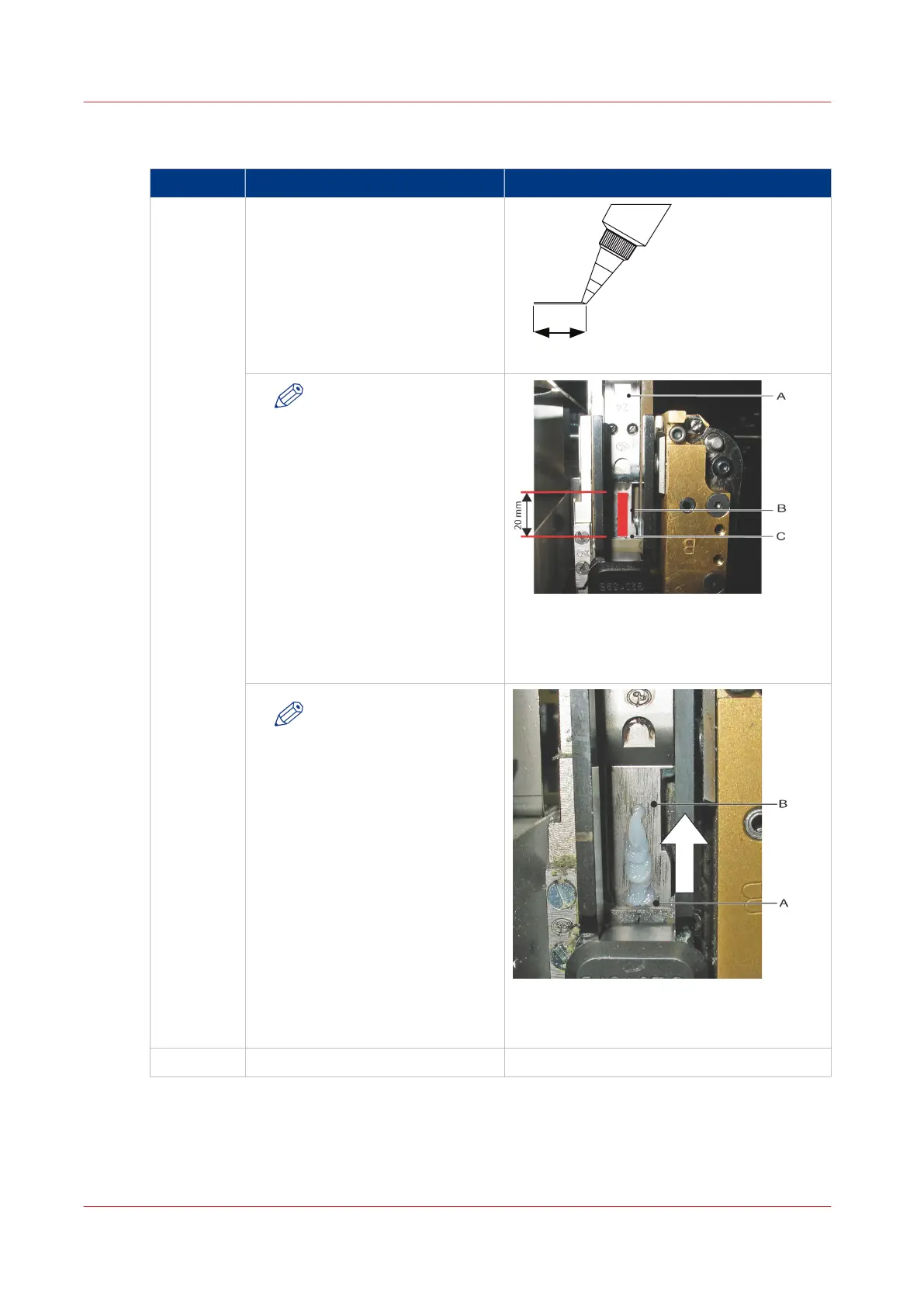
1 Apply a thin line of grease from the
tube (20 mm long and maximum
0.5 mm thick) to the visible surface
of the driver bar.
[53] Maximum dimensions of the line of grease
NOTE
Make sure that you apply
the grease in an upward
direction, from the bot-
tom of the driver bar.
[54] Driver bar
A = Driver
B = Apply grease here
C = Driver bar
NOTE
Only apply the grease as
shown. If you apply addi-
tional grease, the paper
will become stained.
[55] Apply the grease to the driver bar
A = Start
B = Stop
2
Fit the wire holder.
Apply Grease to the Driver Bar
120
Chapter 7 - Maintenance



 To Next Page