The Job Mimic
Introduction
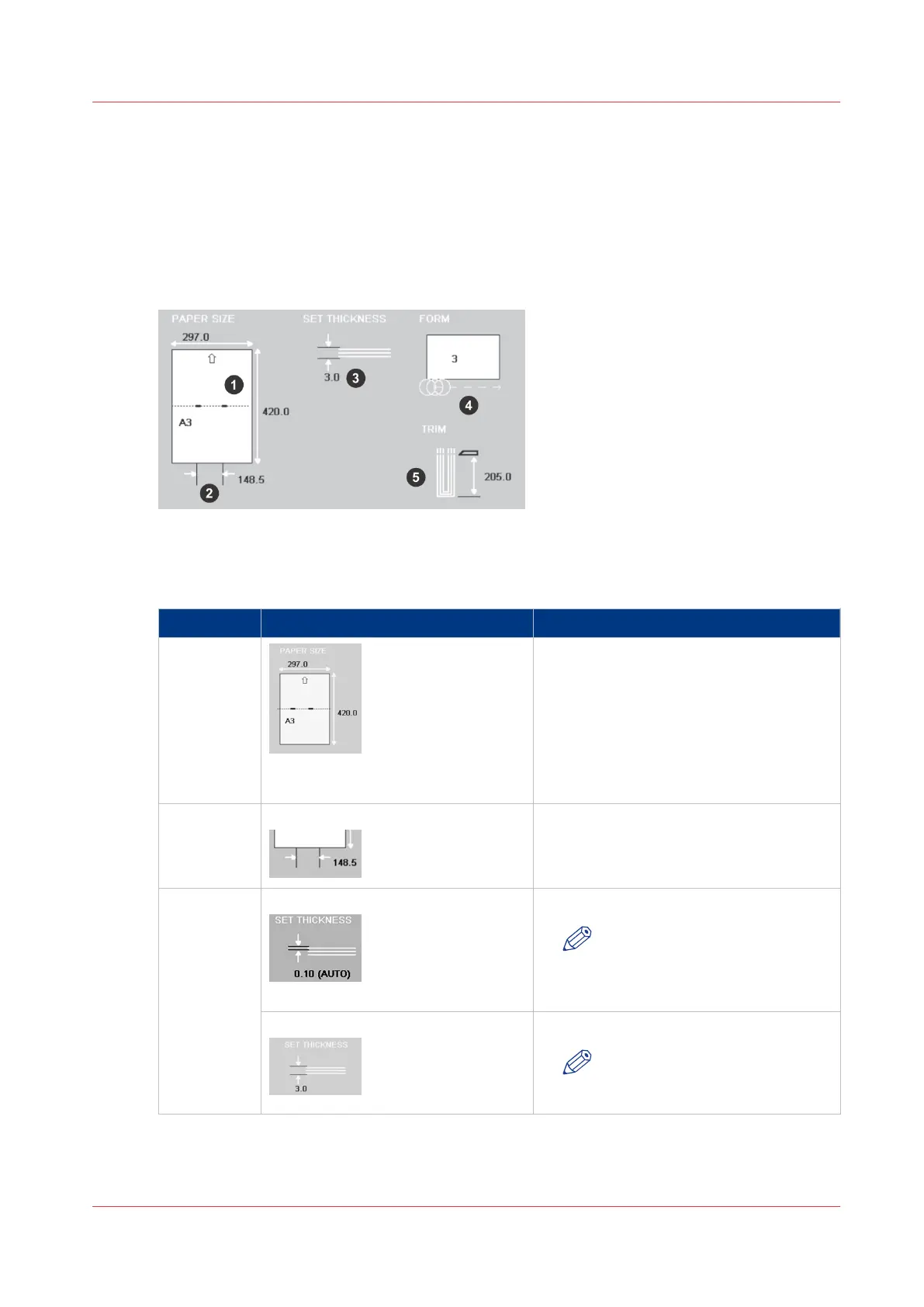
The job mimic shows the current machine status.
Illustration
[8] The Job Mimic
Component - function table
No. Icon Information
1 The following items are shown
• the size of paper
• the format of the paper in the gathering
area
• the broken line shows the fold line
• the small thick lines show the stitches
• the arrow shows the original feed edge
in the printer
2 Stitch Pitch The stitch pitch is shown only when a
non-standard setting is selected.
3 Sheet thickness
Or
The sheet thickness, in mm, is shown.
NOTE
The arrows show a single sheet.
Set thickness The set thickness, in mm, is shown.
NOTE
The arrows show the complete
set.
4
The Job Mimic
Chapter 4 - The User Interface
31



 To Next Page