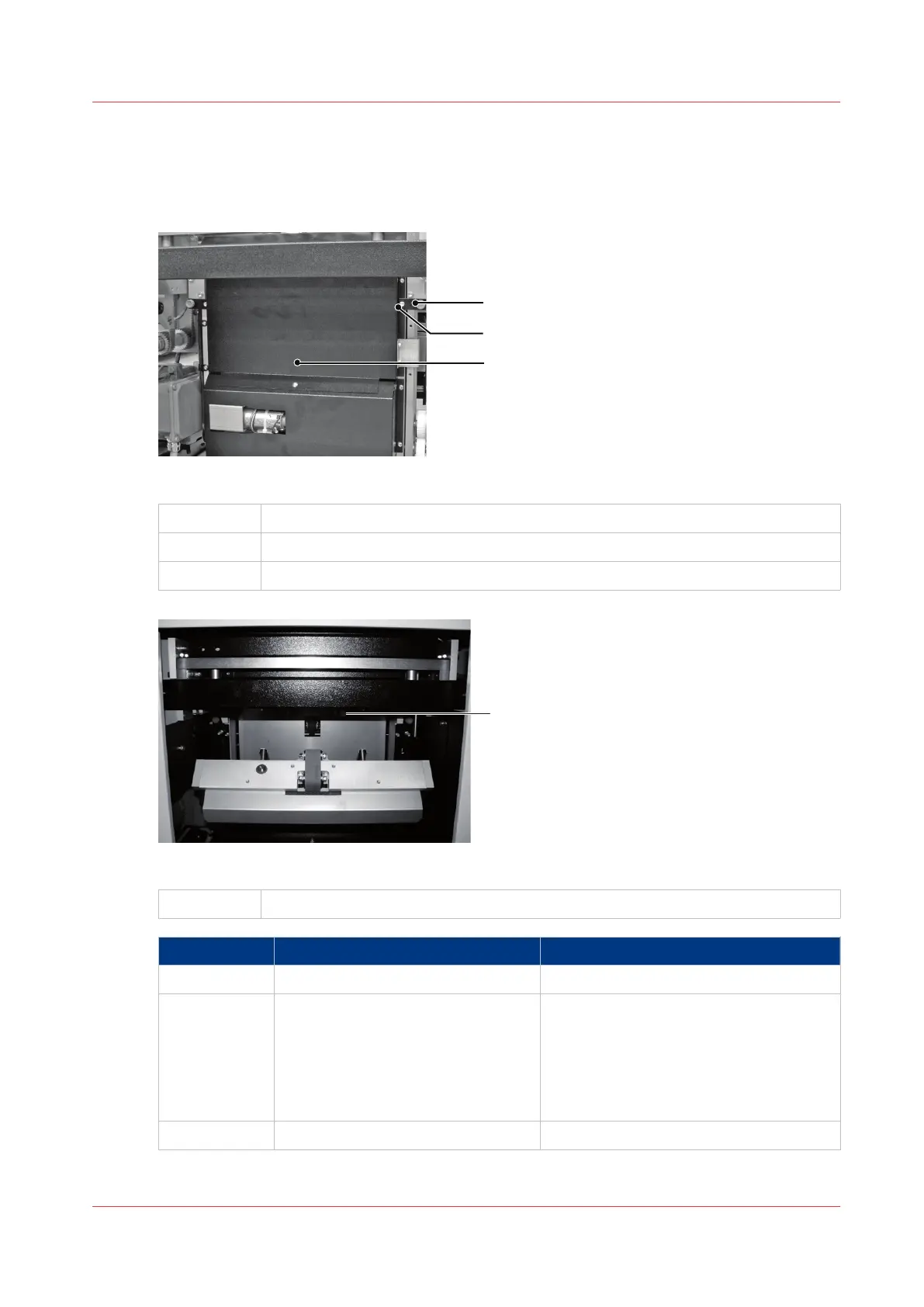
Jam in the Trim Area
Illustration
[34] Trim Stop Guard
A
Orange Plastic Hand Screw
B Locking Plate
C Trim Stop Guard
[35] Location of the sensor
A
Check under here for paper trimmings
Step Action Information
1 Remove the trim bin.
2 Open the trim stop guard. See illustration 'Trim Stop Guard'.
Loosen the 2 orange plastic hand screws
to release the locking plates.
The locking plates can rotate to release
the trim stop guard.
Pull the trim stop guard towards you.
3 Remove the jammed book.
4
Jam in the Trim Area
Chapter 6 - Error Conditions, Problems and Solutions
93



 To Next Page