Jam in the Gathering Area
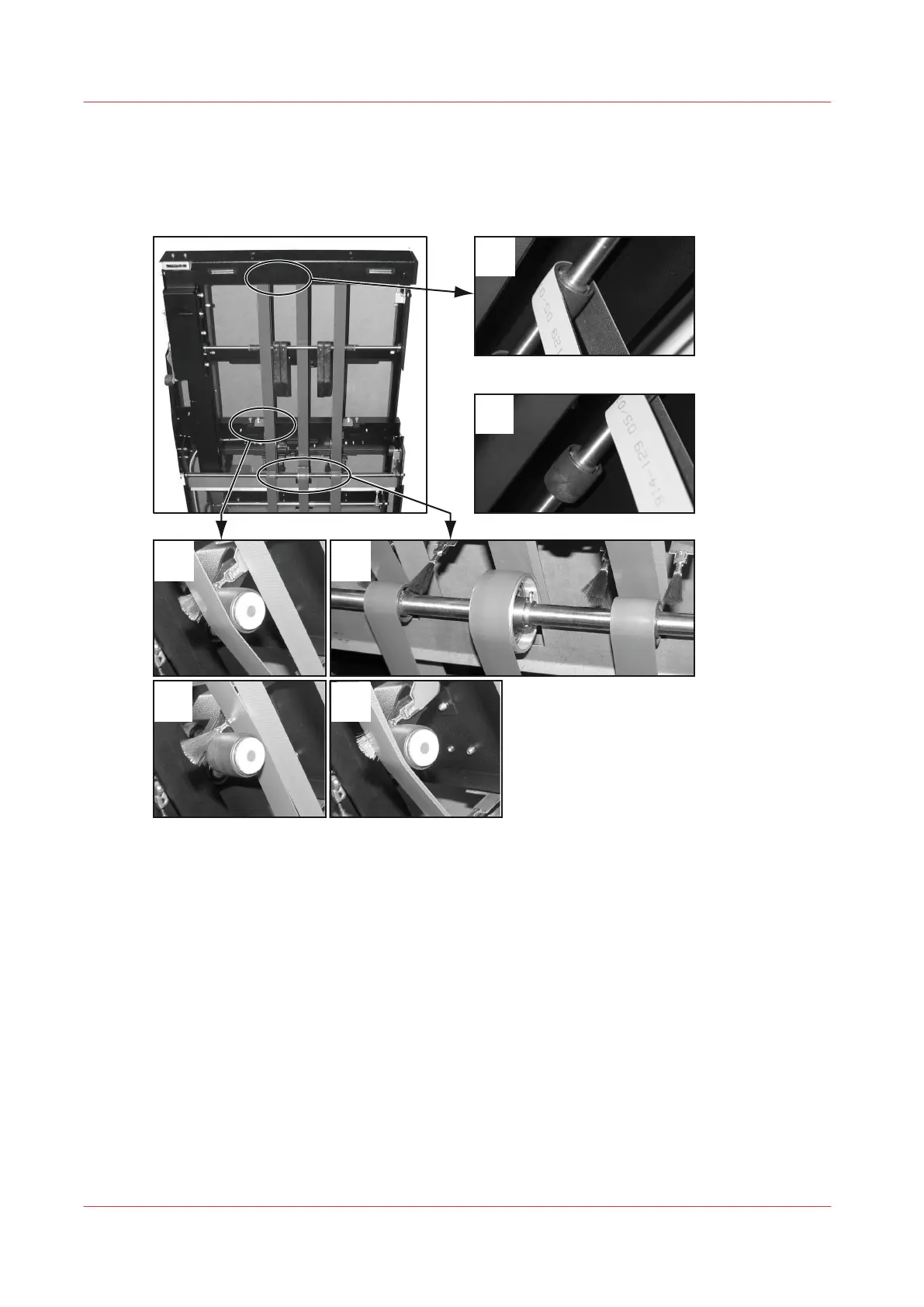
Illustration
[31] Gathering Area Belt Positions
Procedure
1.
Open the connecting bridge cover.
2.
Lift the gathering area cover.
3.
Remove the jammed paper.
4.
Check the belts are in the correct position. Adjust the position of the belts if necessary (see
illustration 'Gathering Area Belt Positions').
5.
Close the gathering area cover.
6.
Close the connecting bridge cover.
Jam in the Gathering Area
88
Chapter 6 - Error Conditions, Problems and Solutions



 To Next Page