Error Messages
Message list
Information and error messages are shown in the message list.
The error messages are shown in order of priority.
Follow the action needed for the messages, starting with the message at the top of the list.
To display the information about a message:
•
Touch HELP then touch the message list.
• Use the right-arrow and left-arrow to see the help text for each message.
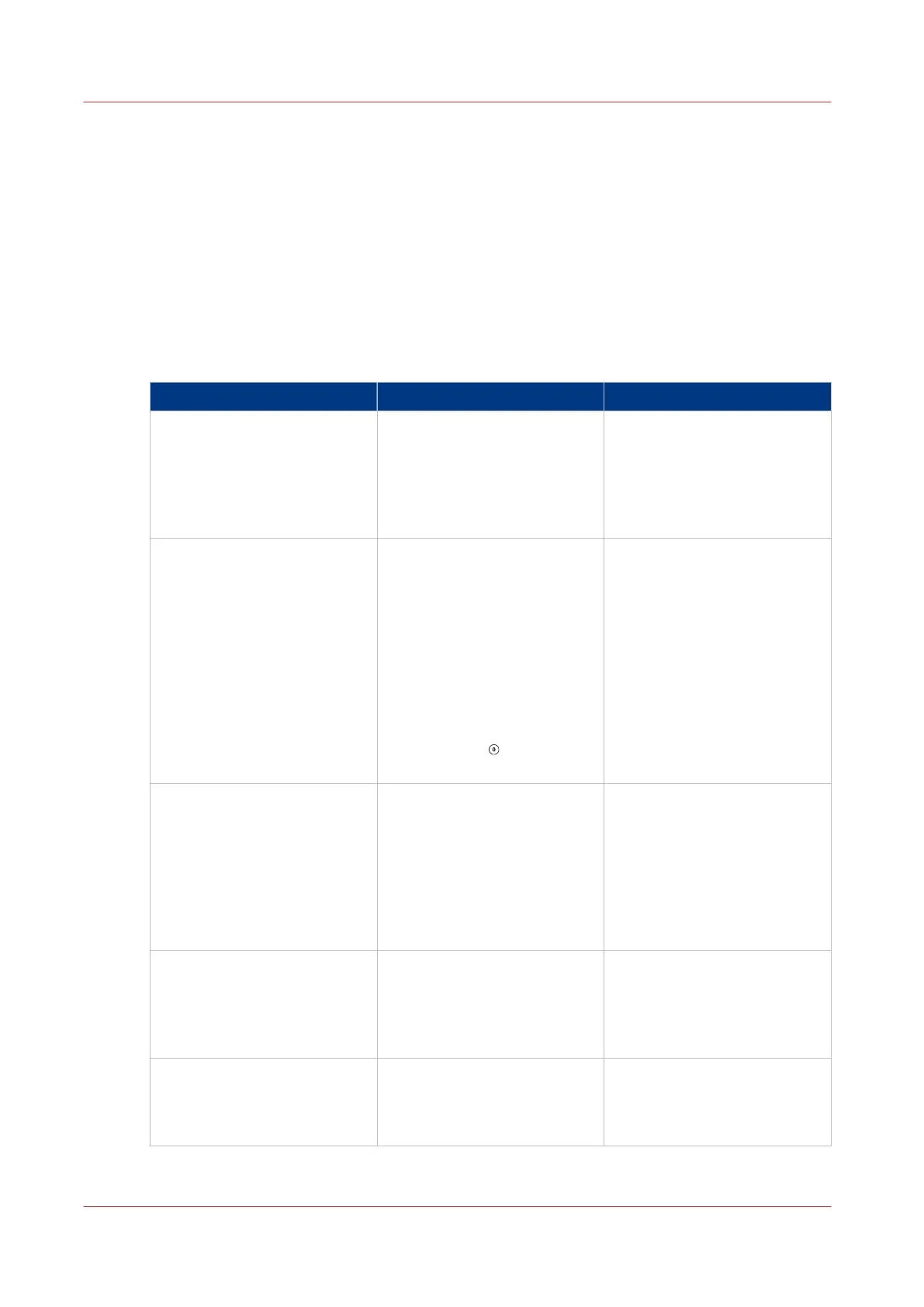
Problem Cause Solution
AXES MOVING Some of the machine axes are
moving. This message clears
when the adjustment is com-
plete.
If the message does not clear,
touch ADVANCED > RE REF
BOOK CYCLE TIME TOO
LONG
The printer has delivered the
sets faster than the books can
be made. To decrease the
book cycle time, adjust the
machine settings:
• decrease the number of
FORMS
• decrease the number of
STITCHES
• decrease the TAMPER TIME
• touch STOP
to clear the
message from the screen
BOOK DELIVERY TOO FAST Books are being delivered to
the stacker too quickly. This
error can occur when you in-
sert books into the stacker by
hand. Press the reset button
on the stacker. If the problem
continues, then call your serv-
ice engineer.
Bridge axis moving The bridge axis is moving.
This message clears when the
adjustment is complete.
If the message does not clear,
touch ADVANCED > RE REF.
BRIDGE INFEED COVER OPEN The bridge infeed cover is
open.
The machine will not operate
until the cover is closed.
See
Clear Paper Jams
on
page 85
4
Error Messages
76
Chapter 6 - Error Conditions, Problems and Solutions



 To Next Page