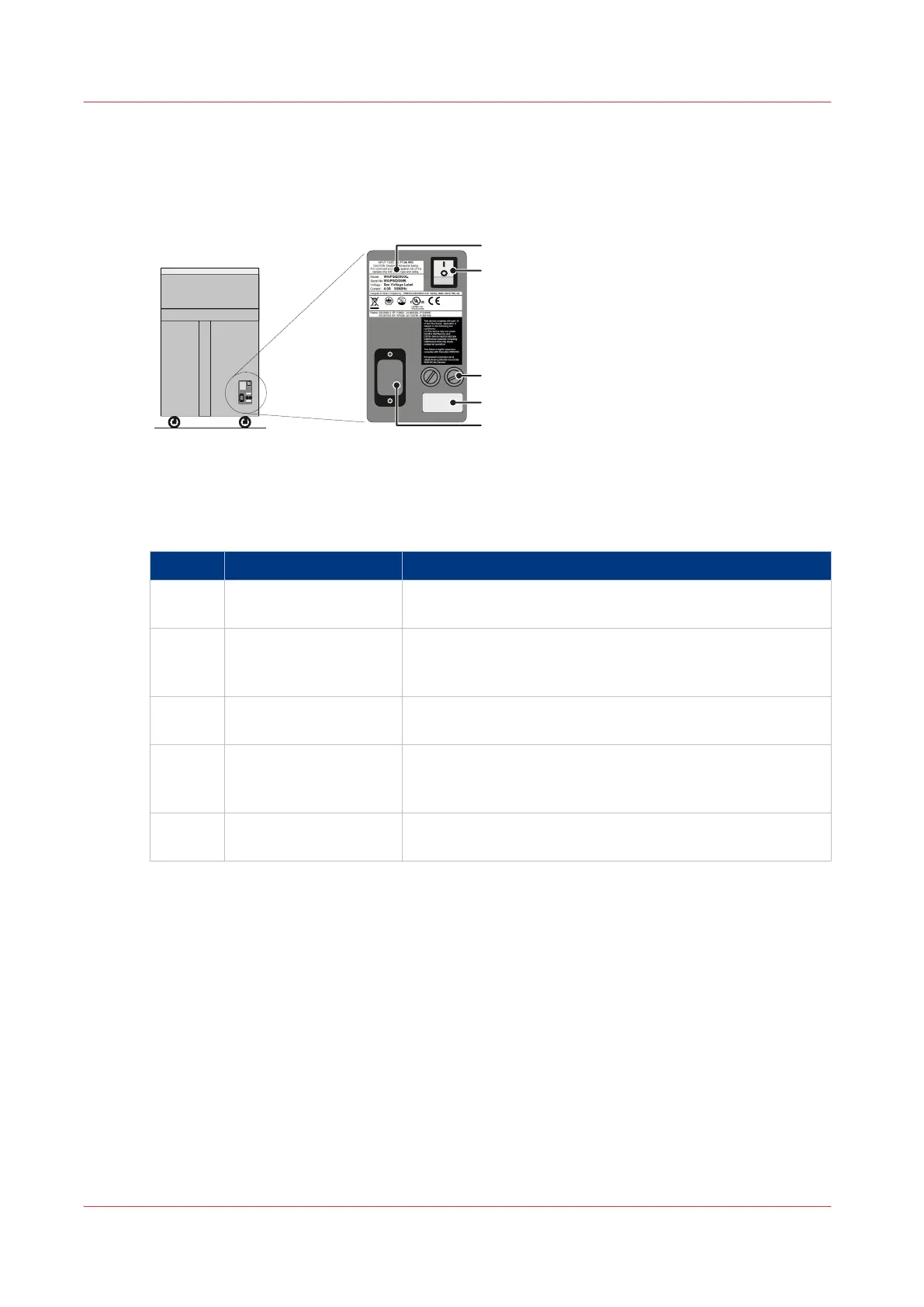
The Rear Panel of the Booklet maker
Illustration
[4] The Rear Panel of the Booklet maker
Component - function table
The Rear Panel of the Booklet maker
Component Function
A Rating and serial label The rating label displays the type of machine, serial num-
ber, power use, and fuse information.
B Power ON/OFF switch The mains power ON/OFF switch turns the Booklet maker
ON or OFF. When you turn OFF the Booklet maker, the cur-
rent settings are stored.
C Fuses The fuses make sure the operator and the machine are pro-
tected if there is an electrical problem or short circuit.
D Voltage label The voltage label is fitted to the Booklet maker during the
installation procedure. The voltage label displays the selec-
ted voltage.
E Power input connector The power input connector is used to connect the Booklet
maker to the electrical power supply.
The Rear Panel of the Booklet maker
14
Chapter 2 - Introduction to the Booklet maker



 To Next Page