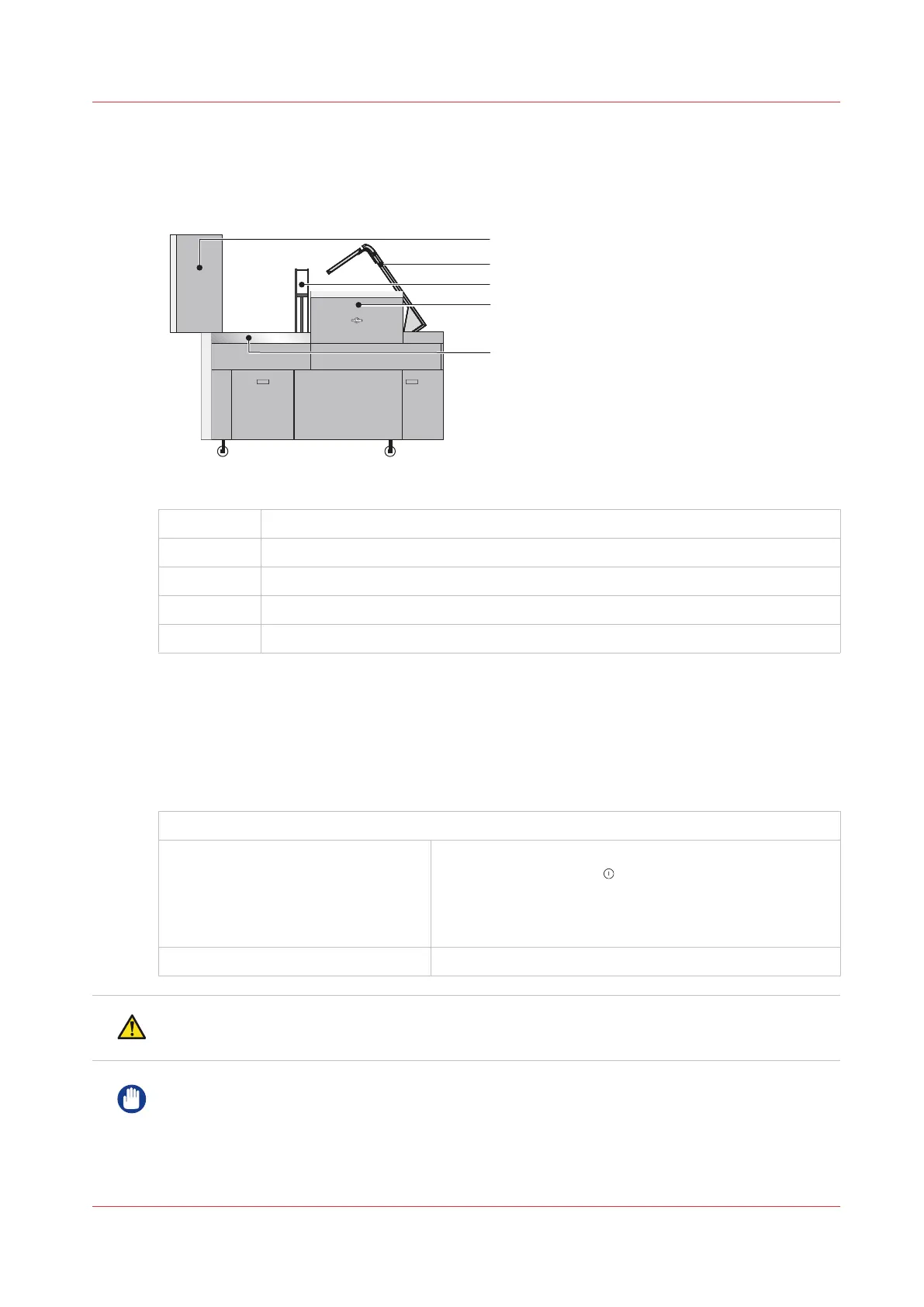
Lift the Booklet maker Main Deck
Introduction
[15] Lift the Booklet maker Main Deck
A
Folder Cover open
B Connecting Bridge Cover open
C Clincher Frame lifted
D Gathering Area Cover
E Main Deck
When to do
If a machine error occurs, or for maintenance.
• To access the stitch head
• To access the former area
• To access the trim area
Check the touchscreen for the error message FOLD BLADE NOT PARKED.
If the error message is displayed: Open the folder cover, remove any paper, close the fold-
er cover. Touch START , then follow the instructions on
the screen.
Wait for the message to clear. Then continue with the
procedure below.
If the error message is not displayed: Continue with the procedure below.
CAUTION
Keep your hands and fingers clear when you lift the main deck.
IMPORTANT
Do not lift the main deck if the error message FOLD BLADE NOT PARKED is shown on the
screen.
Lift the Booklet maker Main Deck
Chapter 5 - Standard Tasks
49



 To Next Page