Clean excess grease from the Stitch Head
Introduction
Clean excess grease from the stitch head:
• Every month, as part of the operator maintenance plan.
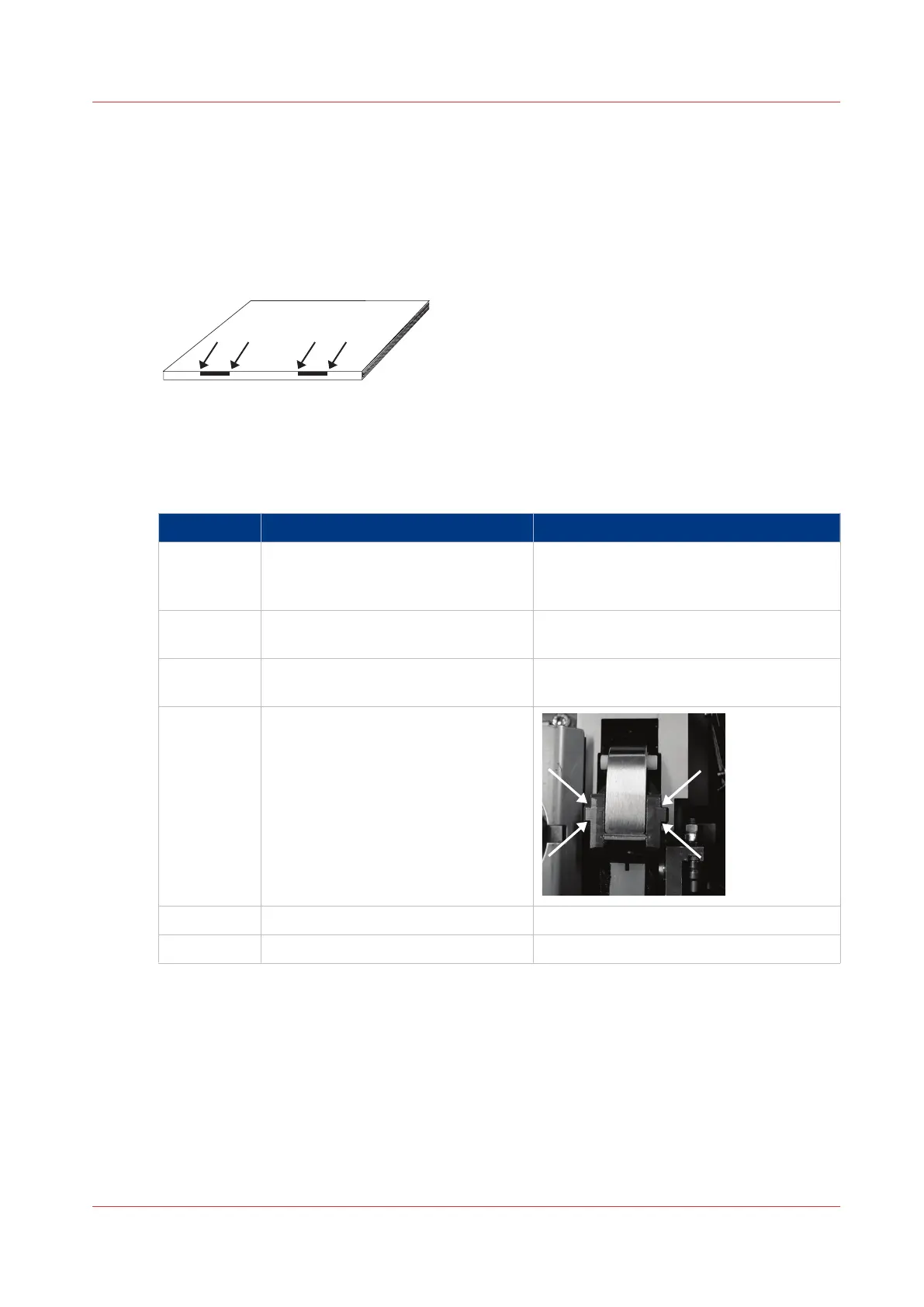
• If there are grease marks around the stitches on the book.
[50] Grease marks around the stitches
Required tools
Lint free cloth
Step Action Information
1
On the user interface, touch AD‐
VANCED > STITCHER UP > STITCH‐
ER UP
The folder cover must be closed. This ac-
tion moves the stitch head to the correct
position for lubrication.
2 Open the folder cover.
Open and Close the Folder Cover
on
page 45
3 Lift the clincher frame.
Lift and Lower the Clincher Frame
on
page 46
4 Clean grease from the sides of the
stitch head.
5 Lower the clincher frame.
6 Close the folder cover.
Clean excess grease from the Stitch Head
Chapter 7 - Maintenance
117



 To Next Page