Panoramic and 3D Modality User guide for CS 8100 3D Family (SM842) Ed07 9
Positioning Panel
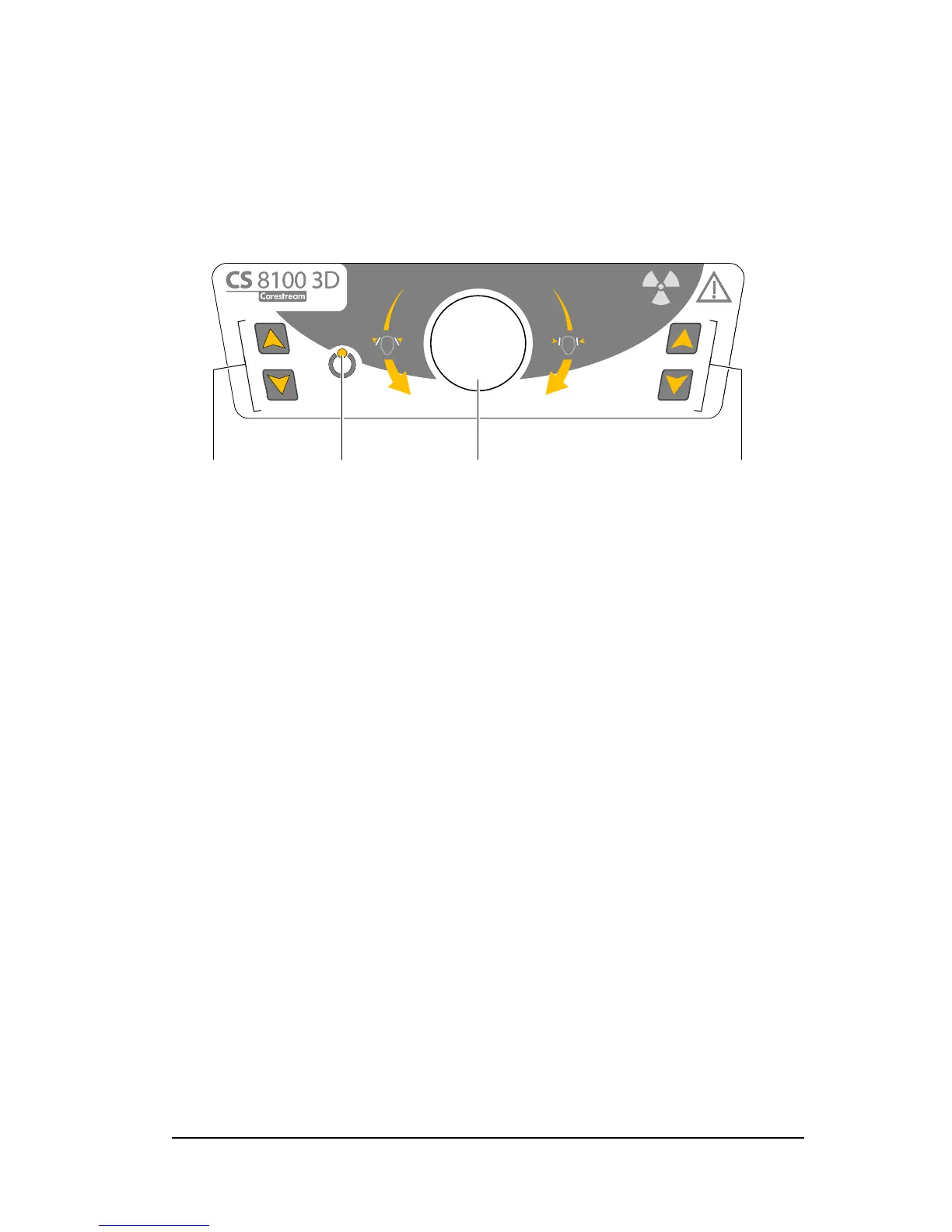
The positioning panel is a console on the head and chin rest that enables you to correctly
position and align a patient before you acquire an image.
Figure 4 Unit Positioning Panel
1 Height Adjustment buttons:
• Adjusts the height of the unit to the height of the patient.
• When the unit is not in use, places the rotative arm in a parallel position to the unit head,
leaving more free space around the unit.
To do so, press and hold both buttons until the Ready Indicator LED switches off.
When you release both buttons, the Ready Indicator LED will flash before the
rotative arm turns to the parallel position.
2 Ready Indicator LED: Green indicates that the unit is ready for acquisition.
3 Temple support adjustment knob: Opens and closes the temple supports when you turn
the knob.












 To Next Page