16 Chapter 3 Imaging Software Overview
3D Acquisition Interface Overview
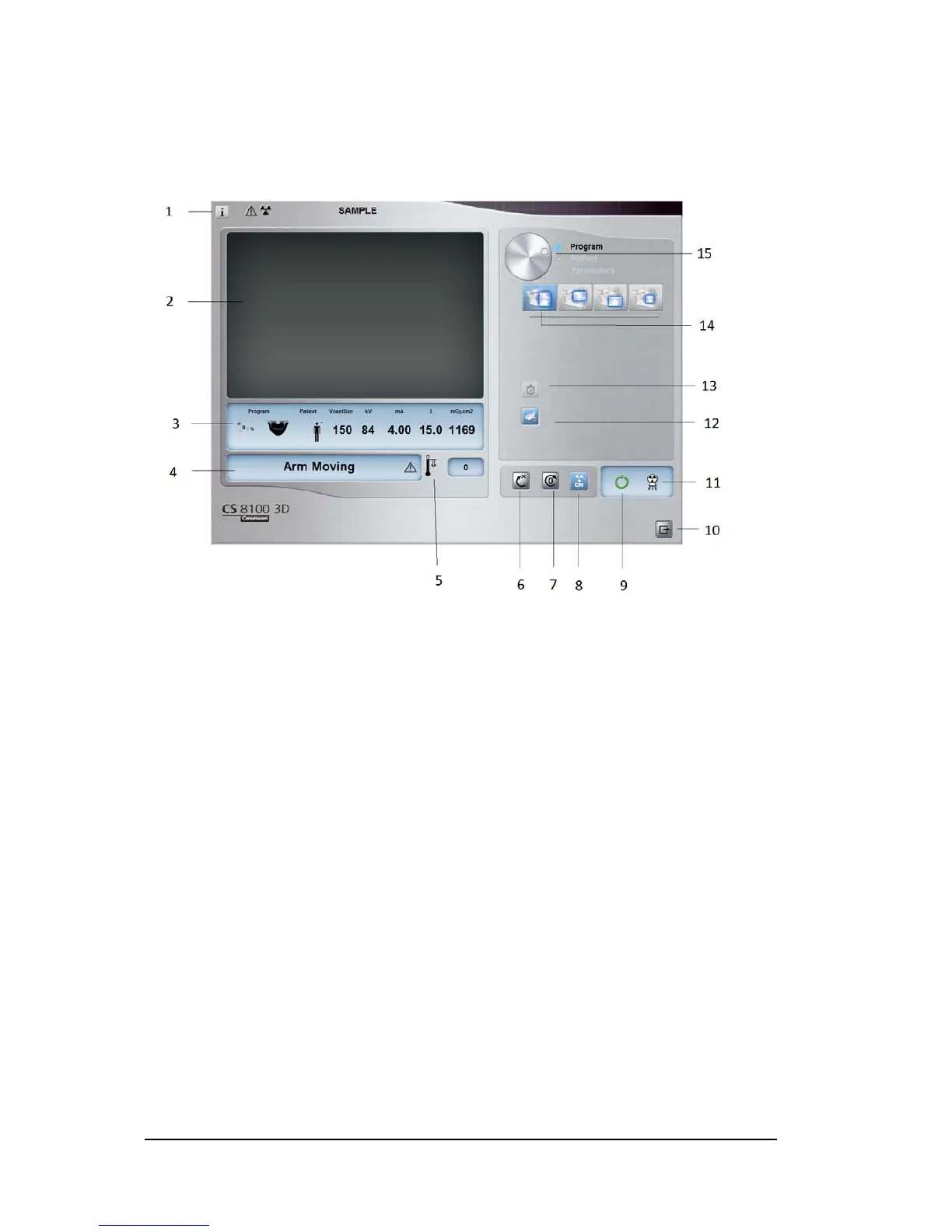
The 3D Acquisition interface provides you with 3D imaging acquisition functions.
Figure 10 3D Acquisition Interface
1 Information button:
• Show versions: Identifies Software and Firmware versions.
• Additional features: Contains information on additional activated options and date of
expiration.
• Resetting Anatomy setting: Resets to the manufacturing parameter settings.
• Memorize Anatomy setting: Memorizes the user preference settings for each patient type
(kV, mA and seconds).
• Memorize Current Program as default: Stores the current program as the preferred one for
the user. It will be the default program at the next launch of the interface.
• Resetting Default Program: Resets the preferred program to the manufacturing parameter
settings.
2 Preview Screen: Displays the acquired acquisition frames.
3 Selected Parameter Display: Displays the current acquisition parameter settings.
4 System Status Screen: Displays various alert or warning messages originating from the unit.
5 Generator Cooling indicator: Indicates the automatic cooling time (mm:ss) required before the next
acquisition.
6 Reset button: Resets the unit to the patient-entry position to enable you to position a patient in the unit.
7 Parallel position button: Leaves more free space around the unit when it is not in use by placing the
rotative arm in a parallel position to the unit head.
8 X-ray On/Off button: Enables or disables X-ray emission.
9 Ready Indicator LED
• Green indicates the unit is ready to start acquisition.
• Black indicates the unit is not ready to start acquisition.
10 Exit button: Closes the Acquisition interface.












 To Next Page