62 Chapter 7 3D Object Acquisition
Acquiring Images of CS Restore Impression Material Objects
Before acquiring an image of the object, do the following:
• On your desktop, double-click to open the CS Imaging Software.
• Select the patient record.
• Access the imaging window.
• Click then to access the Acquisition Interface.
Preparing the Unit and Setting the Acquisition Parameters
To prepare the unit for acquisition, follow these steps:
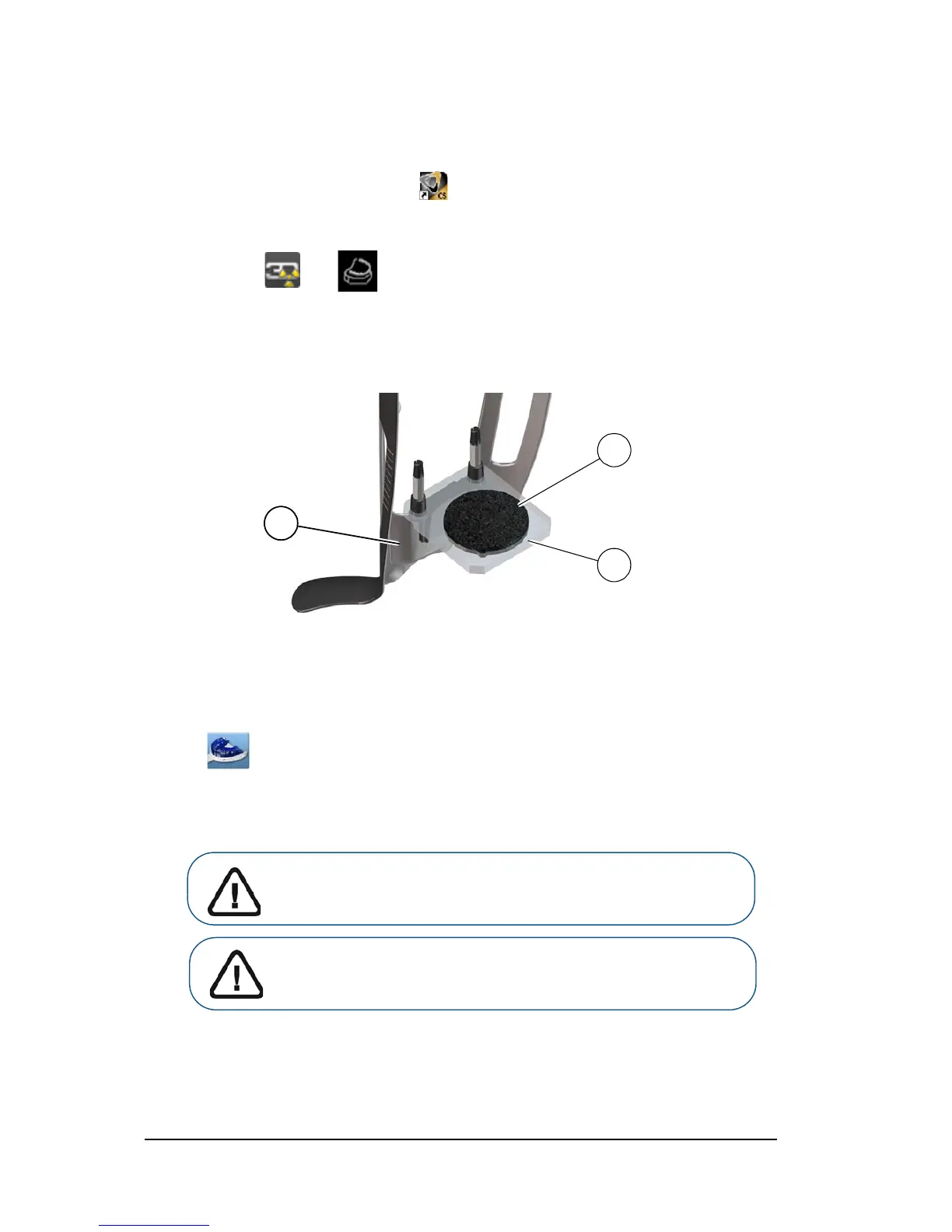
1. Insert the 3D bite block support (A) in the chin rest base.
2. Place the dental impression holder (B) onto the 3D bite block support (A).
3. Place the black foam (C) on the dental impression holder (B).
4. Click the Program button to access the Program pane.
5. Click to access the impression material acquisition mode interface.
6. Select the acquisition option that you require. See “Launching the Acquisition for the Impression
Material.” or “Launching the Triple Tray Impression Acquisition.”
Important: The animated display screen will guide you on how to
position the acquisition object that you have selected.












 To Next Page