82 Chapter 7 3D Object Acquisition
Acquiring Appliance-Based Images
Before acquiring images of the NobelGuide™ or NobelClinician™ Biocare calibration phantom, do the
following:
• On your desktop, double-click to open the CS Imaging Software.
• Select the patient record.
• Access the imaging window.
• Click then to access the 3D Acquisition interface.
Preparing the Unit and Setting the Acquisition Options of the NobelGuide™ or
NobelClinician™ Calibration Phantom
To prepare the unit for acquisition, follow these steps:
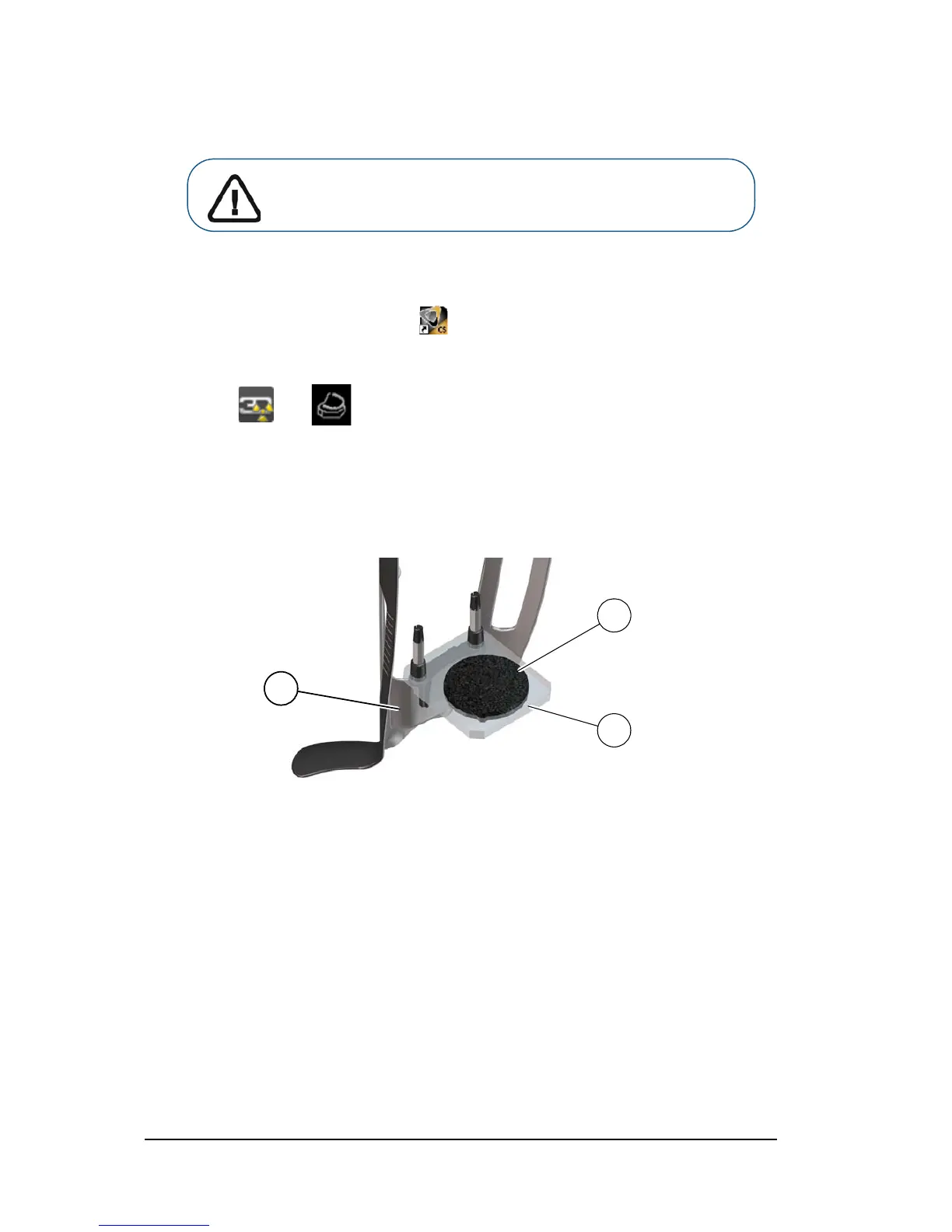
1. Insert the 3D bite block support (A) in the chin rest base.
2. Place the dental impression holder (B) onto the 3D bite block support (A).
3. Place the black foam (C) on the dental impression holder (B).
Important: Make sure that you have a calibration phantom that is
provided by Nobel Biocare before you perform a NobelGuide™ or
NobelClinician™ calibration procedure.












 To Next Page