14 Chapter 3 Imaging Software Overview
Patient Pane
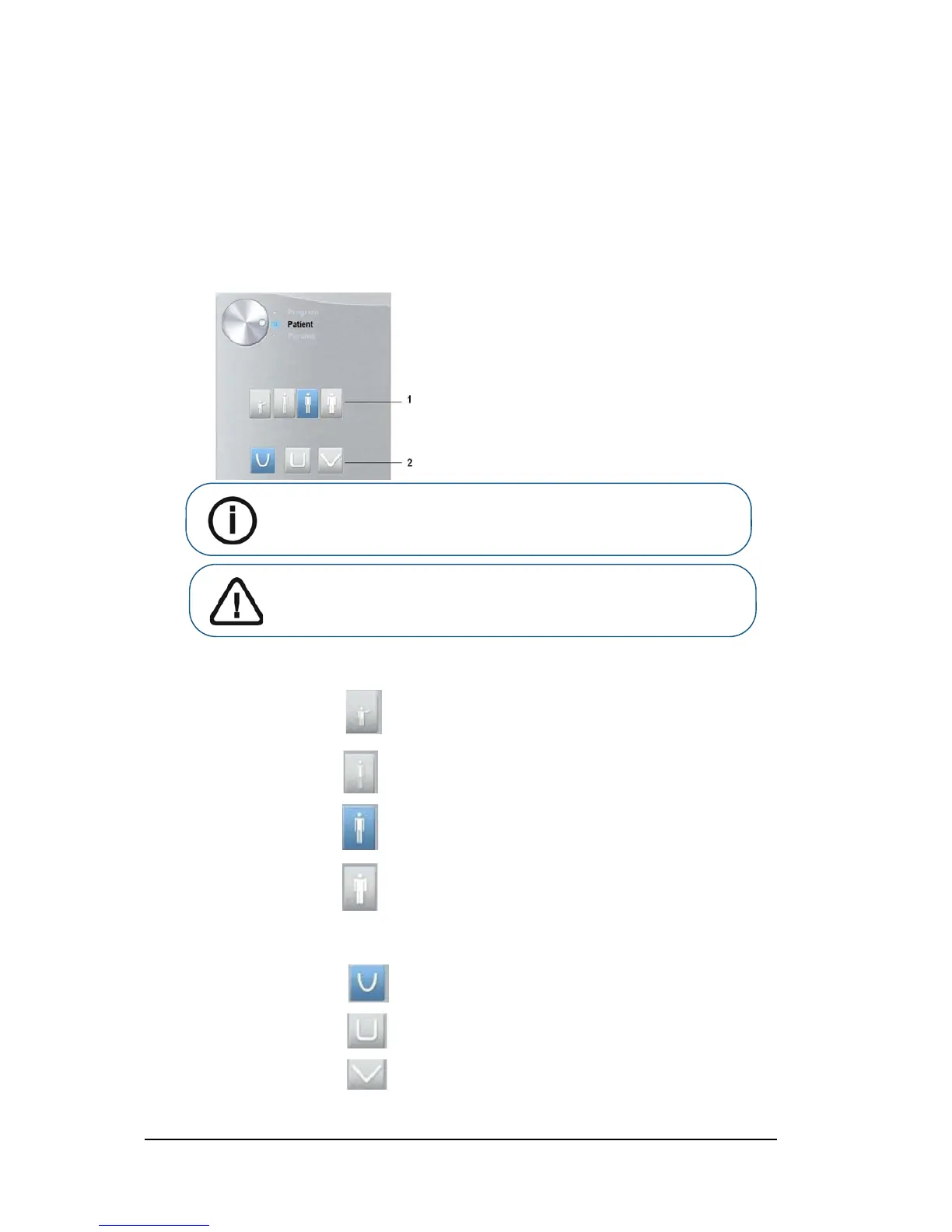
The Patient pane enables you to choose and select the different patient parameters. The
selected parameters for a patient influences the image quality because:
• The default kV and mA exposure settings are set for the selected patient mode.
• The image is reconstructed according to the patient dental arch morphology.
Selected parameters must be based on the age and morphology (jaw size and bone density)
of the patient.
Figure 8 Patient Pane
1 Patient type parameters:
Pediatric mode:
Click if the patient is a child.
Adult mode:
Click if the patient is small.
Click if the patient is medium.
Click if the patient is large.
2 Patient dental arch morphology:
Click for a normal shape dental arch.
Click for a square dental arch.
Click for a sharp dental arch.
Important: See the CS 8100 3D Family Safety, Regulatory and Technical
Specifications User Guide for information on radiation protection and
recommendations when you select a patient type, especially the
pediatric patient.












 To Next Page