42 Chapter 6 Acquiring 3D Images
• Full jaw (both upper and lower jaw) exam
• Upper jaw exam
• Lower jaw exam
4. (Optional) If the default parameter setting is not adapted to your patient type:
• Click the Parameter button
• Select the appropriate parameters.
• Click and select Memorize Anatomy setting to save the new parameter settings as
future default settings.
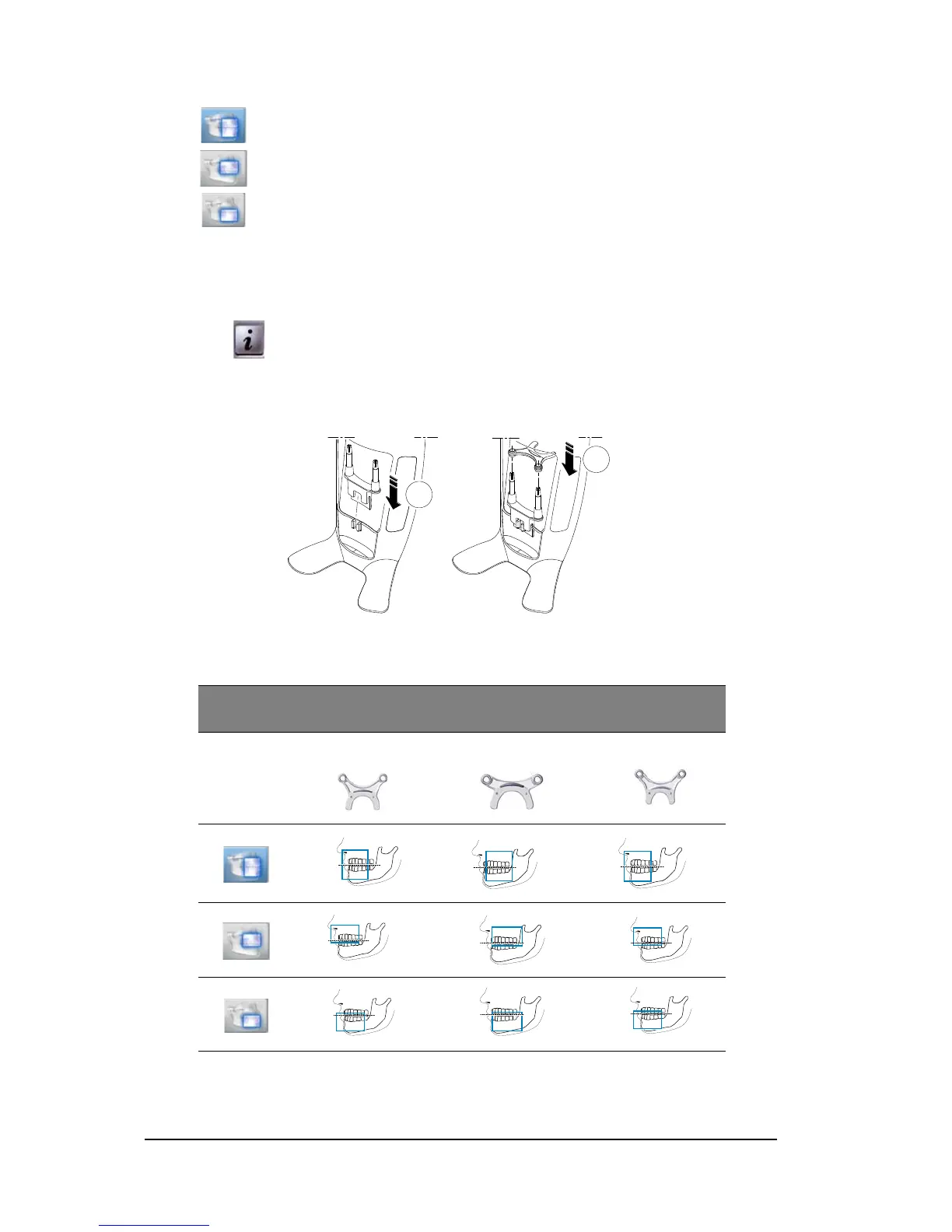
5. Fit the 3D bite block support (A), and insert the 3D bite block (B) as shown.
Make sure that you click the bite block well into place.
See the table below for information on the recommended Fields of View (FoV) and Acquisition
types for available 3D bite blocks.
* Optional for CS 8100 3D Access and CS 8100SC 3D Access.
** In Canada, the full upper and lower jaw acquisition is limited to 8x8 FOV instead of 8x9 FOV.
Full Upper and Lower Jaw Acquisition*;
Recommended Fields of View (FoV) and Acquisition Types
Acquisition
types
1
3D bite block
2
3D molar bite block
4
3D child bite block
**
**












 To Next Page