Panoramic and 3D Modality User guide for CS 8100 3D Family (SM842) Ed07 49
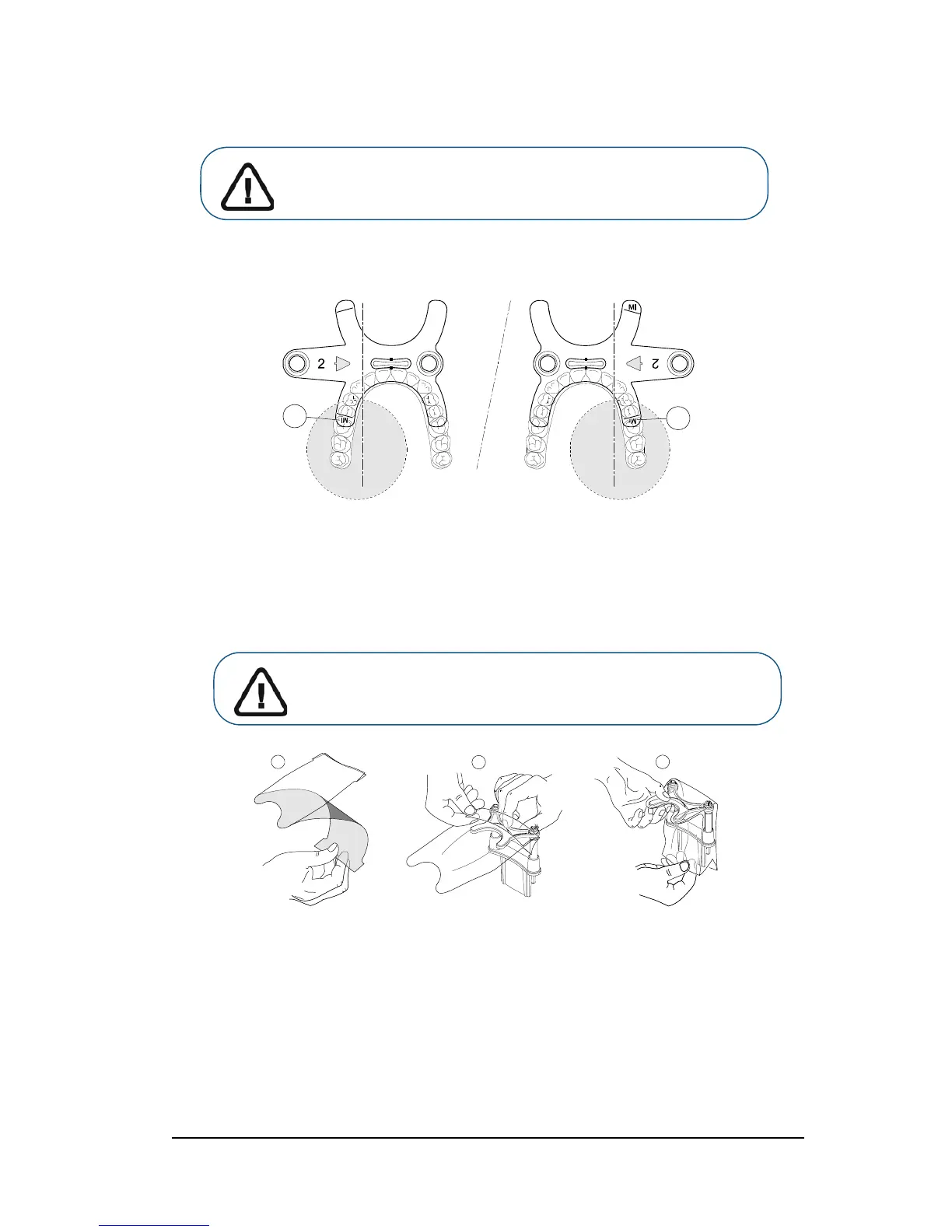
• If you are using a 3rd molar offset 3D bite block, insert the offset bite block (B) for a
right-molar (M
R) or left-molar (ML) acquisition as required:
• To acquire an image of the left-side 3rd molar, insert the offset bite block so that
the part indicated Ml will be placed in the corresponding position in the patient’s
mouth.
• To acquire an image of the right-side 3rd molar, insert the offset bite block so that
the part indicated MR will be placed in the corresponding position inside the patient’s
mouth.
6. Remove the paper backing from the hygienic barrier (C). Cover the bite block with the hygienic
barrier (D). Make sure that you cover the bite block completely with the hygienic barrier (E).
Important: You must cover the bite blocks with FDA-cleared
protective sheaths that are available from distributors.












 To Next Page