6
Switching on the welding machine
When the unit is switched on the welding machine's VISION SCREEN, shows the logo as shown below:
VISION Screen
During this operation, on the DH panel:
• All the keys and all the encoders are disabled.
• All the LEDs and all the segments of the VISION S
CREEN are switched on.
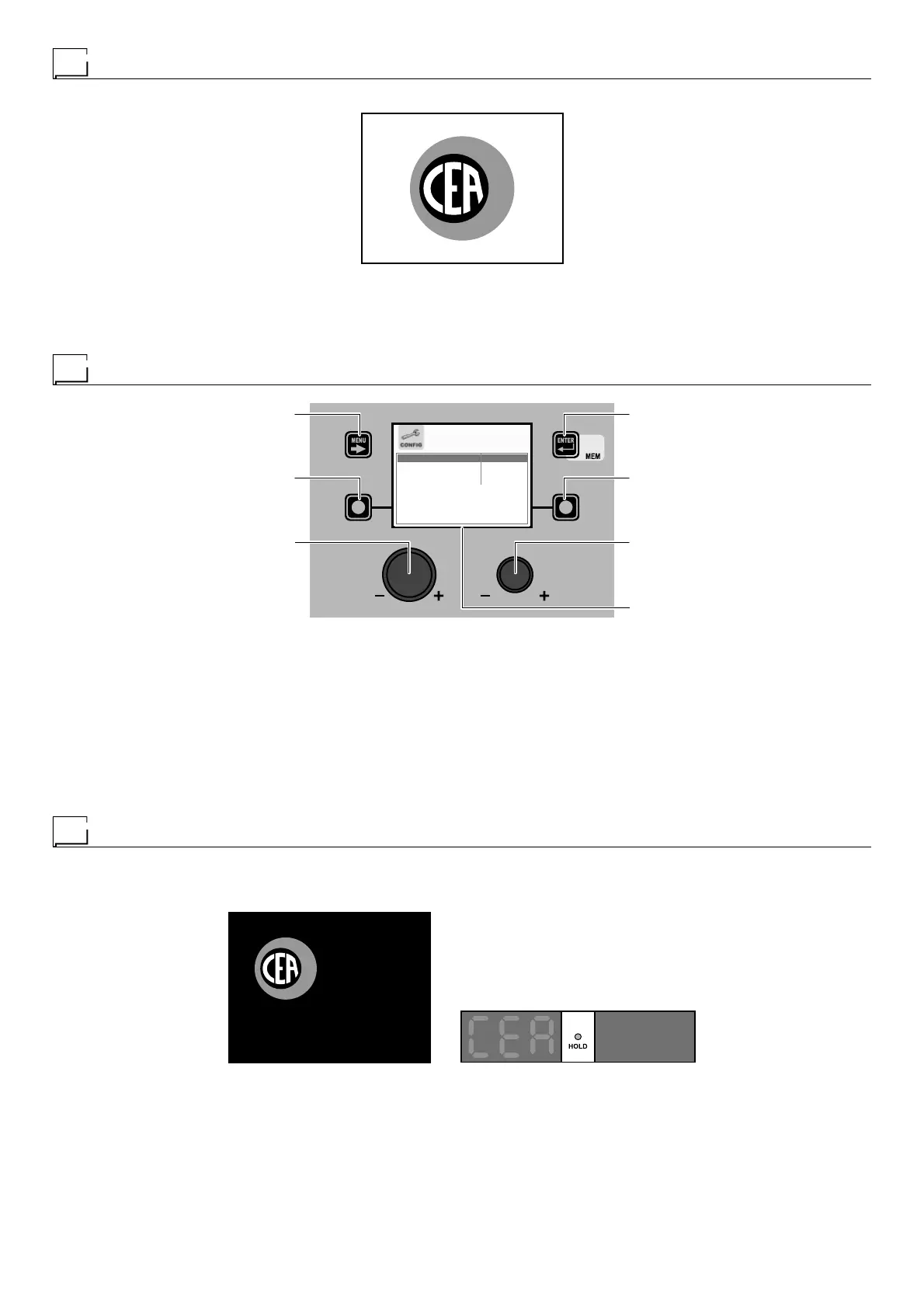
Language selection
MENU KEY ENTER/MEM KEY
ENCODER KNOB - SX ENCODER KNOB - DX
VISION S
CREEN
SX KEY DX KEY
LANGUAGE ENGLISH
ADVANCE CONFIGURATION DISABLED
ADVANCE WELDING MODE DISABLED
EQUIPMENT LAYOUT DISABLED
“DH” CONTROL PANEL
On the VISION S
CREEN the DEFAULT language set by is ENGLISH.
To select another language, proceed as follows:
• Open the SETUP Menu by holding the SX K
EY down for at least 5 consecutive seconds.
• Select the CONFIG Menu by rotating the ENCODER K
NOB - SX until the correct icon is reached.
• Push the ENTER/MEM K
EY to open the CONFIG Menu.
• Select the LANGUAGE Sub-menu by rotating the ENCODER K
NOB - SX.
• Select the language required by rotating the ENCODER K
NOB - DX.
• Push the MENU K
EY to close the CONFIG Menu.
• Push the MENU K
EY to close the SETUP Menu.
Once this has closed, the VISION S
CREEN will show the various text / screens in the language selected.
Screen saver
After a pause or period of inactivity of the welding machine:
• The VISION S
CREEN shows the SCREEN SAVER.
• On both the HT4 displays for the wire feeder, “CEA” appears and scrolls continuously.
VISION Screen HT4 Screen
The SCREEN SAVER mode can be exited in one of the following ways:
• By pushing any key or moving any knob on the welding machine's panel or that of the wire feeder.
• Starting the welding process, in which case the welding is activated in context.
• Moving a remote control.
When the SCREEN SAVER is exited, the welding machine goes back to the working condition prior to activation of the screen saver.











 To Next Page