72
Advanced function Description
TORCH TYPE
WATER COOLER OPTIONAL
WIRE FEEDER OPTIONAL
DIGITORCH OPTIONAL
ANALOGIC RC OPTIONAL
TORCH TYPE 500A H2O
SAFETY CALIBRATION CODE 013
Used to set the type of torch that will subsequently be connected to the welding plant.
This operation must be done in order to size the plant correctly and as a result, the
welding parameters.
To exit the EQUIPMENT LAYOUT Menu and go back to the ADVANCED SETUP Menu:
• Push the MENU K
EY.
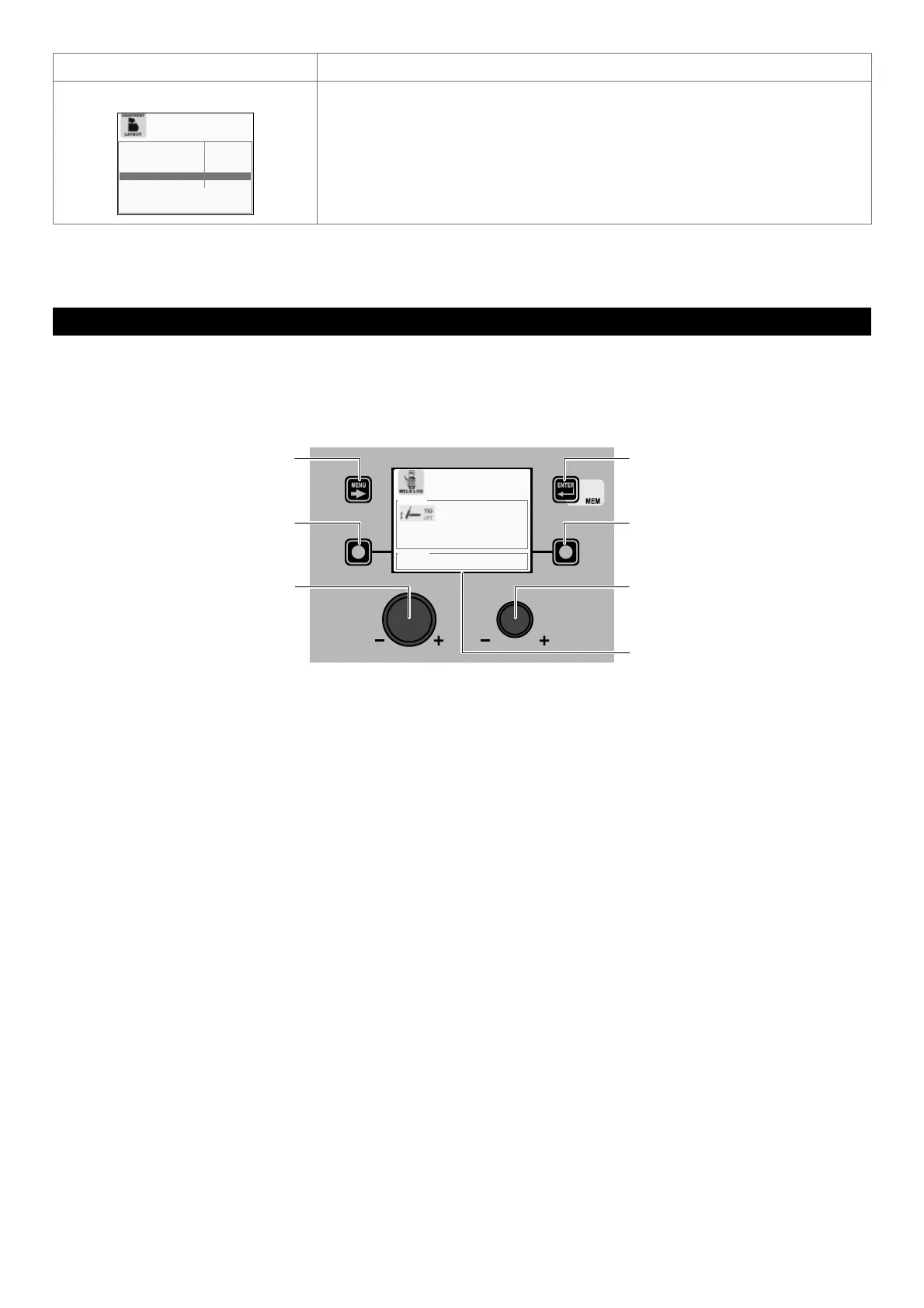
WELD LOG ADVANCED SETUP Menu
The purpose of this menu is to allow the operator to know the latest welding parameters set on the machine, as well as the lat-
est data saved on the machine.
To access the WELD LOG Menu from the ADVANCED SETUP Menu:
• Turn the ENCODER K
NOB - SX to select the desired icon.
• Push the ENTER/MEM K
EY.
MENU KEY ENTER/MEM KEY
ENCODER KNOB - SX ENCODER KNOB - DX
VISION S
CREEN
SX KEY DX KEY
HOLD DATA
CURRENT 39 [A] VOLTAGE 1.2 [V]
CURRENT 39 [A] VOLTAGE 1.2 [V]
SET POINT
The content of this menu is for information only, the operator cannot make any changes, they can only read the information avail-
able on the screen.
To exit the WELD LOG Menu and go back to the ADVANCED SETUP Menu:
• Push the MENU K
EY.











 To Next Page