54
WELDING MODE SELECTION LED
The LED unit indicates the welding mode saved in the JOB selected, which is coherent with
the VISION S
CREEN.
HOLD F
UNCTION LED Flashes for a set time, informing the operator that the HOLD Function is active.
PARAMETER DISPLAY S
CREEN - V
Shows the number for the JOB selected or the value for the parameter indicated by the
PARAMETER SELECTION LED - V.
PARAMETER SELECTION LED - V
The LED unit indicates the welding parameter selected using the PARAMETER SELECTION K
EY
- V.
PARAMETER SELECTION K
EY - V
Scrolls the active parameters in succession, based on the type of welding process saved in
the JOB selected.
In this case the values displayed are those for: HOLD.
SPECIAL FUNCTIONS (FX) KEY
Used to access the display of the SPECIAL FUNCTIONS (Fx) saved in the JOB selected,
interrupting the HOLD Function.
Error condition
WARNING: Under normal conditions of use it is not possible to open the “ERROR LOG Menu” display since the alarm message
appears instantaneously on the VISION S
CREEN as soon as the problem arises on the welding plant. At this stage it is not possi-
ble to weld!
As soon as the error message appears:
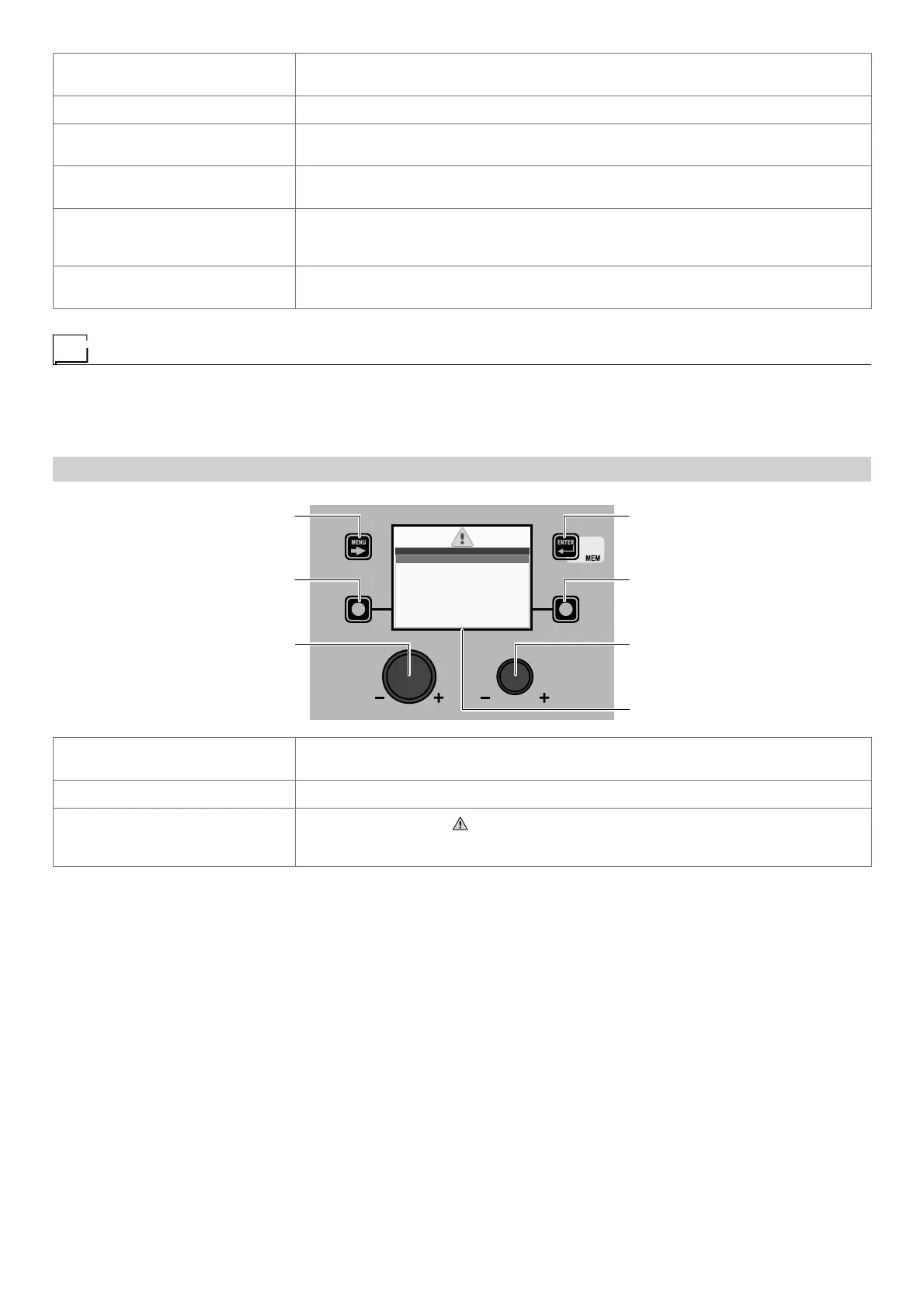
“DH” CONTROL PANEL
MENU KEY ENTER/MEM KEY
ENCODER KNOB - SX ENCODER KNOB - DX
VISION S
CREEN
SX KEY DX KEY
ERRORS 1
E0.6 WATER COOLER MISSING
SX KEY
If held down for a period of about 5 consecutive seconds it takes the VISION SCREEN to the
SETUP Menu.
ENCODER K
NOB - SX Used to scroll the alarms activated.
VISION S
CREEN
Shows the alarm signal ( ), number of the errors that have occurred (e.g. ERRORS 1) and
an indication of what happened (e.g. E.06 WATER COOLER MISSING) of the welding ma-
chine.











 To Next Page