63
ERROR LOG SETUP Menu
The purpose of this menu is to allow the operator to know, interpret, and understand error conditions that have occurred or may
be encountered on the welding plant.
To access the ERROR LOG Menu from the SETUP Menu:
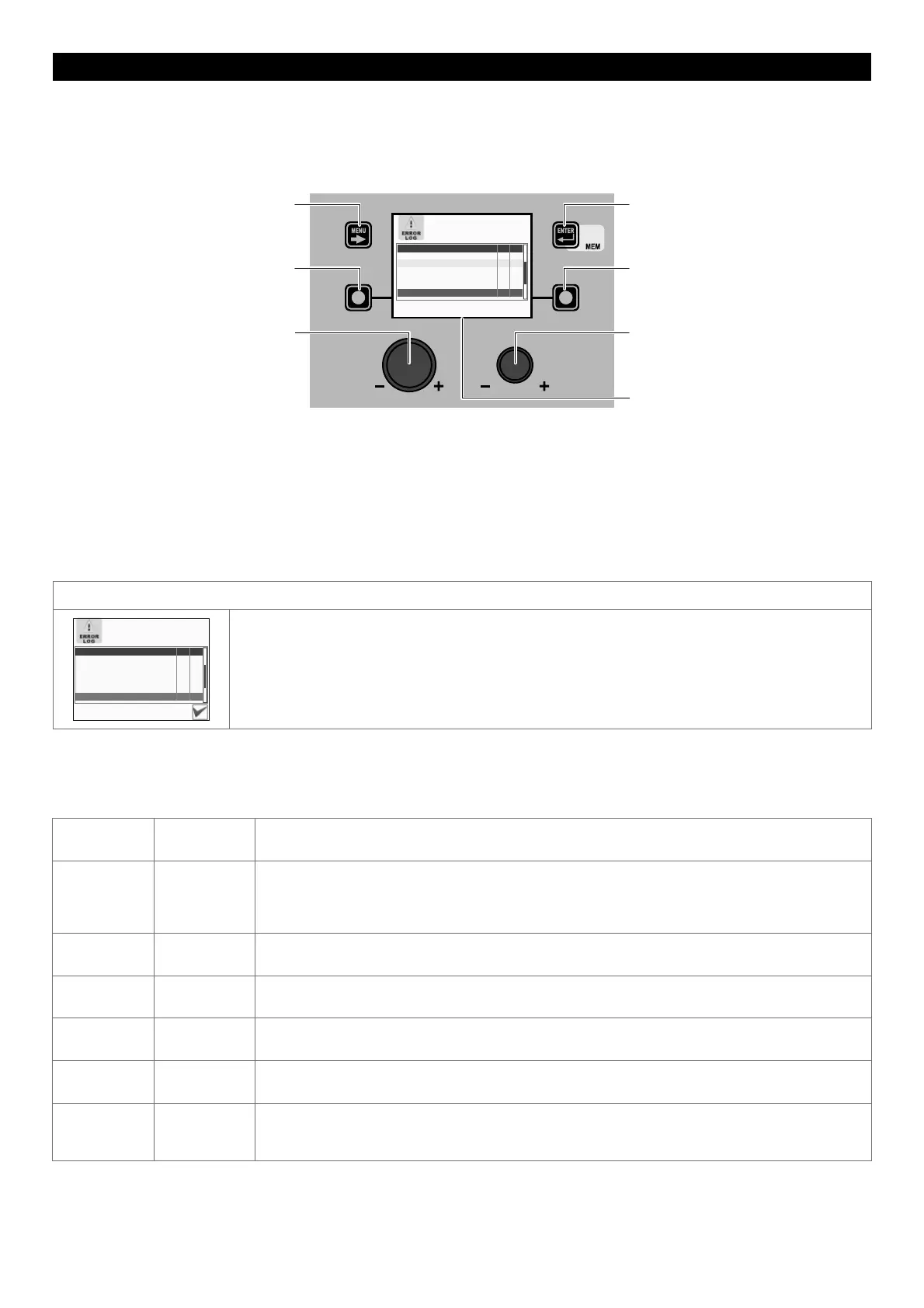
• Turn the ENCODER K
NOB - SX to select the desired icon.
• Push the ENTER/MEM K
EY.
MENU KEY ENTER/MEM KEY
ENCODER KNOB - SX ENCODER KNOB - DX
VISION SCREEN
SX KEY DX KEY
ERRORS Curr. Tot.
E0.5 REMOTE COMMANDS 0 0
E0.6 WATER COOLER MISSING 1 5
E0.7 MOTOR SPEED 0 0
E0.8 WIRE FEEDER MISSING 0 0
T°C THERMAL PROTECTION 0 0
E7.0 RC ANALOGIC MISSING 1 2
Within the menu the following is indicated for each individual error:
• Its code (e.g. E1.0).
• A short description (e.g. no configuration file).
• The number of times this has occurred since the last time the machine was switched on (Curr).
•
The number of times this has occurred since the last ALARM COUNTER RESET or TOTAL RESET (Tot.) of the welding machine.
• Errors that have occurred on the welding plant and subsequently been corrected, but not yet partially reset, are highlighted in
yellow.
• Errors that have occurred on the welding machine, but that have not yet been resolved and so are still active, are highlighted
in red.
RESET Curr (RESET PARTIAL ERROR COUNT)
ERRORS Curr. Tot.
E0.1 OVER AND UNDER VOLTAGE 0 0
E0.2 OVER VOLTAGE 0 0
E0.3 UNDER VOLTAGE 0 0
E0.4 OVER CURRENT 0 0
E0.5 REMOTE COMMANDS 0 0
E0.6 WATER COOLER MISSING 1 6
The counter that indicates how many times a error or alarm has occurred since the last time the
machine was switched on is part of this menu, and can be zeroed as follows:
• Choose the error for which the partial counter (Curr) must be reset by rotating the SX - ENCODER K
NOB.
• The VISION S
CREEN displays an icon in the bottom right corner (see image) that indicates that you can
proceed with resetting.
• Hold down the DX K
EY until resetting of the (Curr) counter has been completed.
Within the menu, by rotating the ENCODER KNOB - SX it is possible to scroll the errors (also indicated in the table below), view them
and select them.
Error
condition
Error code Error description and possible diagnosis
Err E0.0
POWER SUPPLY FAILURE
NON automatic reset error.
This error can only arise when switching on and not when the welding plant is working normally.
Error visible on VISION S
CREEN ONLY in the event of a fault and NOT in the ERROR LOG Menu.
Err E0.1
OVER AND UNDER VOLTAGE
Automatic reset error.
Err E0.2
OVER VOLTAGE
Automatic reset error.
Err E0.3
UNDER VOLTAGE
Automatic reset error.
Err E0.4
OVER CURRENT
Automatic reset error.
Err E0.5
REMOTE COMMANDS
No feed for remote commands.
NON automatic reset error.
(continued)











 To Next Page