49
JOB
1 - Creating and saving / editing and overwriting a JOB JOB
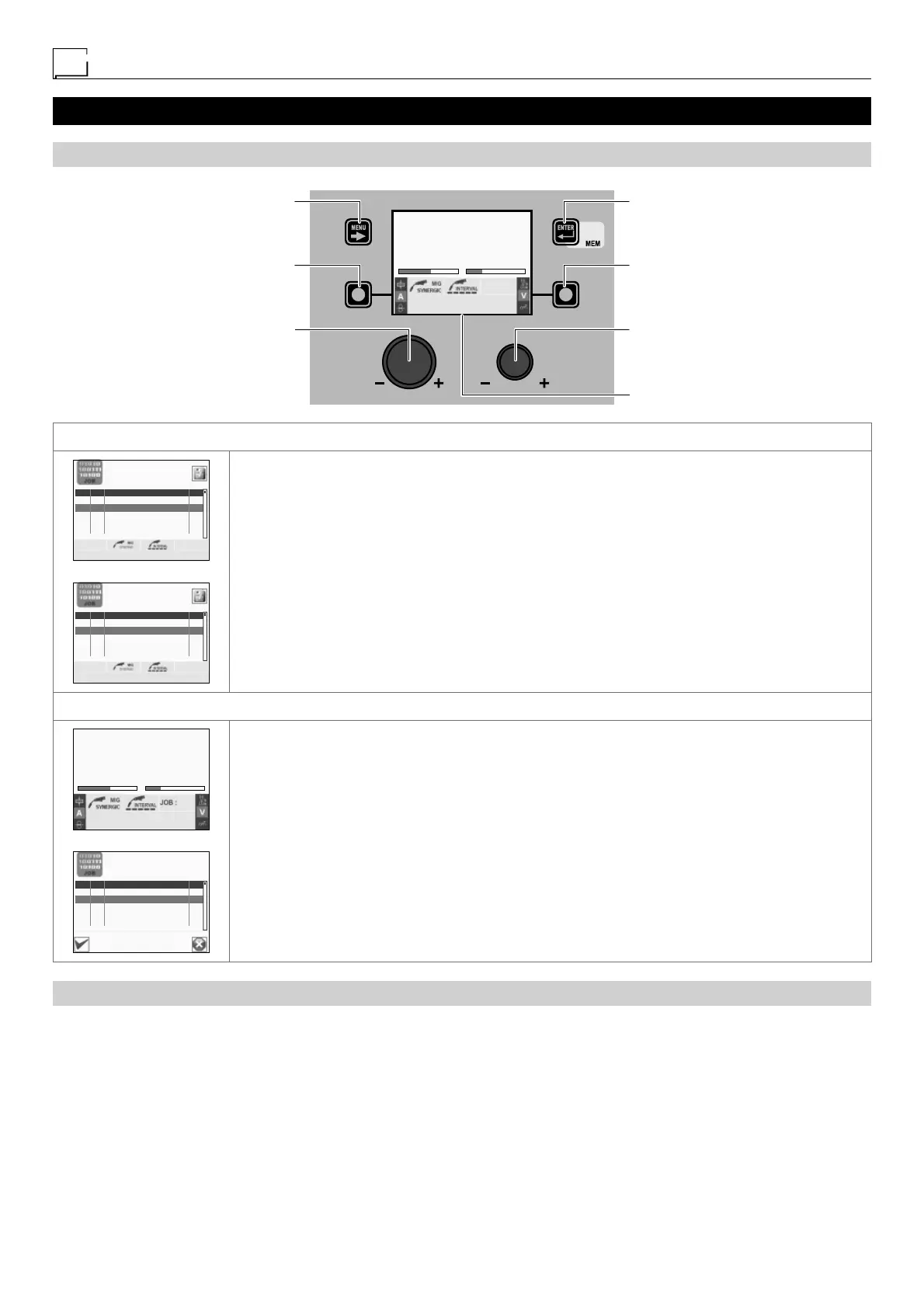
“DH” CONTROL PANEL
MENU KEY ENTER/MEM KEY
ENCODER KNOB - SX ENCODER KNOB - DX
VISION SCREEN
SX KEY DX KEY
AV
211 24.8
Fe G3 SI-1 Ø 0.8 Ar 16-20% CO2
PROGRAM 0011
CREATING AND SAVING A JOB
PRG JOB PROCESS I
001 MMA 97
002 --- --- ---
003 --- --- ---
004 --- --- ---
005 --- --- ---
011 Fe G3 SI-1 Ø 0.8 Ar 16-20% CO2
PRG JOB PROCESS I
001 MMA 97
002 0011 MIG/MAG SYNERGIC 211
003 --- --- ---
004 --- --- ---
005 --- --- ---
011 Fe G3 SI-1 Ø 0.8 Ar 16-20% CO2
To create and save a JOB (automatic welding point) proceed as follows:
• During any welding process and at any time, once you have acquired the necessary parameters, hold
the ENTER/MEM K
EY down for 3 consecutive seconds.
• The VISION S
CREEN automatically goes to the first free position in the JOB table.
• Choose the position in which the JOB is to be saved by rotating the ENCODER K
NOB - SX.
• Push the ENTER/MEM K
EY to confirm and finalise saving of the JOB created.
EDITING AND OVERWRITING A JOB
AV
211 24.8
Fe G3 SI-1 Ø 0.8 Ar 16-20% CO2
PROGRAM 0011
002
PRG JOB PROCESS I
001 MMA 97
002 0011 MIG/MAG SYNERGIC 211
003 --- --- ---
004 --- --- ---
005 --- --- ---
OVERWRITE JOB 002?
To edit and/or overwrite a JOB proceed as follows:
• During any welding process and at any time push the MENU K
EY to exit the welding phase.
• Select the welding process JOB by rotating the ENCODER K
NOB - SX.
• Push the MENU K
EY to open the JOB table.
• Select the JOB to be edited by rotating the ENCODER K
NOB - SX.
• Push the ENTER/MEM K
EY to view the settings on the VISION SCREEN for the JOB to be edited.
• Hold down the ENTER/MEM K
EY for about 3 consecutive seconds, until the VISION SCREEN loads all the
parameters / data for the JOB onto the screen (making them available to the operator).
• Acquire the parameters necessary for editing the JOB.
• Hold down the ENTER/MEM K
EY for 3 3 consecutive seconds.
• The VISION S
CREEN automatically goes to the first free position in the JOB table.
• Choose the free position in which the edited JOB is to be saved, or a position already occupied in
which the edited JOB will be overwritten, by rotating the ENCODER K
NOB - SX.
• Push the ENTER/MEM K
EY to confirm the operation.
• Push the SX K
EY to confirm the overwriting operation or the DX KEY to cancel it.
“HT4” CONTROL PANEL
It is not possible to create, save, edit or overwrite a JOB using the “HT4” control panel.











 To Next Page