62
DATA IN-OUT SETUP Menu
The purpose of this menu is to allow the operator to:
• Copy a series of data on the welding plant by exporting it onto a USB key or to load it by importing the data (e.g. welding data
register - welding machine configuration, etc.).
• Update the versions of the software loaded into each component that is part of the welding plant, using a USB Key (e.g. HT4
Wire feeder).
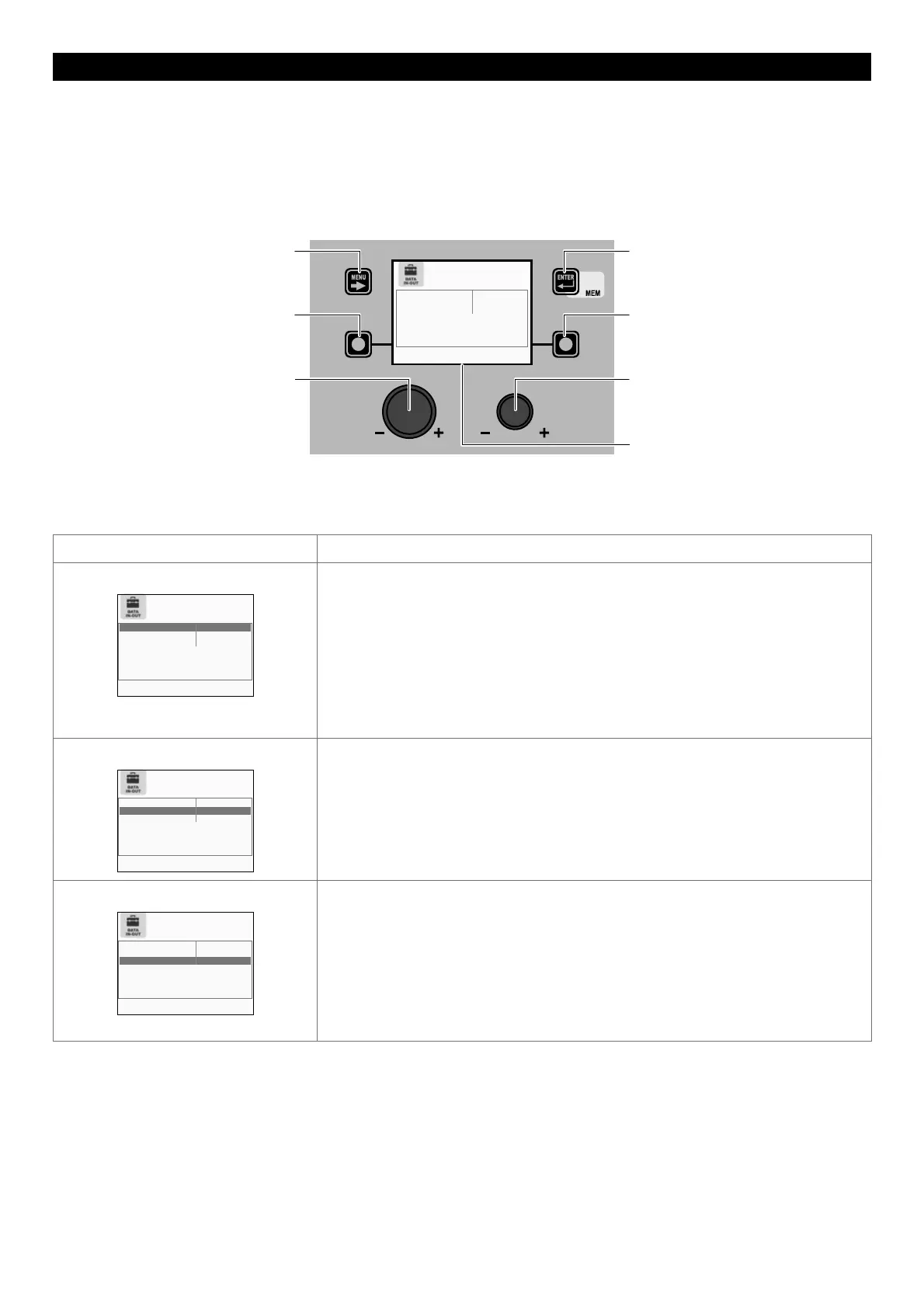
To access the DATA IN-OUT Menu from the SETUP Menu:
• Turn the ENCODER K
NOB - SX to select the desired icon.
• Push the ENTER/MEM K
EY.
MENU KEY ENTER/MEM KEY
ENCODER KNOB - SX ENCODER KNOB - DX
VISION S
CREEN
SX KEY DX KEY
DOWNLOAD TO USB KEY ERROR LOG
IMPORT FROM USB KEY JOB
UPGRADE FROM USB KEY POWER SOURCE SW.
Within the DATA IN-OUT Menu it is possible, by rotating the ENCODER KNOB - SX, to select the function required, whereas by rotat-
ing the ENCODER K
NOB - DX you can choose any of the sub-menus available.
Confirmation of the operation selected and subsequent execution only occur after you have pushed the ENTER/MEM K
EY.
Function Description
DOWNLOAD TO USB KEY
DOWNLOAD TO USB KEY ALL DATA
IMPORT FROM USB KEY JOB
UPGRADE FROM USB KEY DIGITORCH SW.
SELECT OPERATION
Used to copy the following files by exporting them onto a USB Key:
• ERROR REGISTER - A file whose contents constitute a register that records all the
errors / alarms that have occurred on the welding plant (e.g. Overvoltage Alarm).
• WELD. DATA REGIST. (Welding data register) - A file whose contents constitute a
register that contains all the data on the last welding operation done by the operator.
• JOB - A file that contains all the JOBS created by the operator and saved in the welding
machine.
• CONFIGURATION - A file that contains the current configuration (status) of the welding
machine.
• ALL DATA - A file that contains all the data entered in the welding plant since it was first
used (errors register, welding data, jobs, plant configuration, etc.).
IMPORT FROM USB KEY
DOWNLOAD TO USB KEY ALL DATA
IMPORT FROM USB KEY ALL DATA
UPGRADE FROM USB KEY DIGITORCH SW.
SELECT OPERATION
Used to load the following files by importing them from a USB Key:
• JOB - Files that contain all the JOBS saved in a specific welding machine.
• CONFIGURATION - A file that contains the current configuration (status) of a specific
welding machine.
• ALL DATA - A file that contains all the data entered in a specific welding plant since it
was first used (errors register, welding data, jobs, plant configuration, etc.).
UPGRADE FROM USB KEY
DOWNLOAD TO USB KEY ALL DATA
IMPORT FROM USB KEY ALL DATA
UPGRADE FROM USB KEY POWER SOURCE SW.
SELECT OPERATION
Used to load software updates for all components that are part of the welding plant from
a USB Key:
• POWER SOURCE SW (power source software) - Used to download software updates
from a USB Key for the welding machine.
• WIRE FEEDER SW (wire feeder software) - Used to download software updates from a
USB Key for the wire feeder (if fitted).
• DIGITORCH SW (software Digitorch) - Used to download software updates from a USB
Key for the DIGITORCH torch (if fitted and connected).
• ROBOT INT. SW (robot interface software) - Used to download software updates from a
USB Key for the Robot interface (if fitted and connected).
To exit the DATA IN-OUT Menu and go back to the SETUP Menu:
• Push the MENU K
EY.











 To Next Page