57
PASSWORD SETUP Menu
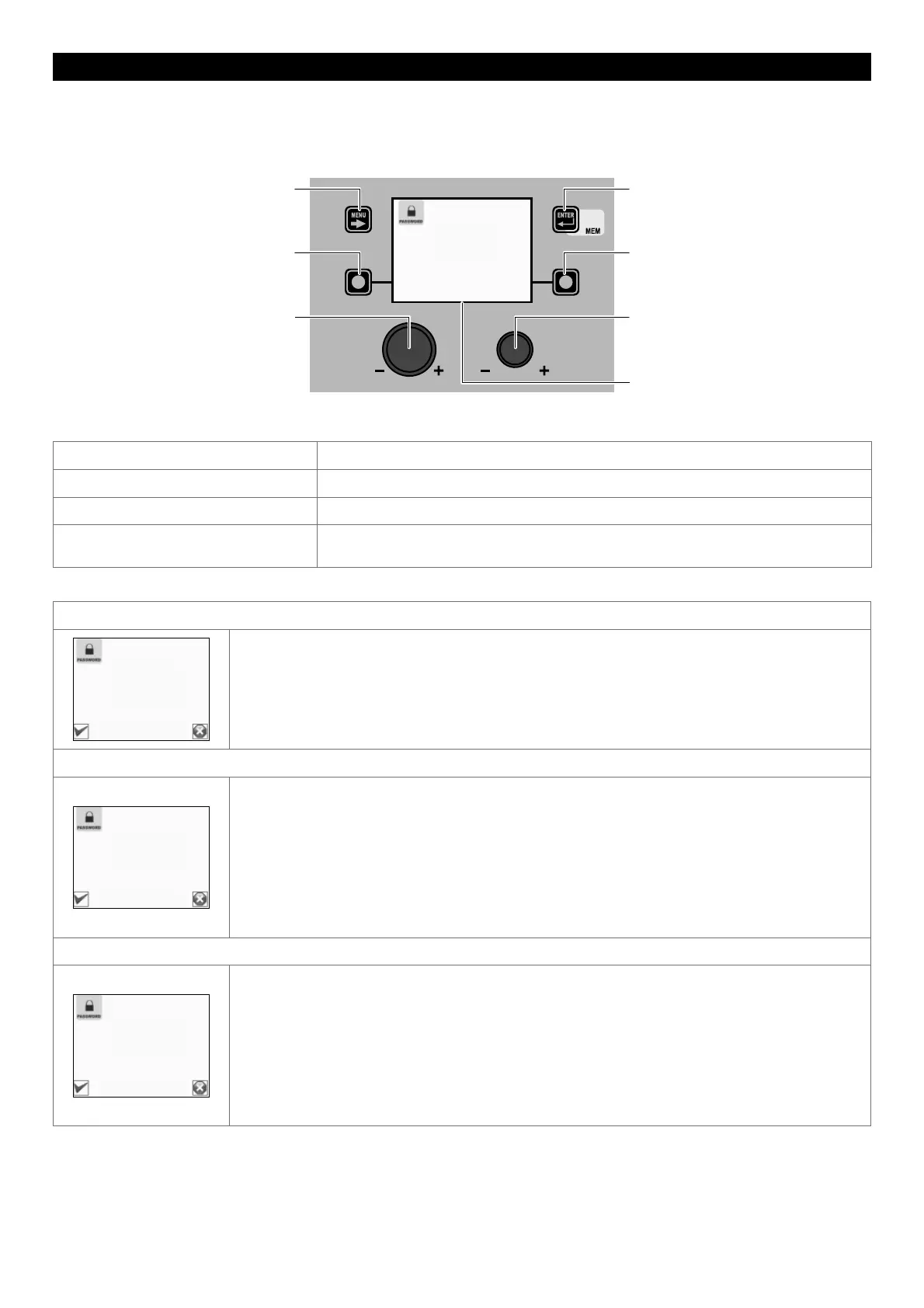
The purpose of this menu is to allow the operator to enter a PASSWORD for accessing the SETUP Menu.
To access the PASSWORD Menu from the SETUP Menu:
• Turn the ENCODER K
NOB - SX to select the desired icon.
• Push the ENTER/MEM K
EY.
MENU KEY ENTER/MEM KEY
ENCODER KNOB - SX ENCODER KNOB - DX
VISION SCREEN
SX KEY DX KEY
SET PASSWORD
000
The VISION SCREEN can have various configurations, the meaning of which is indicated in the table below.
Diaplay VISION DESCRIPTION Meaning
000 The SETUP Menu ARE NOT protected by any PASSWORD.
*** The SETUP Menu ARE protected by any PASSWORD.
Number between 001 and 999 The SETUP Menu ARE protected by a PASSWORD and this can be seen by the
operator only because they are working inside the SETUP Menu.
ENTERING A NEW PASSWORD
STORE PASSWORD?
SET PASSWORD
011
To enter a new PASSWORD proceed as follows:
• Make sure that the VISION S
CREEN displays the text 000.
• Choose the new PASSWORD to be entered by rotating the ENCODER K
NOB - DX.
• Push the ENTER/MEM K
EY to confirm the operation of entering the PASSWORD.
• Push the SX K
EY to confirm and finalise entering of the new PASSWORD.
• To cancel the operation of entering a PASSWORD push the DX K
EY.
EDITING THE EXISTING PASSWORD
STORE PASSWORD?
SET PASSWORD
077
WARNING: This operation is only possible after having accessed the SETUP Menu using the password
you wish to edit!
To edit the existing PASSWORD proceed as follows:
• Make sure the VISION S
CREEN shows the PASSWORD entered previously (a number that must be
between 001 and 999).
• Choose the new PASSWORD to be entered by rotating the ENCODER KNOB - DX.
• Push the ENTER/MEM K
EY to confirm the operation of editing the PASSWORD.
• Push the SX K
EY to confirm and finalise editing of the PASSWORD.
• To cancel the operation of editing a PASSWORD push the DX K
EY.
DELETING THE EXISTING PASSWORD
STORE PASSWORD?
SET PASSWORD
000
WARNING: This operation is only possible after having accessed the SETUP Menu using the password
you wish to delete!
To delete the existing PASSWORD proceed as follows:
• Make sure the VISION S
CREEN shows the PASSWORD entered previously (a number that must be
between 001 and 999).
• Take the VISION S
CREEN to number 000 by rotating the ENCODER KNOB - DX.
• Push the ENTER/MEM K
EY to confirm the deletion of the PASSWORD.
• Push the SX K
EY to confirm and finalise deleting of the PASSWORD.
• To cancel the operation of deleting a PASSWORD push the DX K
EY.
To exit the PASSWORD Menu and go back to the SETUP Menu:
• Push the MENU K
EY.











 To Next Page