68
ADVANCED CONFIG ADVANCED SETUP Menu
The purpose of this menu is to allow the operator to know the actual working time and operation of the welding machine, to con-
figure the ENERGY SAVING mode in the best way to allow the best energy saving on the welding plant, and to be able to enable
an analogue output on the welding plant that can be used for connecting total remote controls equipped with automatic self-rec-
ognition.
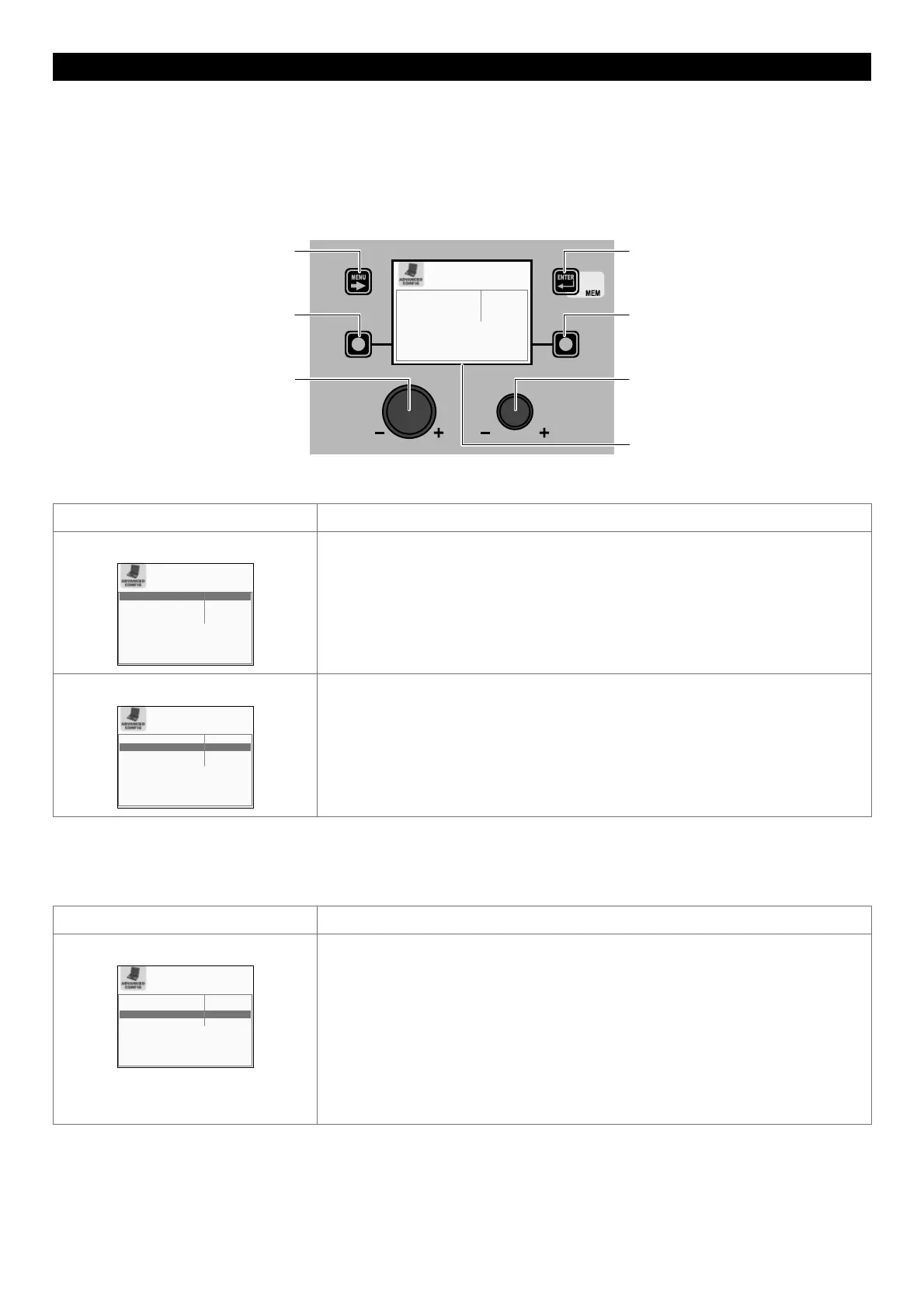
To access the ADVANCED CONFIG Menu from the ADVANCED SETUP Menu:
• Turn the ENCODER K
NOB - SX to select the desired icon.
• Push the ENTER/MEM K
EY.
MENU KEY ENTER/MEM KEY
ENCODER KNOB - SX ENCODER KNOB - DX
VISION S
CREEN
SX KEY DX KEY
ARC ON TIMER 0 gg. 0:00:00
TIMER WELDER ON 0 gg. 0:00:00
ENERGY SAVING STANDARD
REMOTE CONTROL DISABLED
Within the ADVANCED CONFIG Menu the operator can view:
Advanced function Description
ARC ON TIMER
ARC ON TIMER 0 gg. 0:00:00
TIMER WELDER ON 0 gg. 0:03:19
ENERGY SAVING STANDARD
REMOTE CONTROL DISABLED
Indicates the actual time the machine is used for welding.
WARNING: This time can only be zeroed by means of a TOTAL RESET (see the relevant
paragraph) of the welding plant.
TIME WELDER ON
ARC ON TIMER 0 gg. 0:00:00
TIMER WELDER ON 0 gg. 0:12:35
ENERGY SAVING STANDARD
REMOTE CONTROL PLC
Indicates the actual time the machine works, even when the screen saver is activated.
WARNING: This time can only be zeroed by means of a TOTAL RESET (see the relevant
paragraph) of the welding plant.
WARNING: The content of the part of the menu described above is for information only, the operator cannot make any changes,
they can only view and read the information available on the screen.
Advanced function Description
ENERGY SAVING
ARC ON TIMER 0 gg. 0:00:00
TIMER WELDER ON 0 gg. 0:12:49
ENERGY SAVING ULTRA
REMOTE CONTROL PLC
By rotating the ENCODER KNOB - DX (this operation does not require confirmation) it
is possible to choose the energy saving mode you prefer from the 3 available for the
welding plant:
• STANDARD - Energy saving is achieved by the screen saver being activated for the
screens on both the generator and the feeder after a set time that cannot be changed
by the operator (see the relevant paragraph).
• ULTRA - Energy saving is obtained by the screens on the generator and the feeder
being switched off after a set time, equal to that for the screen saver, which cannot be
changed by the operator.
• EXTRA - Energy saving is obtained by the screens on the generator and the feeder
switching off as soon as the machine is switched on.
(continued)











 To Next Page