59
CONFIG SETUP Menu
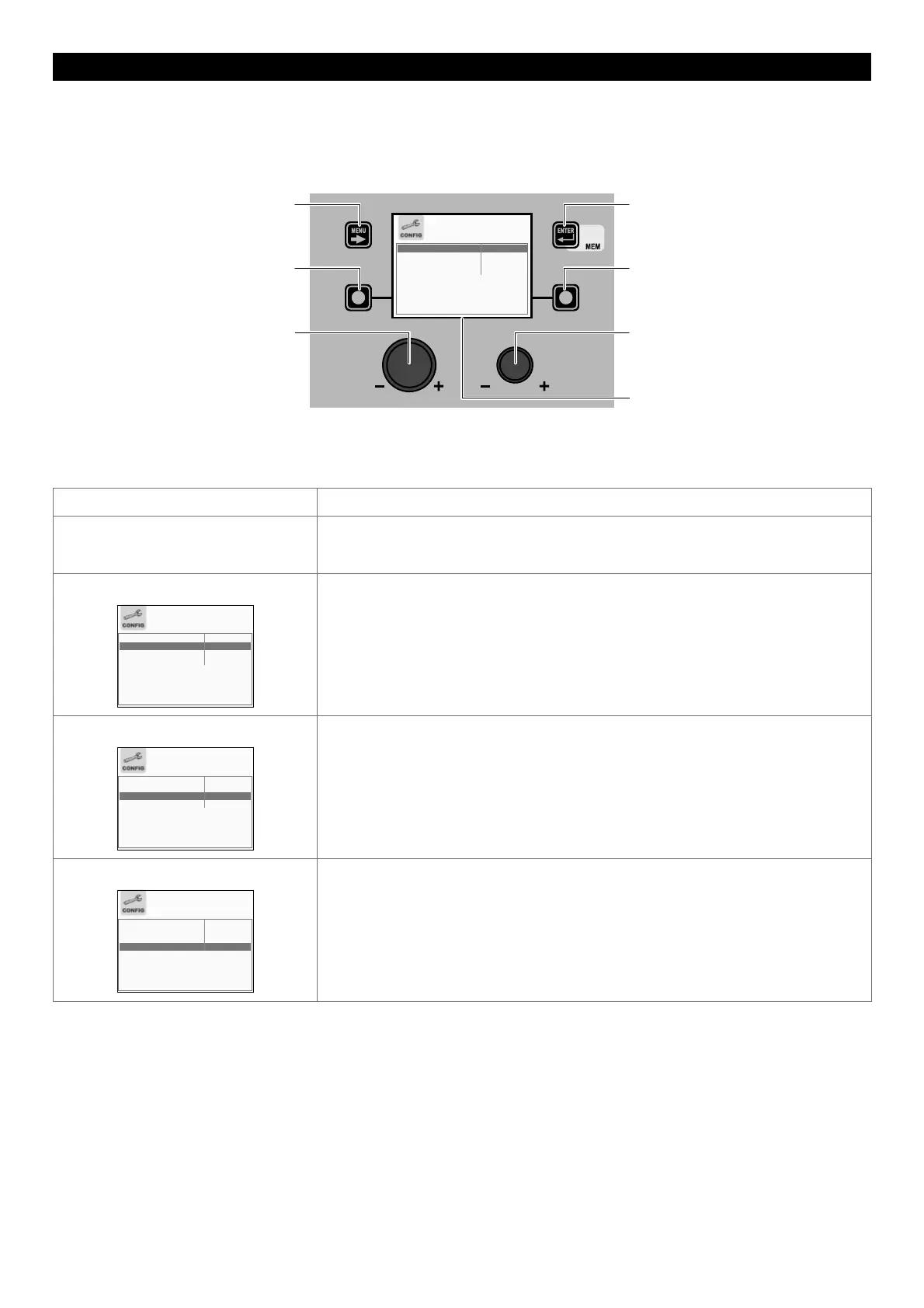
The purpose of this menu is to allow the operator to choose the language for the VISION SCREEN and to transform the SETUP Menu
into the ADVANCED SETUP Menu.
To access the CONFIG Menu from the SETUP Menu:
• Turn the ENCODER K
NOB - SX to select the desired icon.
• Push the ENTER/MEM K
EY.
MENU KEY ENTER/MEM KEY
ENCODER KNOB - SX ENCODER KNOB - DX
VISION SCREEN
SX KEY DX KEY
LANGUAGE ENGLISH
ADVANCED CONFIGURATION DISABLED
ADVANCED WELDING MODE DISABLED
EQUIPMENT LAYOUT DISABLED
Within the CONFIG Menu (besides the language selection) it is possible, by rotating the ENCODER K
NOB
- SX, to choose the ad-
vanced function required, from the 3 available and it can be ENABLED (this operation does not require confirmation) by ro-
tating the ENCODER K
NOB - DX.
Advanced function Description
LANGUAGE Indicates the languages that can be set for the VISION S
CREEN.
As regards the procedure for selecting a language on the VISION S
CREEN see the relevant
paragraph in the manual (“Language Selection”).
ADVANCED CONFIGURATION
LANGUAGE ENGLISH
ADVANCED CONFIGURATION ENABLED
ADVANCED WELDING MODE DISABLED
EQUIPMENT LAYOUT DISABLED
If enabled, this configuration offers the welder the following additional menus (the
following icons will be created in the ADVANCED SETUP Menu):
• ADVANCED CONFIG
• WELD LOG
ADVANCED WELDING MODE
LANGUAGE ENGLISH
ADVANCED CONFIGURATION DISABLED
ADVANCED WELDING MODE ENABLED
EQUIPMENT LAYOUT DISABLED
If enabled, this configuration allows the welder to have further welding modes available to
them (the following icons will be created in the ADVANCED SETUP Menu):
• ADVANCED MODE
EQUIPMENT LAYOUT
LANGUAGE ENGLISH
ADVANCED CONFIGURATION DISABLED
ADVANCED WELDING MODE DISABLED
EQUIPMENT LAYOUT ENABLED
If enabled, this configuration allows the welder to configure and personalise the and
related accessories as they wish (the following icons will be created in the ADVANCED
SETUP Menu):
• EQUIPMENT LAYOUT
WARNING: The additional menus are explained in the manual, in the “ADVANCED SETUP Menu” paragraph.
To exit the CONFIG Menu and go back to the SETUP Menu:
• Push the MENU K
EY.











 To Next Page