17
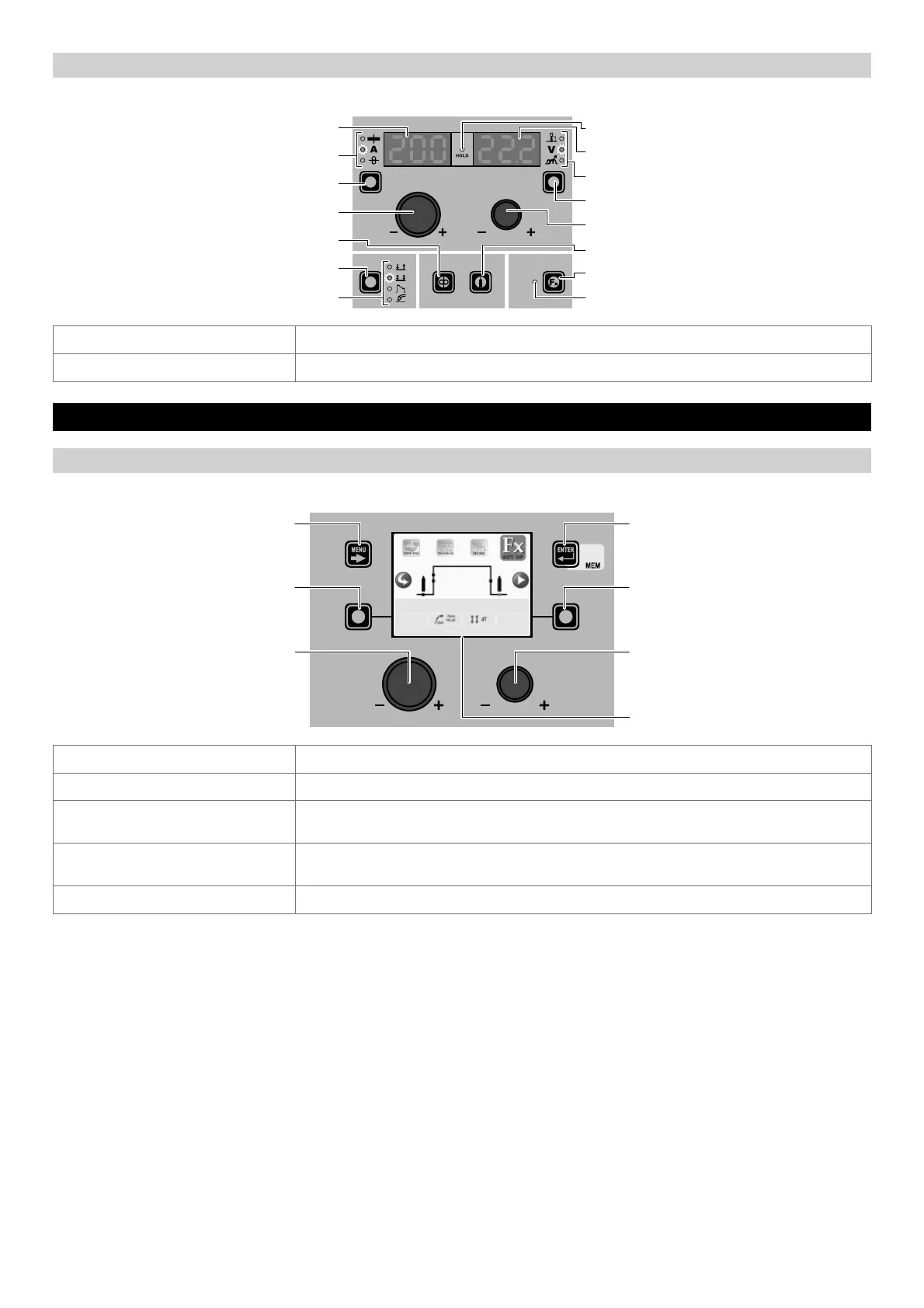
“HT4” CONTROL PANEL
To access the WELDING MODE SELECTION Menu (MODE) push the WELDING MODE SELECTION KEY.
WELDING MODE SELECTION LED
WELDING MODE SELECTION K
EY
WIRE KEY
ENCODER KNOB - A
PARAMETER SELECTION K
EY - A
PARAMETER SELECTION LED - A
PARAMETER DISPLAY S
CREEN - A
SPECIAL FUNCTIONS (FX) LED
SPECIAL FUNCTIONS (F
X) KEY
GAS KEY
ENCODER KNOB - V
PARAMETER SELECTION K
EY - V
PARAMETER SELECTION LED - V
PARAMETER DISPLAY S
CREEN - V
HOLD Function LED
WELDING MODE SELECTION KEY Scrolls the various welding modes available in succession.
WELDING MODE SELECTION LED Displays the welding mode selected.
3 - SPECIAL FUNCTIONS Menu (SET UP Fx) MIG dual pulse
“DH” CONTROL PANEL
To access the SPECIAL FUNCTIONS Menu (SET UP Fx) push the MENU KEY.
MENU KEY ENTER/MEM KEY
ENCODER KNOB - SX ENCODER KNOB - DX
VISION S
CREEN
SX KEY DX KEY
2011 Fe G3 SI-1 Ø 0.8 Ar 16-20% CO2
DEFAULT
POST GAS 1.0 s
MENU KEY Used to access subsequent menus if there are any.
ENCODER K
NOB - SX Used to select the various SPECIAL FUNCTIONS (Fx).
ENTER/MEM K
EY
Used to access the PRE-SETTING for the program selected beforehand, in the MODE
chosen and with the changes made to the SPECIAL FUNCTIONS (Fx).
DX K
EY
If held down for 2 seconds it makes it possible to return the value for the SPECIAL
FUNCTION (Fx) selected to the DEFAULT value.
ENCODER K
NOB - DX Used to change the selected SPECIAL FUNCTION (Fx) value.











 To Next Page