70
Advanced function Description
CRATER
CYCLE ADVANCED
CRATER ADVANCED
DUAL PULSE STANDARD
ARC LENGTH ADJUSTMENT VOLTAGE
TIG LIFT MODE DISABLED
If enabled, when working in ADVANCED mode, this function provides the operator
with further welding modes related to the CRATER as well as the 2 special functions
explained below that make it possible to vary the length of the arc in the welding crater,
when using MIG (pulsed, double pulsed, synergic, and manual) welding processes.
• INITIAL ARC LENGTH (F09)
• FINAL ARC LENGTH (F14)
DOUBLE PULSED
CYCLE ADVANCED
CRATER STANDARD
DUAL PULSE ADVANCED
ARC LENGTH ADJUSTMENT VOLTAGE
TIG LIFT MODE DISABLED
If enabled, when working in ADVANCED mode, this function provides the operator with
the following special functions, when using the double pulsed MIG welding process:
• DOUBLE PULSED ARC LENGTH (F24)
Allows the welder to adjust the length of the arc on both double pulsed levels.
• FIRST SLOPE (from I
1 to I 2 ) (F22)
• SECOND SLOPE (from I
2 to I 1 ) (F27)
These two special functions allow the welder to adjust the ramp for passing between
the two double pulsed levels.
ARC LENGTH ADJUSTMENT
CYCLE DISABLED
CRATER STANDARD
DUAL PULSE STANDARD
ARC LENGTH ADJUSTMENT VOLTAGE
TIG LIFT MODE DISABLED
This function allows an operator using the (pulsed, double pulsed, synergic and manual)
MIG welding process to adjust the ARC LENGTH ADJUSTMENT (
) parameter with the
WELDING VOLTAGE (
) or the WIRE SPEED ( ).
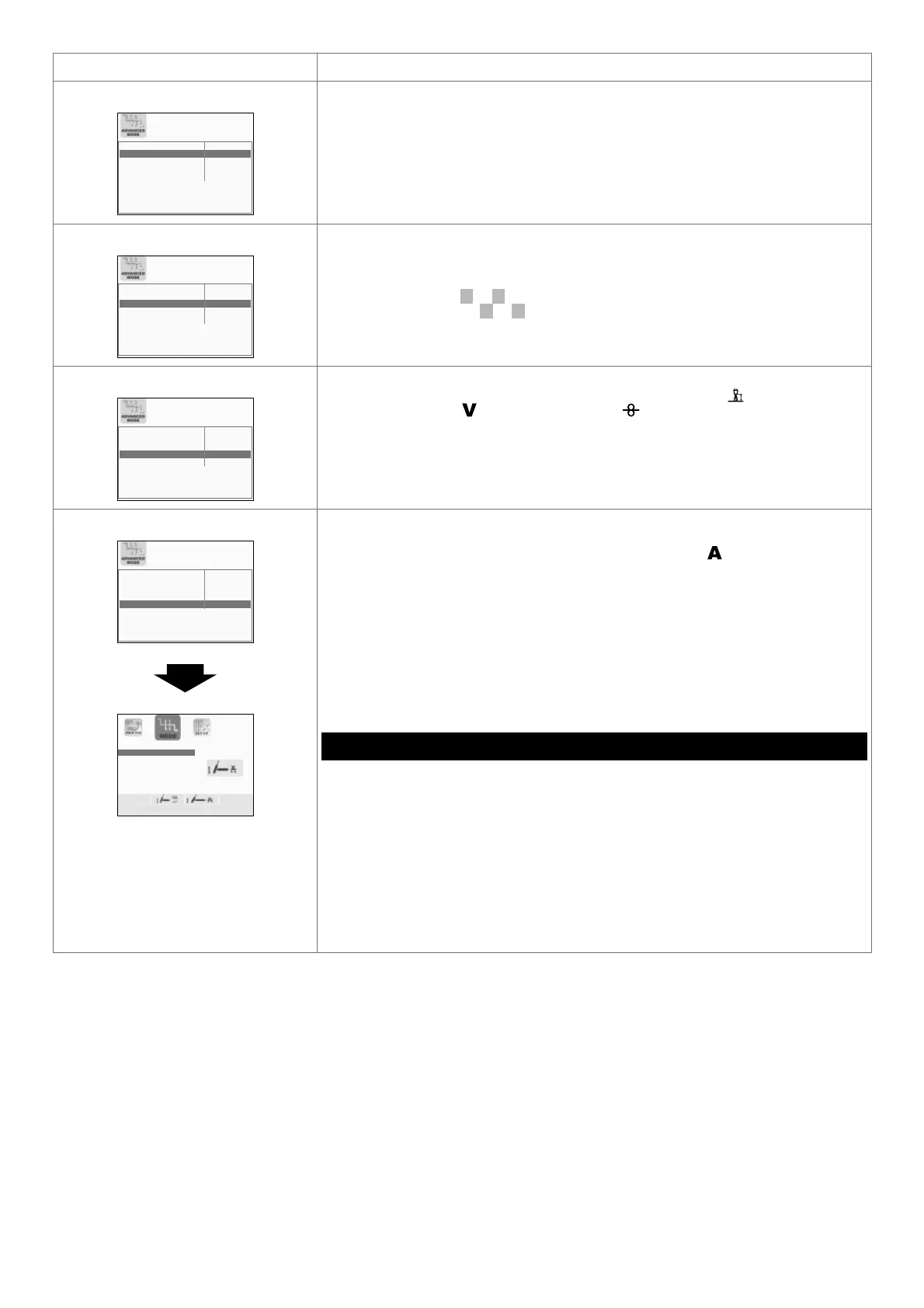
TIG LIFT MODE
CYCLE DISABLED
CRATER STANDARD
DUAL PULSE STANDARD
ARC LENGTH ADJUSTMENT VOLTAGE
TIG LIFT MODE ENABLED
TIG LIFT
TIG LIFT TORCH TRIGGER
If activated, this function makes an additional welding mode known as TIG LIFT TORCH
TRIGGER available to an operator using the TIG LIFT welding process.
In this mode the welder can control the WELDING CURRENT (
) parameter, using the
button on the TIG torch.
WARNING: To allow TIG LIFT WITH TORCH TRIGGER welding, the DIGITECH
PULSE needs a specific female connector to be fitted on it (NON-STANDARD
MACHINE) to which the corresponding male connector on the TIG torch is to be
connected.
Therefore, for the TIG LIFT welding process, a new menu will be created (see figure)
named WELDING MODE SELECTION Menu (MODE).
WELDING MODE SELECTION Menu (MODE)
To access the WELDING MODE SELECTION Menu (MODE) push the MENU KEY.
“DH” CONTROL PANEL
MENU K
EY - Used to access subsequent menus, where applicable.
ENCODER K
NOB - SX - Selects the welding mode.
ENTER/MEM K
EY - Used to access the PRE-SETTING for the program selected
beforehand, with the welding MODE chosen.
“HT4” CONTROL PANEL
It is not possible to access the WELDING MODE SELECTION Menu (MODE) via the
“HT4” control panel.
To exit the ADVANCED MODE Menu and go back to the ADVANCED SETUP Menu:
• Push the MENU K
EY.











 To Next Page