3-7
Cisco 1240 Connected Grid Router Hardware Installation Guide
OL-26223-04
Chapter 3 Router Hardware Description
Router Overview
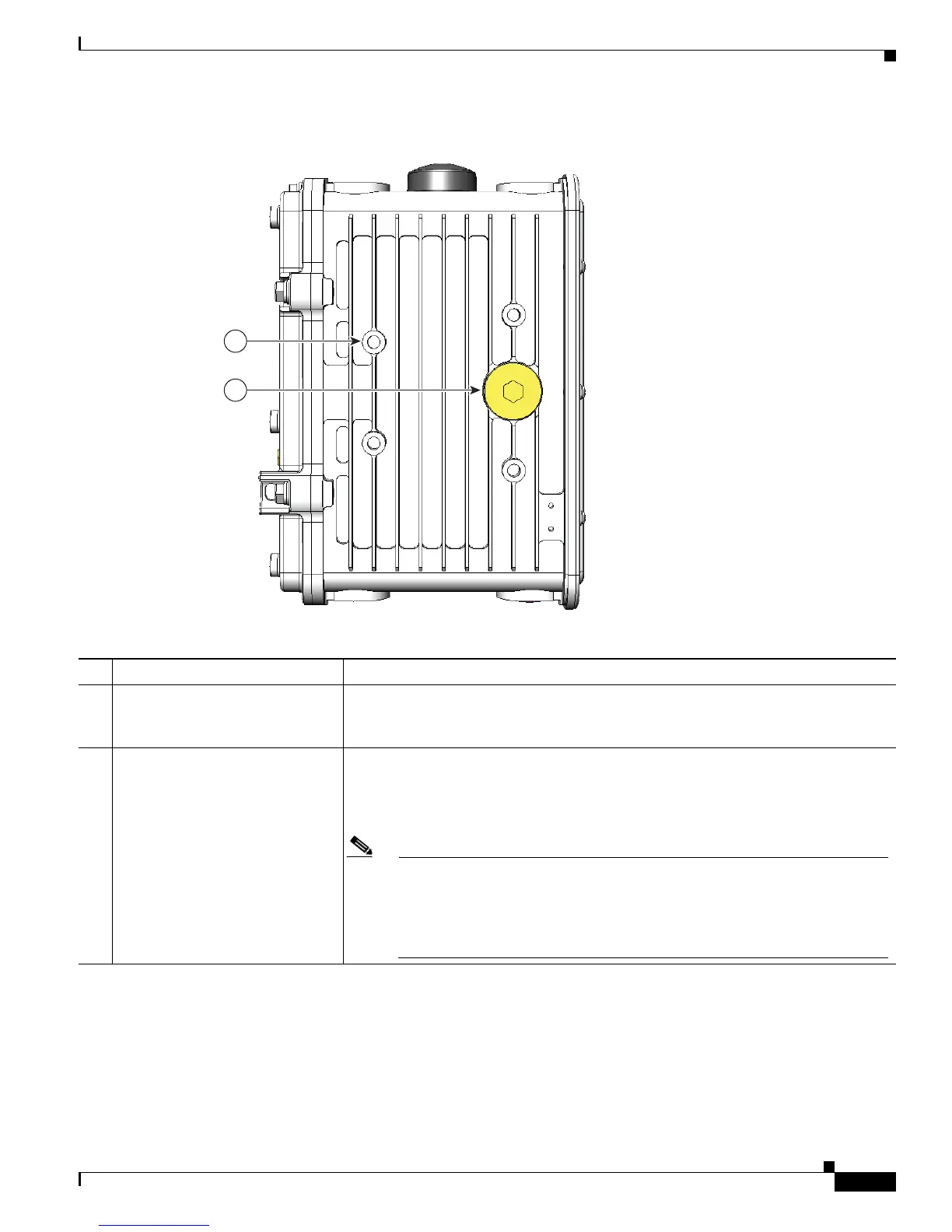
Figure 3-5 Router Left Side Exterior
Table 3-5 Router Left Side Exterior Features
Description Detailed Information
1 Mounting bracket posts (4) Attach supported brackets to the router using these mounting posts. For information
about router mounting options and procedures, see the “Mounting the Router”
chapter.
2 SD flash memory module port Remove the plug shown here for access to the router SD module, which is described
in the “SD Flash Memory Module” section on page 3-16. For detailed information
about using an SD flash memory module with the router, see the “Using the SD Flash
Memory Module” chapter.
Note When a mounting bracket is installed on the router, the bracket blocks access
to the SD card port. To access the port after the bracket is installed, you must
remove 3 of the bolts that attach the bracket to the router, and rotate the
bracket away from the port. For detailed instructions, see the “Mounting the
Router” chapter.











 To Next Page