EasyManua.ls Logo

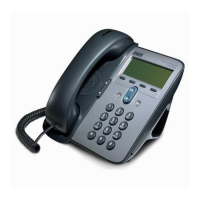
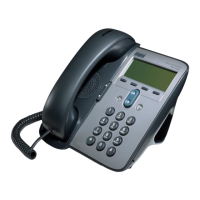
Cisco 7906G - User Manual

Cisco 7906G
112 pages
Print Icon
To Next Page IconTo Next Page
Loading...
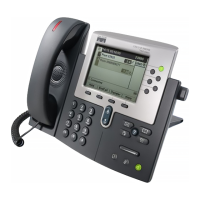
Cisco Unified IP Phones 7906G and 7911G User Guide for Cisco Unified
Communications Manager 9.0 (SCCP and SIP)
First Published: January 12012
Last Modified: February 09, 2016
Americas Headquarters
Cisco Systems, Inc.
170 West Tasman Drive
San Jose, CA 95134-1706
USA
http://www.cisco.com
Tel: 408 526-4000
800 553-NETS (6387)
Fax: 408 527-0883

Table of Contents

Other manuals for Cisco 7906G

Questions and Answers

  • W
    William SparksAug 19, 2025
    What to do if Cisco 7906G IP Phone does not register with Cisco Unified CallManager?
    • J
      Jennifer ArmstrongAug 19, 2025
      If your Cisco Unified IP Phone isn't registering with Cisco Unified CallManager, first ensure that the phone is connected to the Ethernet network. Also, check if Cisco Unified CallManager and TFTP Services are running.
  • K
    Kathleen ZunigaAug 23, 2025
    Why does Barge fail on my Cisco 7906G IP Phone and result in a fast busy tone?
    • E
      Elizabeth JacksonAug 23, 2025
      Barge attempts on your Cisco IP Phone may fail, resulting in a fast busy tone if you are trying to barge an encrypted call and your phone is not configured for encryption. In this case, your phone will play a fast busy tone.
  • V
    Veronica JohnsonAug 26, 2025
    How to fix a Cisco 7906G when I cannot hear a dial tone or complete a call?
    • N
      nhudsonAug 26, 2025
      If you cannot hear a dial tone or complete a call on your Cisco IP Phone, ensure that you log into the Extension Mobility service. Also, if you are using an SCCP phone, you may need to enter a client matter code (CMC) or forced authorization code (FAC) after dialing. Check if your phone has time-of-day restrictions that prevent you from using some features during certain hours.
  • S
    Sarah TaylorAug 28, 2025
    What to do if the softkey I want to use does not appear on my Cisco 7906G IP Phone?
    • C
      Curtis MillerAug 28, 2025
      If the softkey you need is not appearing on your Cisco IP Phone, try pressing the 'more' button to reveal additional softkeys. Ensure that you change the line state by going off-hook or having a connected call. It's also possible that your phone is not configured to support the feature associated with that softkey.
  • S
    Sarah BaileyAug 30, 2025
    Why does Cisco CallBack fail on my Cisco 7906G IP Phone?
    • C
      Christopher HooverAug 30, 2025
      Cisco CallBack might fail if the other party has call forwarding enabled.
  • A
    April TaylorSep 1, 2025
    Why can't I hear a dial tone on my Cisco 7906G?
    • K
      Karen HernandezSep 1, 2025
      If you cannot hear a dial tone or complete a call on your Cisco IP Phone, ensure that you log into the Extension Mobility service. Also, if you are using an SCCP phone, you may need to enter a client matter code (CMC) or forced authorization code (FAC) after dialing. Finally, check if your phone has time-of-day restrictions that prevent you from using some features during certain hours.
  • B
    Bonnie WheelerSep 3, 2025
    What to do if softkey doesn't appear on Cisco 7906G IP Phone?
    • A
      Annette DavidsonSep 3, 2025
      If a softkey is missing on your Cisco IP Phone, first press the 'more' button to reveal additional softkeys. If it is still not there, try changing the line state by going off-hook or having a connected call. If the softkey remains unavailable, your phone may not be configured to support the feature associated with that softkey.
  • C
    Charles DawsonSep 5, 2025
    Why does CallBack fail on my Cisco 7906G?
    • T
      Tonya CaldwellSep 5, 2025
      CallBack might fail on your Cisco IP Phone if the other party has call forwarding enabled.
  • B
    Billy RodriguezSep 7, 2025
    Why does Barge fail on my Cisco 7906G with a fast busy tone?
    • M
      mmontesSep 8, 2025
      If Barge fails on your Cisco IP Phone and you hear a fast busy tone, it might be because you are trying to barge an encrypted call on a phone that is not configured for encryption.
  • C
    Cynthia GatesSep 9, 2025
    How to start Cisco Unified CallManager and TFTP Services?
    • R
      Rebecca PerezSep 10, 2025
      To start Cisco Unified CallManager and TFTP Services: From Cisco Unified CallManager Administration, choose Application > Cisco Unified CallManager Serviceability.

Cisco 7906G Specifications

General IconGeneral
Ethernet Ports2 x 10/100 Mbps
Power over EthernetYes
Lines2
Supported ProtocolsSIP, SCCP
HandsetYes
Volume ControlYes
ProtocolsSIP, SCCP
Headset Port2.5 mm
Weight2.2 lbs
Power SourcePoE or AC adapter

Related product manuals