EasyManua.ls Logo

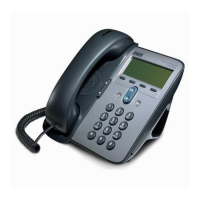
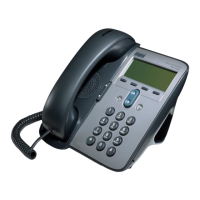
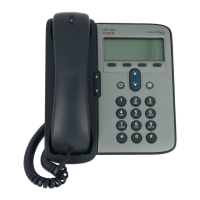
Cisco 7906G - User Manual

Cisco 7906G
112 pages
Print Icon
To Next Page IconTo Next Page
Loading...
Cisco Unified IP Phones 7906G and 7911G User Guide for Cisco Unified
Communications Manager 9.0 (SCCP and SIP)
First Published: January 12012
Last Modified: February 09, 2016
Americas Headquarters
Cisco Systems, Inc.
170 West Tasman Drive
San Jose, CA 95134-1706
USA
http://www.cisco.com
Tel: 408 526-4000
800 553-NETS (6387)
Fax: 408 527-0883

Table of Contents

Other manuals for Cisco 7906G

Questions and Answers

  • R
    rodriguezlisaSep 12, 2025
    Why does Barge fail and result in a fast busy tone on my Cisco 7906G IP Phone?
    • D
      Dr. Julie Roy MDSep 12, 2025
      Barge can fail if you attempt to barge an encrypted call using a phone that isn't configured for encryption. In this case, the phone will play a fast busy tone.
  • J
    Jennifer SimpsonSep 14, 2025
    Why does Join fail on my Cisco 7906G IP Phone?
    • A
      Andre ObrienSep 14, 2025
      Join requires multiple selected calls. Ensure that you have selected at least one call in addition to the active call, which is selected automatically.
  • G
    Gavin HarrisonSep 16, 2025
    Why does Cisco CallBack fail?
    • P
      Peter DelgadoSep 16, 2025
      Cisco CallBack may fail if the other party has call forwarding enabled.
  • E
    ethomasNov 20, 2025
    What to do if my Cisco 7906G IP Phone does not go through its normal startup process?
    • J
      John LawrenceNov 20, 2025
      If your Cisco Unified IP Phone isn't starting up normally, there might be a few reasons. First, check the Ethernet cables for faults or bad connections, and make sure there are no network outages or power issues. Try swapping the Ethernet cables with ones that you know work. You can also try connecting a working phone to the same network port to see if the port is active. Another solution is to connect the non-starting phone to a different, known-good network port, or directly to the switch, bypassing the patch panel. Verify the phone is getting power; if using external power, check the outlet. If using in-line power, try an external power supply. If using an external supply, try a different one. Powering up the phone with the handset off-hook can also help. As a last resort, try a factory...

Cisco 7906G Specifications

General IconGeneral
Ethernet Ports2 x 10/100 Mbps
Power over EthernetYes
Lines2
Supported ProtocolsSIP, SCCP
HandsetYes
Volume ControlYes
ProtocolsSIP, SCCP
Headset Port2.5 mm
Weight2.2 lbs
Power SourcePoE or AC adapter

Related product manuals