DescriptionName
• Non-Recoverable
This can be:Reading column
• absent
• present
Viewing Temperature Sensors
Procedure
Step 1
In the Navigation pane, click the Server tab.
Step 2
On the Server tab, click Sensors.
Step 3
In the Sensors pane, click the Temperature tab.
Step 4
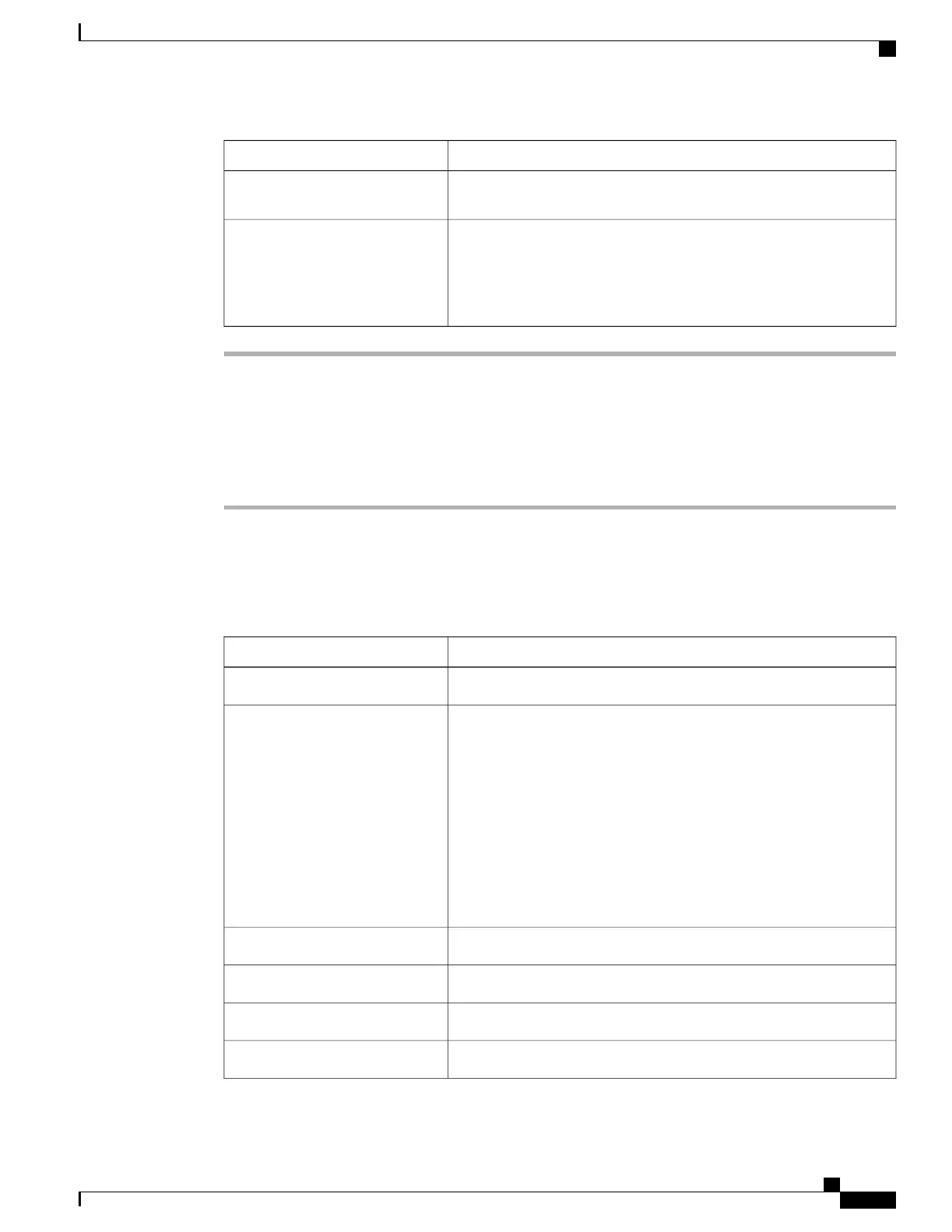
View the following temperature-related statistics for the server:
Click a column header to sort the table rows according to the entries in that column.Tip
DescriptionName
The name of the sensor.Sensor Name column
The status of the sensor. This can be:Status column
• Unknown
• Informational
• Normal
• Warning
• Critical
• Non-Recoverable
The current temperature, in Celsius.Temperature column
The minimum warning threshold.Warning Threshold Min column
The maximum warning threshold.Warning Threshold Max column
The minimum critical threshold.Critical Threshold Min column
Cisco UCS C-Series Servers Integrated Management Controller GUI Configuration Guide, Release 1.1(2)
OL-22894-01 29
Viewing Server Sensors
Viewing Temperature Sensors


 To Next Page
 Loading...