EasyManua.ls Logo

Clear-Com Eclipse HX series - Page 125

Clear-Com Eclipse HX series
230 pages
Print Icon
To Next Page IconTo Next Page
To Previous Page IconTo Previous Page
Loading...
Eclipse | Upgrade Guide
Page 125
Required equipment
Description / comments
TFTP Server software
-
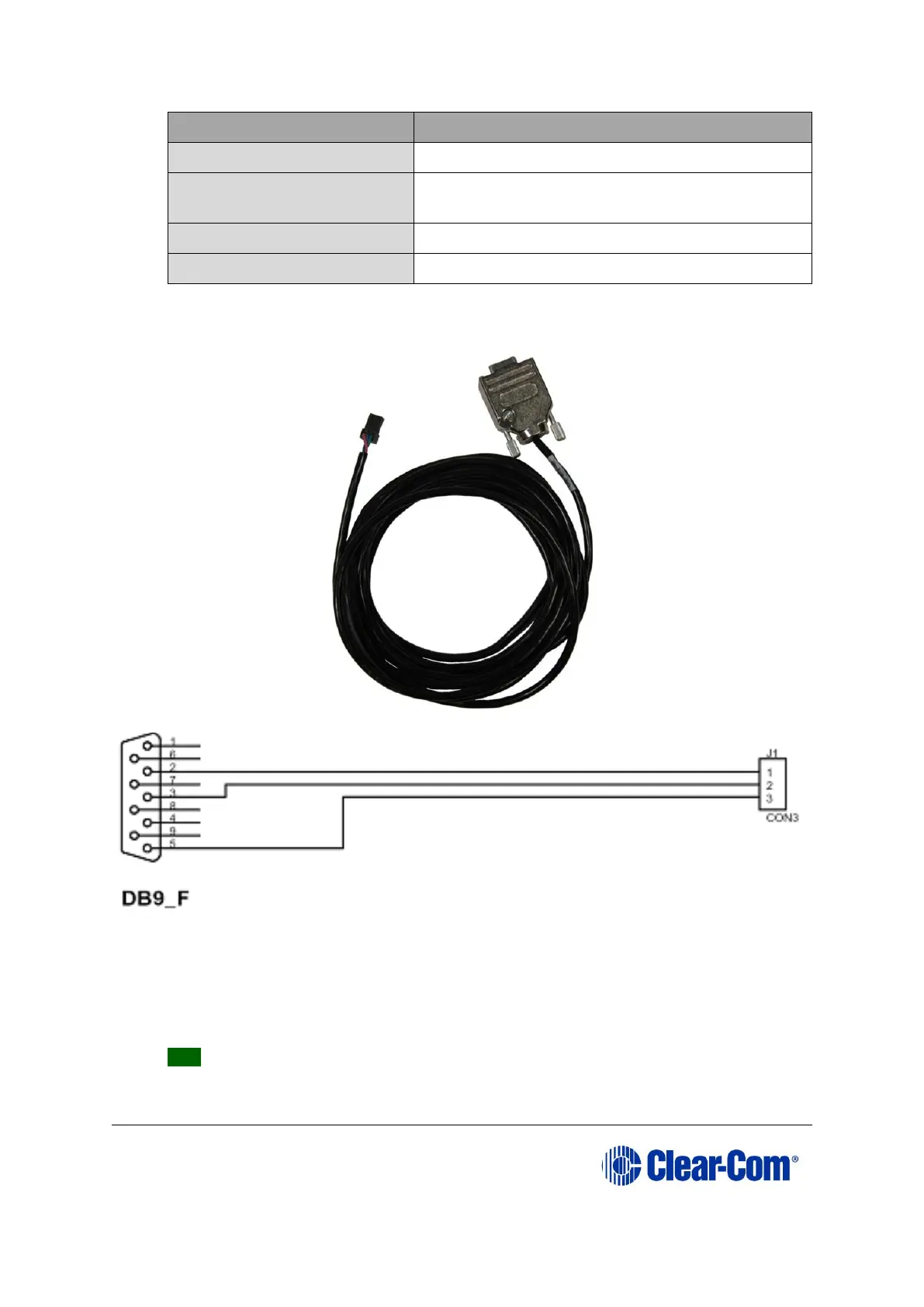
MVX Serial cable (CAB-
MVX-48Z)
See Figure 9-4: MVX-A16 serial cable (CAB-
MVX-48Z)
Ethernet crossover cable
-
Small reset tool
For example, a bent paper clip
Table 9-1: Required equipment
Figure 9-4: MVX-A16 serial cable (CAB-MVX-48Z)
2. Install Tera-Term. Third party software is available from either of the Eclipse HX
9.0 upgrade media:
Software USB > SOFTWARE - EHX.xxx > 3rd_Party_Software >
Teraterm
Drivers USB > ECLIPSE DRIVERS > 3rd_Party_Software > Teraterm
Tip: For more information about installing Tera Term, see Appendix G: Tera
Term


Table of Contents

Related product manuals