P2544PM | 2022-12 | REV H
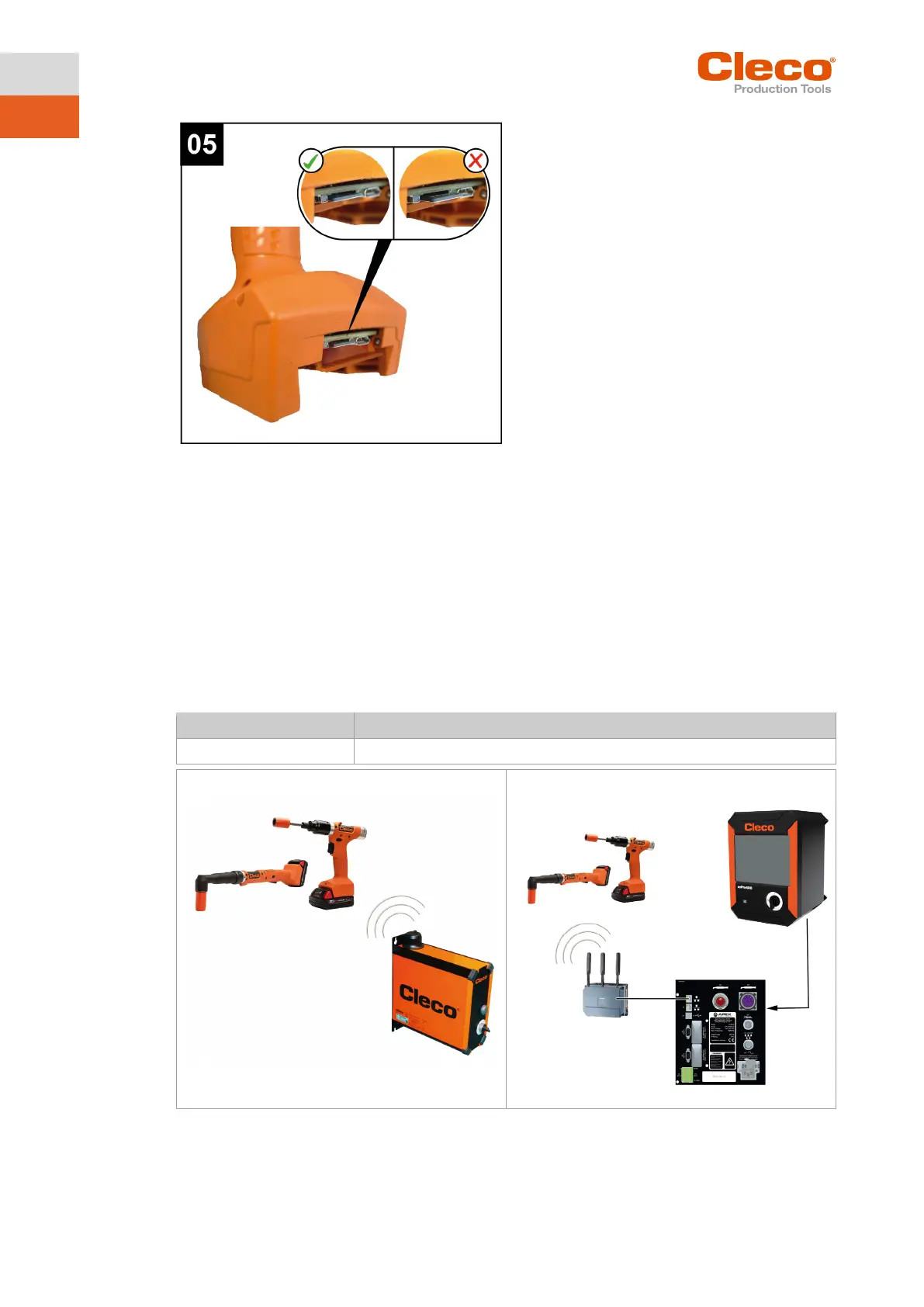
To change the CID:
► Press the CID slightly inward and release.
The CID is unlocked and can be removed.
2.5 System Layout
The communication between the controller and the tool is possible via WLAN or Bluetooth. The tool can
communicate with a mPro200GC-AP or mPro400GCD controller.
To communicate with the controller, the tools must be in the mPro mode.
2.5.1 WLAN communication
The system layout described is based on communication via WLAN. The access point is integrated in the
mPro200GC-AP controller. The tools can communicate according to the following standard:
WLAN Dual band: 2,4 GHz/5 GHz Standard IEEE 802.11 a/b/g/n
Fig. 2-3: System layout with mPro200GC-AP Fig. 2-4: System layout with mPro400GCD
Integrated
mPro200GC-AP
CellTek tool
(mPro mode)
access point
CellTek tool (mPro mode)
access point
mPro
400GCD



 To Next Page