P2544PM | 2022-12 | REV H
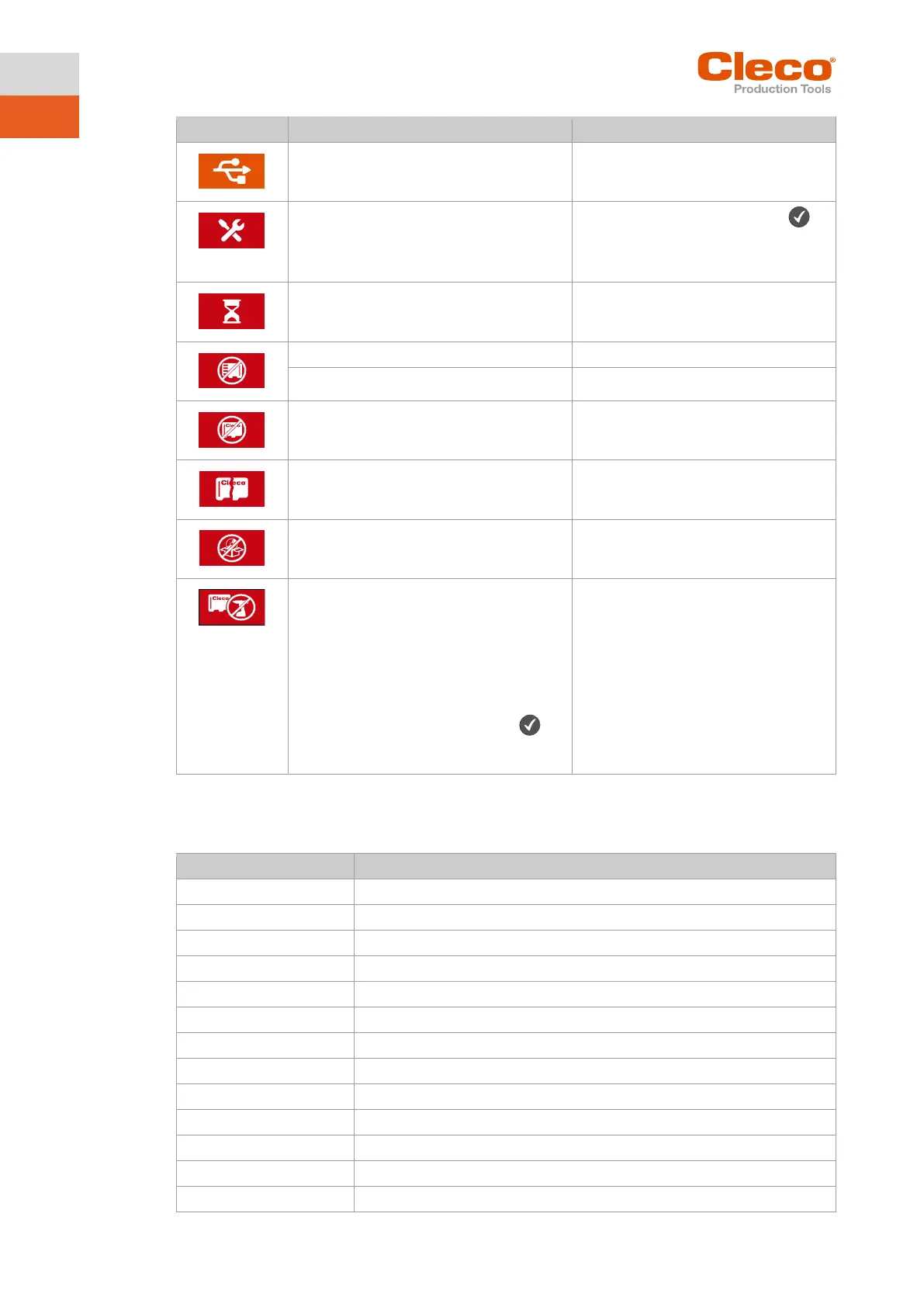
The tool is connected to a laptop/PC via a
Micro-B USB cable.
The tool is locked because maintenance is
required.
► Confirm the warning with the
key and send the tool to a Sales &
Service Center for maintenance, see
Communication between measuring card
and LCD interrupted.
► The tool automatically performs a re-
start. Wait until the tool has re-
started.
CID not inserted correctly.
► Insert Cleco CID correctly.
CID is invalid.
Software is not available or damaged.
► Perform software update.
The software on the CID is not compatible
with the hardware of the tool.
The message is displayed for tools with
hardware version 2 if the software version
on the CID is ≤ 220. In this case, the mes-
sage appears every time the tool is started
until compatible software is installed.
If the message is confirmed with the
key, the tool can still be used with the soft-
ware version installed on the tool.
► Install compatible software.
7.2 Error messages
Error messages for shut-off cause
Too few graphic values recorded for an evaluation
Torque encoder calibration error
Requested motor output is too high
Error output section, excessive current
Error due to the socket slipping off
Torque has exceeded top evaluation torque
Torque has fallen below bottom evaluation torque



 To Next Page