P2544PM | 2022-12 | REV H
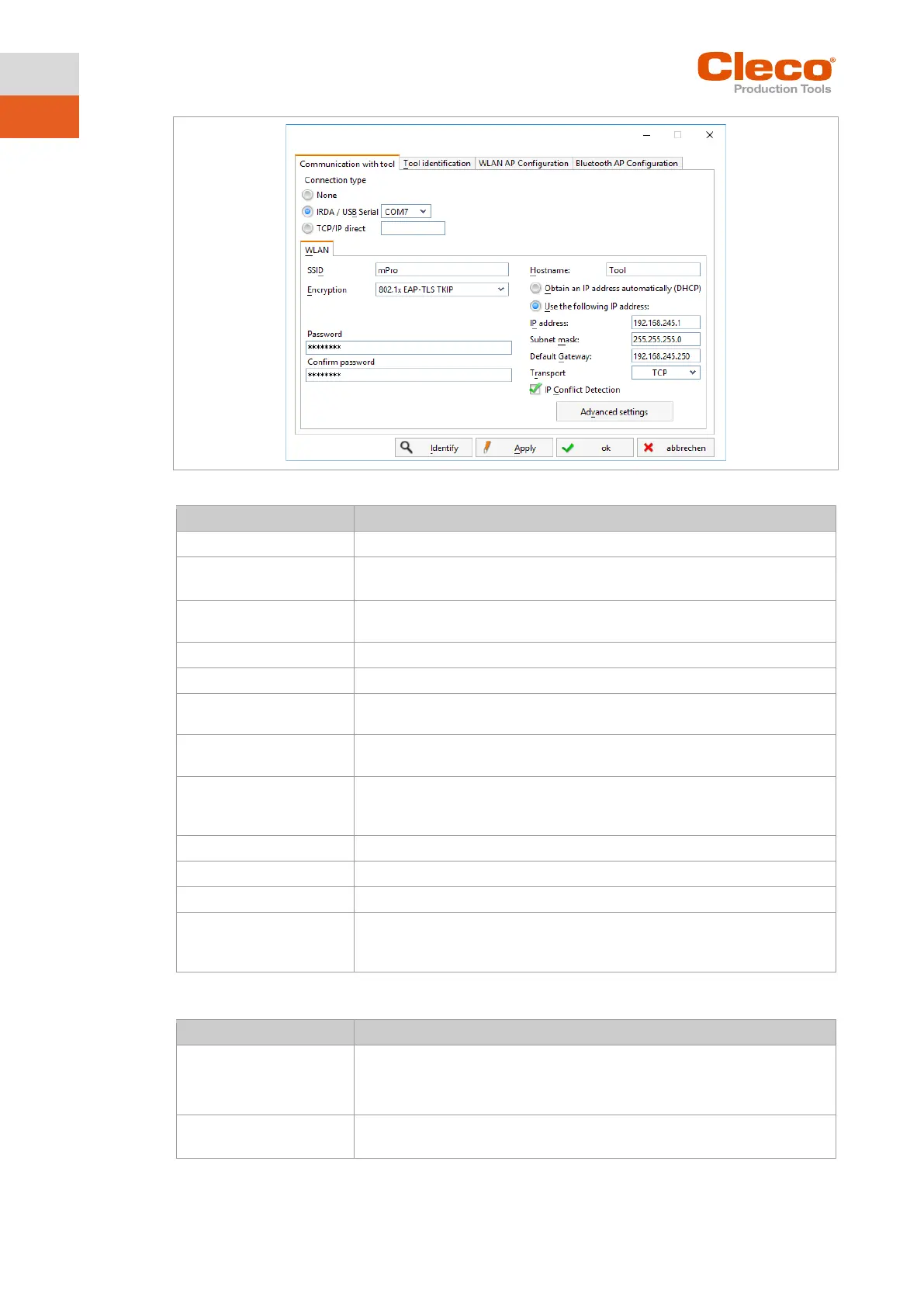
Fig. 4-6: Communication with tool tab
Enter SSID. SSID must be identical to the access point.
Select security.
Encryption must be identical with access point.
Enter the network key. The network key must be identical to the access
point.
Optionally, a hostname can be entered.
Obtain an IP address auto-
matically (DHCP)
Do not select this option. IP address is assigned automatically.
Use the following IP ad-
dress
Enter IP address manually with the following parameters.
In the last block, numbers between 1 and 49 can be assigned as a static ad-
IP address that is assigned by the access point.
This setting is only available for LiveWire tools with the C2 or C3 measuring
card.
If the check box is selected, duplicate IP addresses are detected.
6. To set the radio channel, select <Advanced settings>.
The WLAN Advanced settings window opens.
• Select 802.11b/g/n if a frequency band of 2.4 GHz is used.
•
Select 802.11a if a frequency band of 5 GHz is used.
(802.11a)
Select a frequency band.
This setting is only possible if the 5 GHz frequency band has been selected.



 To Next Page