Maintenance 8-26
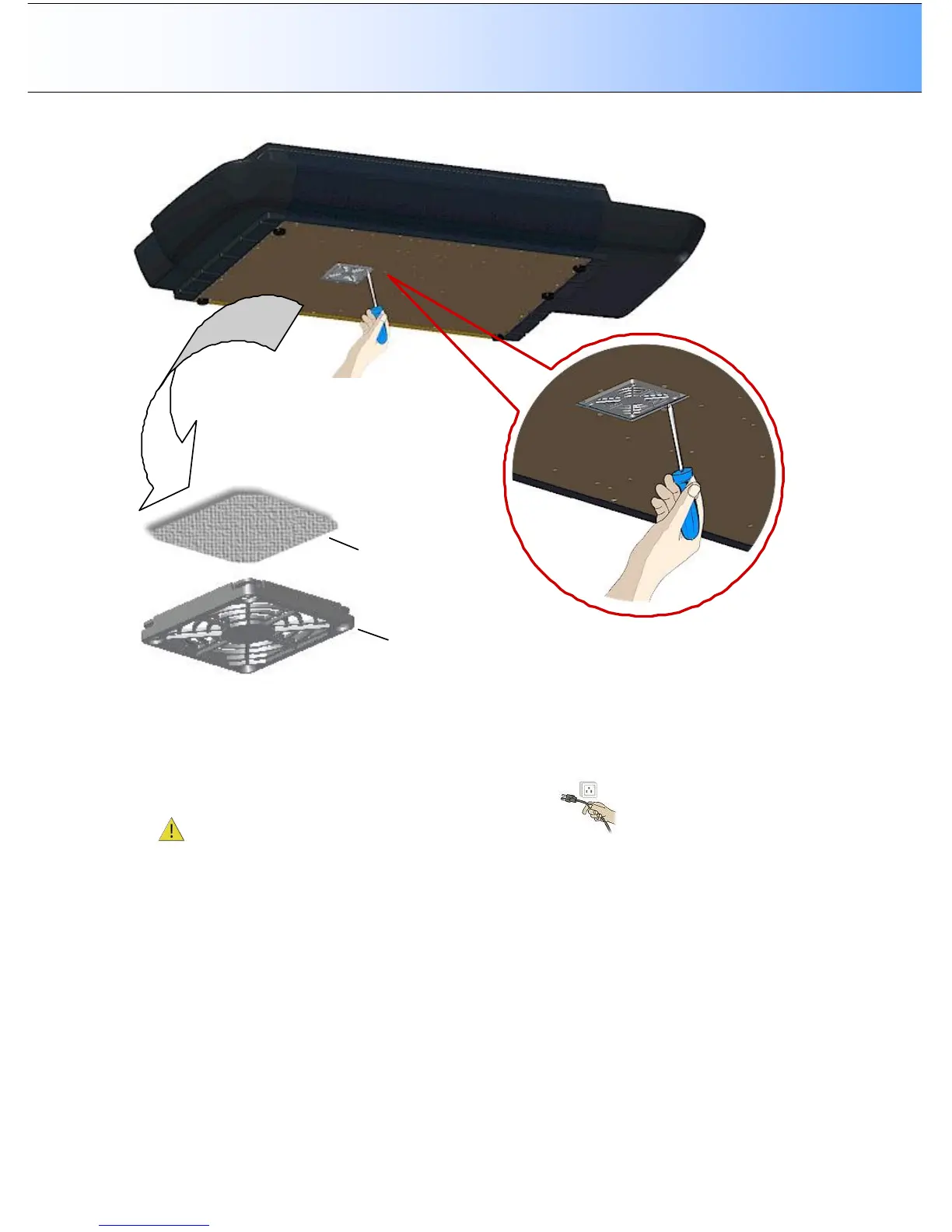
Dust Filter Bin
Dust Filter to change.
Replacing the Dust-filters:
On Scanners: HD4230i
1. Turn the scanner power off and disconnect the power plug.
2. Locate the 2 square-shaped dust filter bins on the underside of the scanner.
3. Insert a screw-driver or other sharp tool under one of the bin’s edges to snap it down and detach it
from its frame.
4. The filter (soft material) is inside the bin. Remove the old filter and replace with a fresh one.
5. Reattach (click on) the bin to its frame on the underside of the scanner.
6. Repeat the process with the second filter.



 To Next Page