Configuration and Setup 3-15
3.6 Locating the Interface Cable Connector-Panel
Your scanner’s interface cable connectors are grouped in a cable connector panel. You will need to locate
the cable connector panel in order to insert interface cables when setting up the system. You can find
your scanner’s cable-connector-panel as follows:
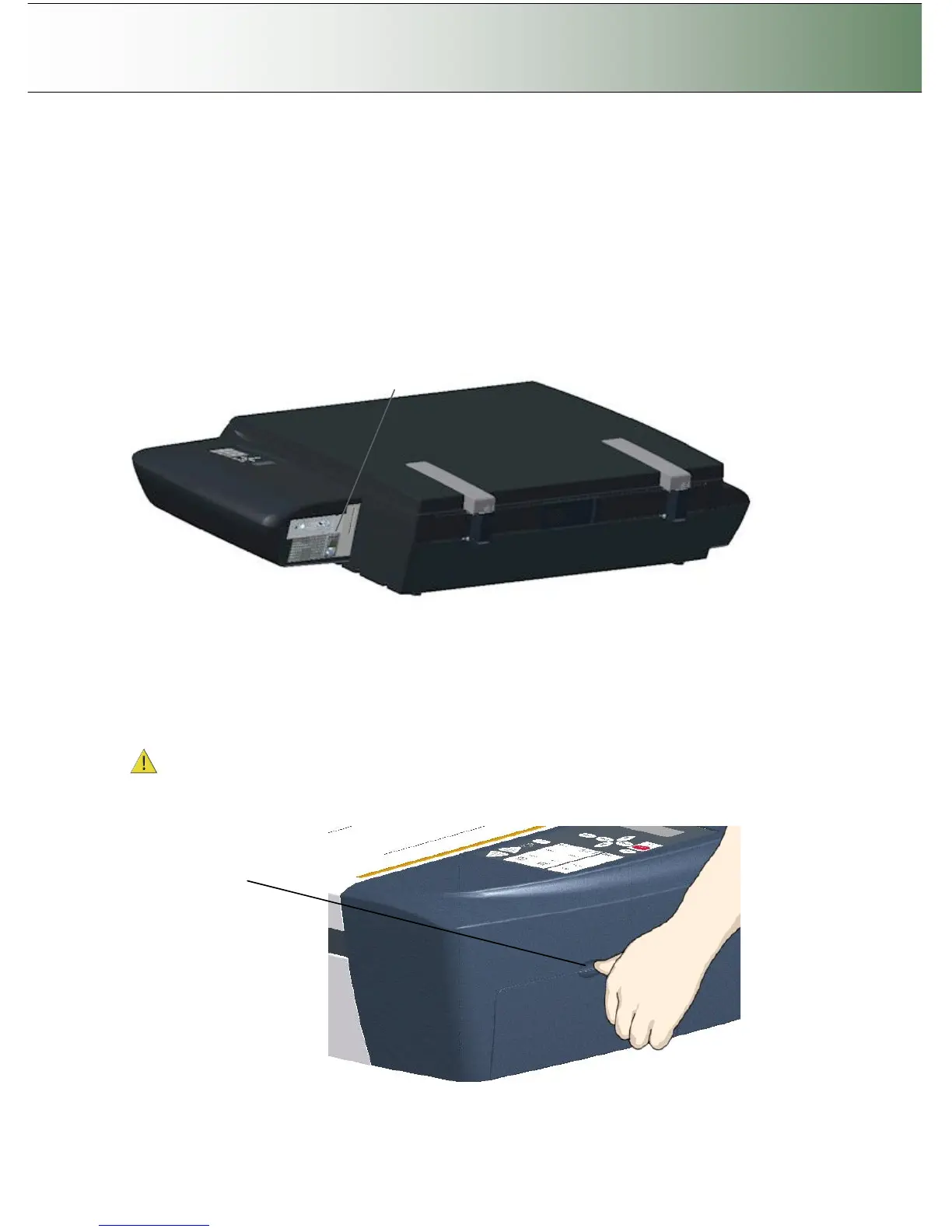
Locate the cable-connector-panel
On Scanners: FLEX50i
The scanner has LAN, USB device (input) and USB host (output) interface connectors grouped in a cable-
connector-panel. The cable-connector-panel is found at the back of the scanner.
The cable-connector-panel is found on the scanner’s back.
Locate the cable-connector-panel
On Scanners: HD4230i
The scanner has LAN, USB device (input) and USB host (output) interface connectors grouped in a cable-
connector-panel. You will find the cable-connector-panel by removing the scanner’s right side cover. After
connecting the interface cable, you feed it through the opening in the back of the scanner until it emerges
in front of the cable-connector-panel. See the illustrations below.
Be sure to reattach the cover after you connect the interface. The cover must always be closed
before you turn the scanner ON.
Insert your thumb in the slot at the top
of the interface cover. Push down to
snap the lid open.



 To Next Page