Configuration and Setup 3-12
3.4 Combining Configuration Types for Multiple Functionality
Although they were described separately, the three configurations: Stand alone copier, Scan/ Copy device
on a network, Scan/ Copy station on local PC can be combined to provide multiple functionality. For most
companies, a combined solution would be recommended to get the most out of the scanner and provide a
flexible, multi-purpose device.
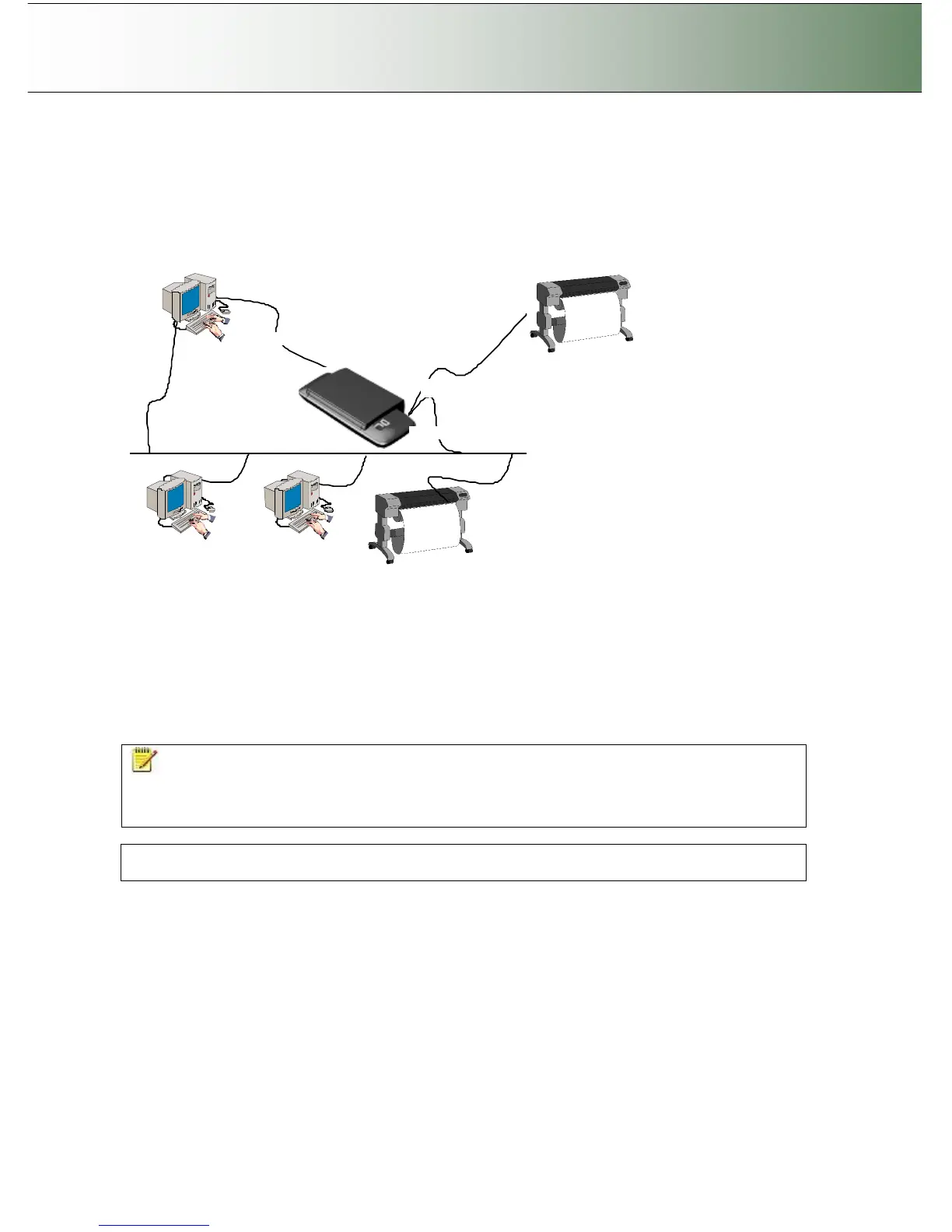
In the example illustrated above, we have connected both a printer and a PC directly to the scanner and
both the scanner and the PC are each attached directly to the network. This means that the configuration
can be used as a stand alone copier, a stand alone scan-to-file station, a device for saving scans to
network PCs and a shared device that can be controlled and used by network PCs. The scanner can use
both the local printer and printers on the network. Both scan-to-file and copying can be performed either
through the iJET Panel or through scan/copy software.
Use the instructions for each configuration in the previous sections for setting up a combined solution.
You will find that many of the steps are general and apply for all configurations so you only need to
perform them once.
NOTE: Your Copy Scanner supports a single LAN connection port. This means that if you connect a
printer directly through this port, you will not be able to set up a combined solution with network
accessibility. You can use LAN switch boxes to work around this problem. It is advisable to use the USB
host (output) port for direct printer connection if USB connectivity is supported on the printer.
Regulatory Notice: Your scanner product has been tested to comply with the EMC Standards EN55022
and FCC, Part 15. To maintain compliance, only use the interface cables supplied with the scanner.



 To Next Page