Using the scanner, how do I … Load? 4-1
4. Loading Originals for Copying and Scanning
4.1 How do I Load Originals into the Scanner?
On Scanners: FLEX50i
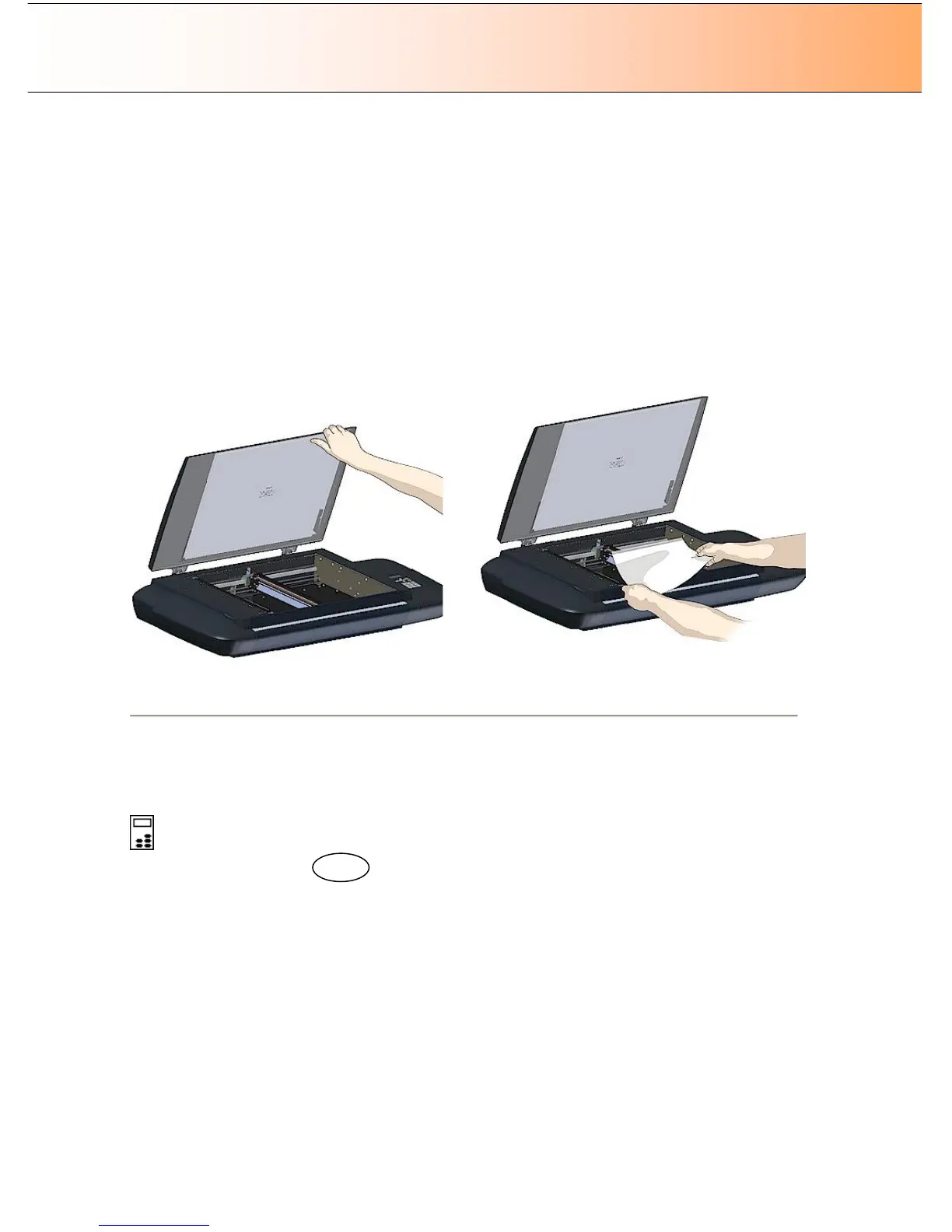
To load an original into the scanner:
1. Open the lid backwards.
2. Place your document, face down, on the glass plate.
3. Align the document edges against the alignment guide bar at the scanner’s left side for a straight
scan. Align the document middle with the center arrow marking on the alignment bar. You can use
the standard size markings to position the original and measure its standard size.
4. Close the lid over the document.
Place the original face down on the glass plate.
Loading Originals
On Scanners: HD4230i
You can use manual loading or automatic loading. To select your loading method:
On the iJET Panel
1. Select the Menu button.
2. Use the arrow buttons right/left until the iJET Panel displays Paper Setup and confirm with the OK
button.
3. Use the arrow buttons right/left until you reach Media Handling and confirm with OK
4. Use arrows down/up to select the load method – Auto Load or Manual Load. Confirm with OK.
5. With Auto Load you can select a delay factor if the document is grabbed too fast. Press arrow right to
reach Load Delay and arrow down/up to set a delay factor between 0-1000.
How do I load the scanner with …
Manual loading - you determine when the scanner pulls in the original:
1. Align the original’s center with the scanner’s center arrow guide marker.
2. Push the original into the insertion slot until you feel it contact the rollers.
Menu



 To Next Page