Maintenance 8-32
8.7.1 Setting the Scanner in Firmware BOOT Mode
You can force the scanner to firmware boot mode. This is useful if an error or power-failure occurred
during a firmware update and you need to restart the firmware update process. A scanner will not run
correctly after an interrupted firmware update process.
To force the scanner to firmware boot mode:
If restarting after a power-failure interrupted your firmware update, the scanner should start up in boot
mode. If not, you can use the following panel function to force the scanner into boot mode.
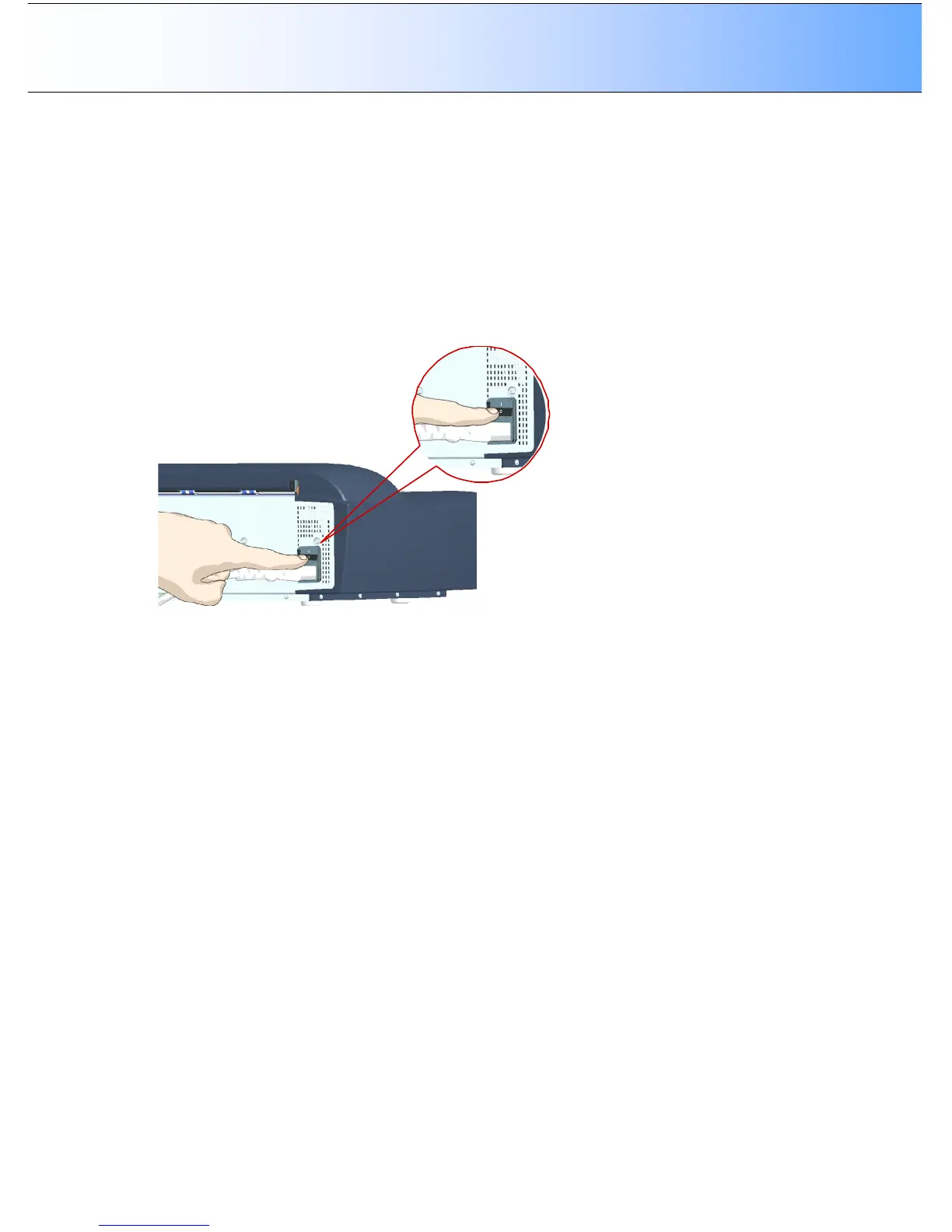
1. Turn the scanner’s main power switch to OFF. The main power switch is at the back of the scanner.
2. Press and hold down STOP and ENTER buttons on the operator’s panel.
3. As you hold down the STOP and ENTER keys one hand, reach to the scanner’s back with your other
hand and flip the Main Power switch to ON..
4. When the display shows the text “Requesting download…” the keys can be released, the scanner is
in Firmware Boot mode and you can reapply the Firmware.



 To Next Page