Using the scanner, how do I … Copy? 5-14
5.3.8 How do I… Reset Copy defaults?
The Copy default values that came with your system are those that will work well with the most common
copy jobs. The Copy default values are those accessed from the Menu button’s top level - Lightness,
Sharpen, Scale and etcetera. The lower level options accessed though the Menu - Advanced options,
such as network setup and printer setup are not changed by the Reset option. The Reset option is useful
if you have made a number of special settings for a copy job and want to restore all copy settings at once
and thus reset the system for yourself or for other users.
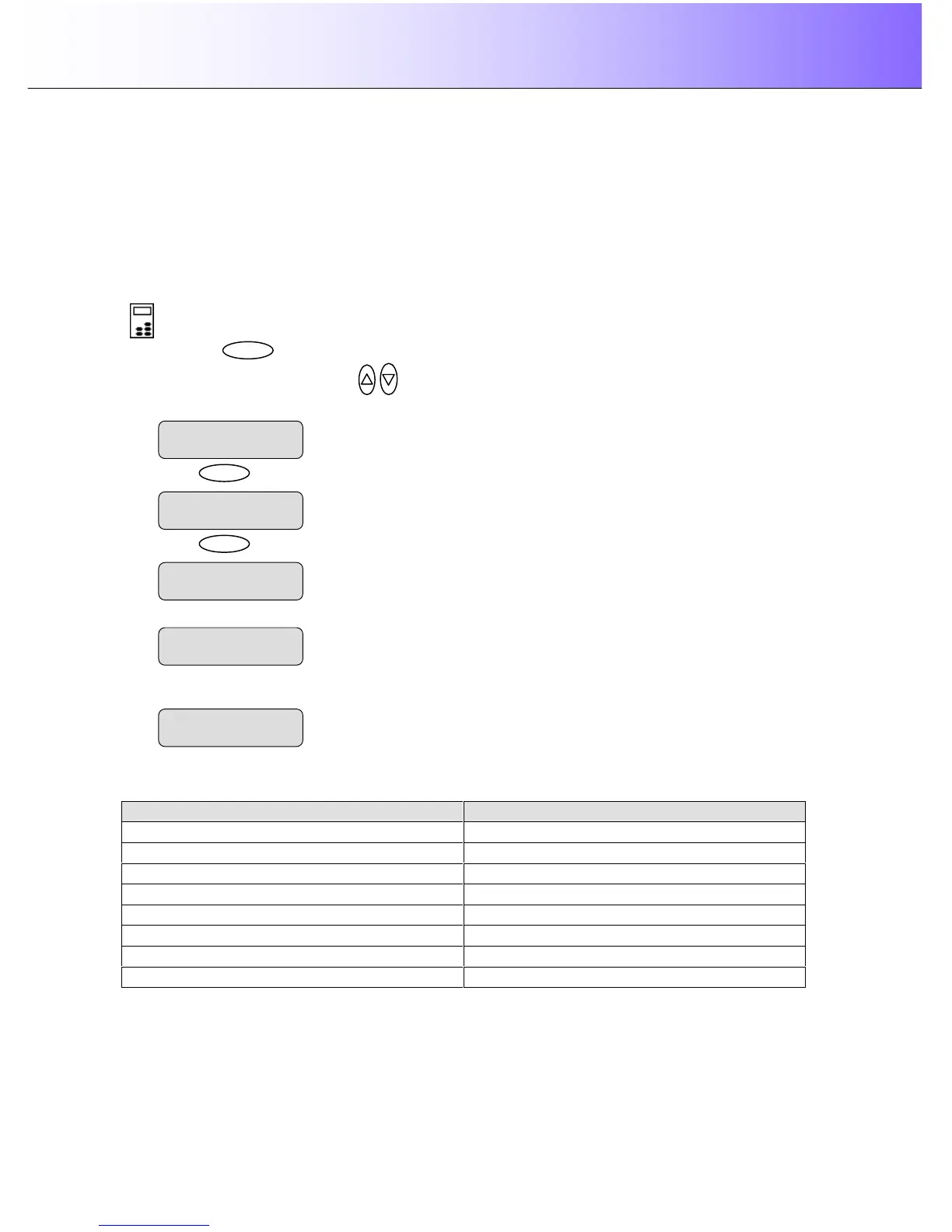
To Reset the system copy defaults:
On the iJET Panel –
1. Press the button to enter the main Menu.
2. Use the arrow up/down buttons
to move through the Menu options until the display shows
Reset as shown below.
3. Press
to activate the option. The system will start restoring the copy defaults.
5. When finished, the system will display ‘Done’.
6. The iJET Panel display will automatically return the “>” marker back up to the Menu level so you can
step on through the menu options if needed.
The table below shows which copy settings are affected when you select the Restore option:
Copy settings that return to their default value Copy settings that remain at the last used value
Lightness Org. Type Color
Copies Org. Type BW
Scale Media Type
Quality
Size
Mirror
Sharpen
Backg. clean.
Reset
> Done
Reset
> Please Wait..
The ”>” marker is on the Menu level



 To Next Page