Maintenance 8-11
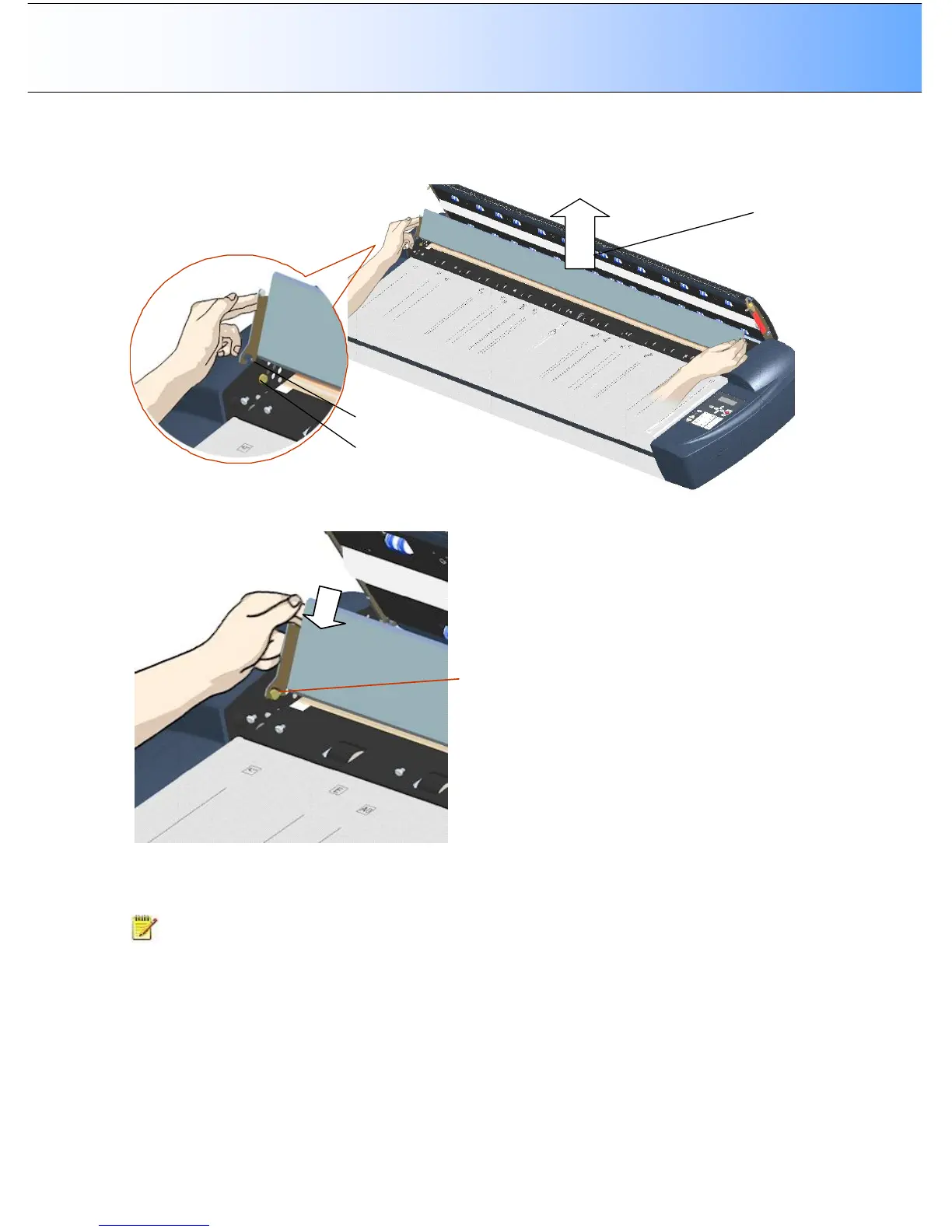
8. Each lever is attached to the scanner chassis with a small hook that rests on a round pin. As you hold
the glass-plate on both its edges, lift it upwards to detach both lever’s hooks from the pins and thus
free the glass-plate from the scanner.
9. Reverse the above operations to reinsert a new glass-plate – Fit the new glass-plate’s lever hooks on
to the pins on each side of the scanner.
Place the
hook on the
round pin
10. While supporting the glass-plate with fingers on the lever handles, carefully let the glass-plate down
backwards (away from your body) and ease it into place.
11. Close the scan area lid.
NOTE: Make sure you clean a new glass-plate before using it with the scanner. Recalibrate the
scanner after replacing the glass.



 To Next Page