Maintenance Manual SP 40
Rev. 005
130
Chapter 8
Mechanical Adjustments
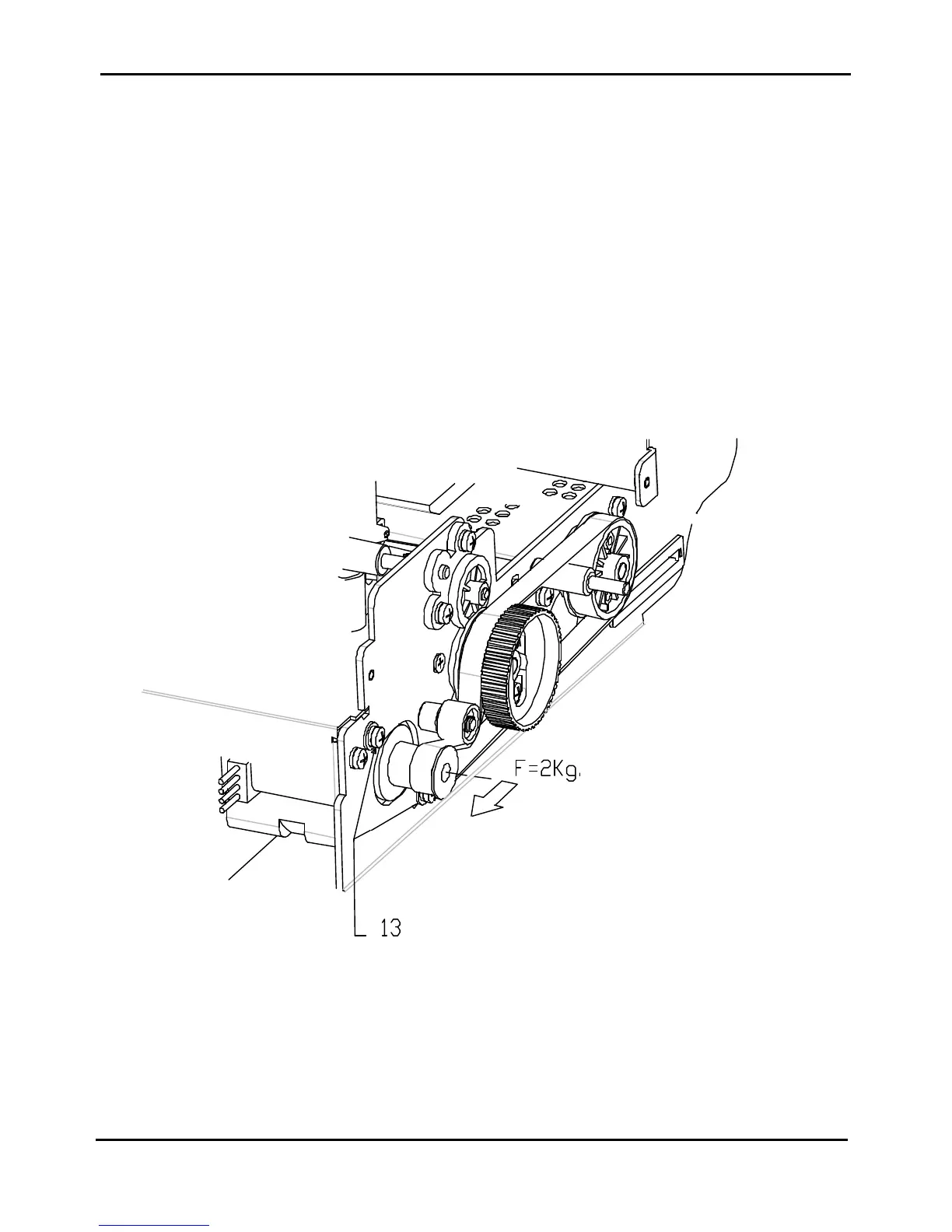
8.3 Paper Belt Adjustment
This adjustment is required when the paper motor or some mechanical parts related to the paper belt installation are
removed.
Standard value: 2000gr ±± 100gr
Tool: Pull force dynamometer
1) Remove the top and the main cover.
2) Loose the two screws (item 13 of figure 8.3) securing the paper motor assy to the right frame.
3) Apply the specific load F1 pulling the pulley of the motor toward the front side like indicate by the arrow.
4) Securing the screws.
After this adjustment is necessary to run the T&D procedures (see chapter 5) to check if there is problems in the
paper movement.
Fig. 8.3 - Paper Belt Adjustment



 To Next Page