Maintenance Manual SP 40
Rev. 005
23
Chapter 2
Removals
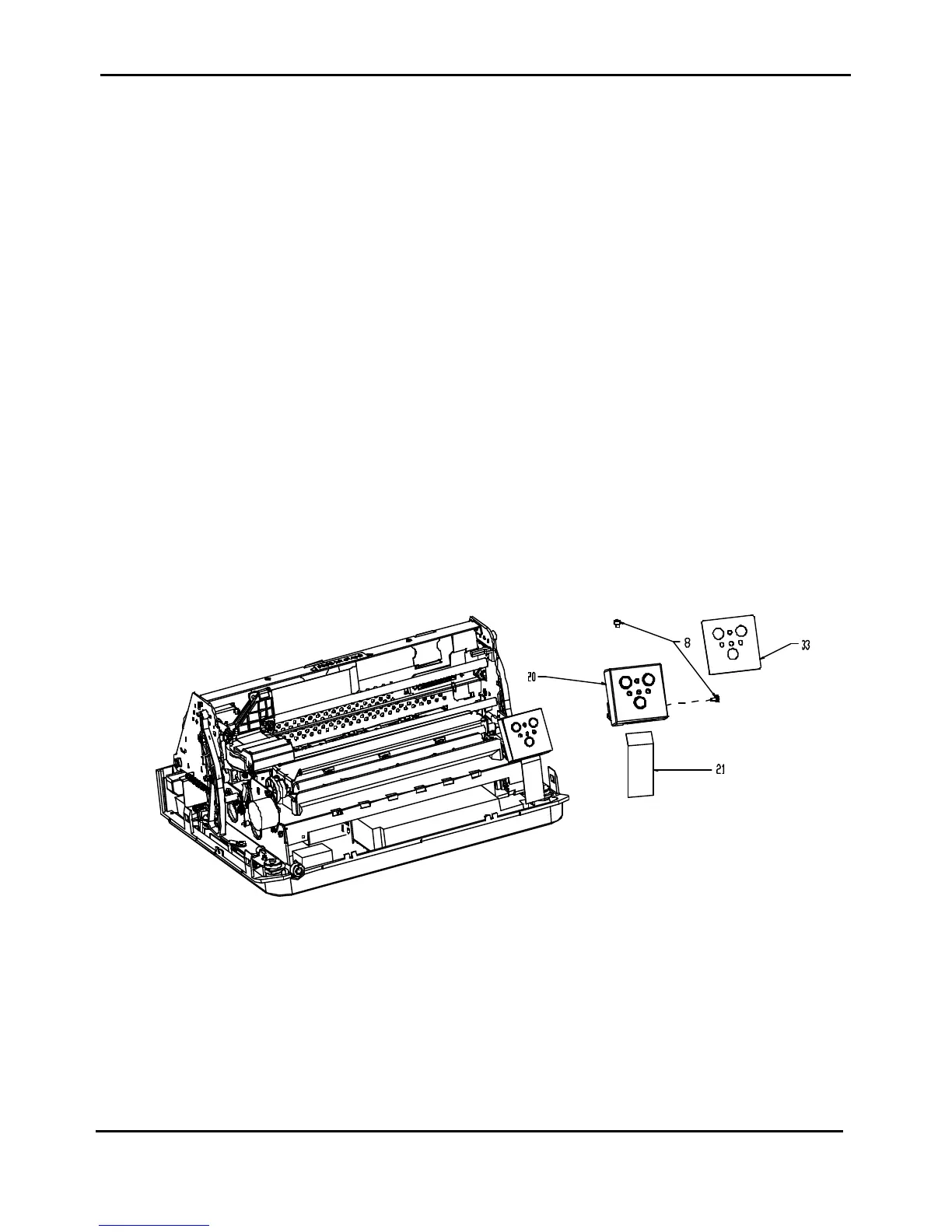
2.6 Operator Panel
DANGER : To prevent serious personal injury from electrical shock always turn the printer off and unplug
the power cable before to remove the operator panel.
ATTENTION: The electronic parts of this printer are easily damaged by Electronic Static Discharge(ESD).
Ensure that ESD protection devices and procedures, including the static discharge
wrist wrap, are used while working on this printer.
Do not remove the operator panel cable from the o.p board before unplug the AC
cable.
To Remove:
1) Open the top cover.
2) Remove the two screws (item 8 of figure 2.8) fixing the operatot panel support on the right side frame
and on the bed.
3) Unplug the O.P. cable (item 21 of figure 2.8) and remove the operator panel with its support.
4) Remove the two screws fixing the operator panel with its support and remove it.
To Install:
To install, follow the removal step in reverse order.
Figure 2.8 - Operator Panel Removal



 To Next Page