Maintenance Manual SP 40
Rev. 005
52
Chapter 3
Operabilty and Configuration
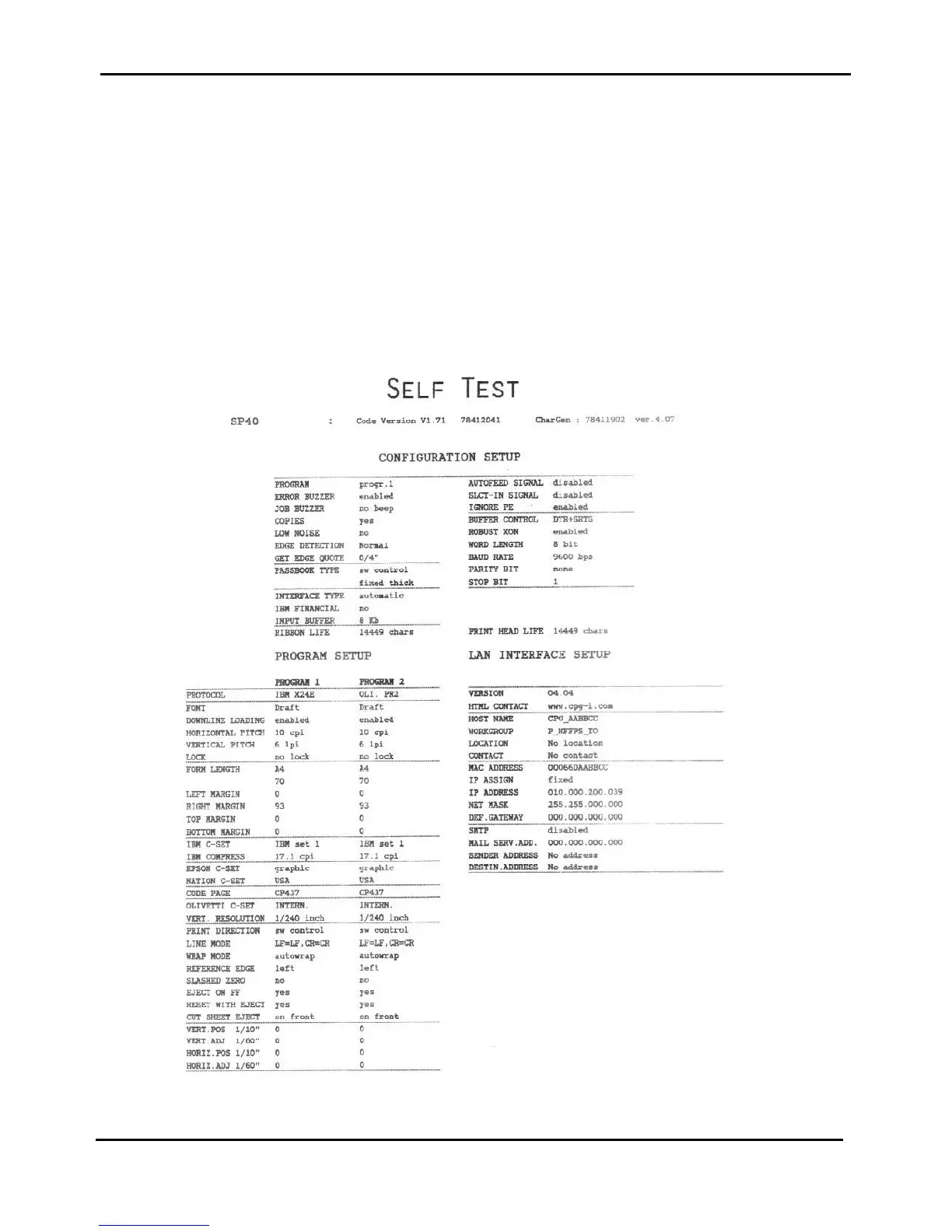
3.3.1 Print of Self Test Page
To understand if the printer has been correctly installed a self test page may be printed following these steps:
1. Press the ON LINE key while powering the printer on and hold the key pressed until all leds turn briefly on.
2. Insert a single sheet in A4 or Letter format.
3. Press the ON LINE key again. The printer prints the Self-Test page. Check that the printout is correct.
4. Press the ON LINE key again to put the printer in ready status.
Note: the parameters can be changed in different version of the Code, always see the User Manual for the correct set-
up parameters. The figure 3.3 shows a Self Test with the LAN Interface installed.
Figure 3.3 - Self Test printout



 To Next Page