Maintenance Manual SP 40
Rev. 005
70
Chapter 3
Operabilty and Configuration
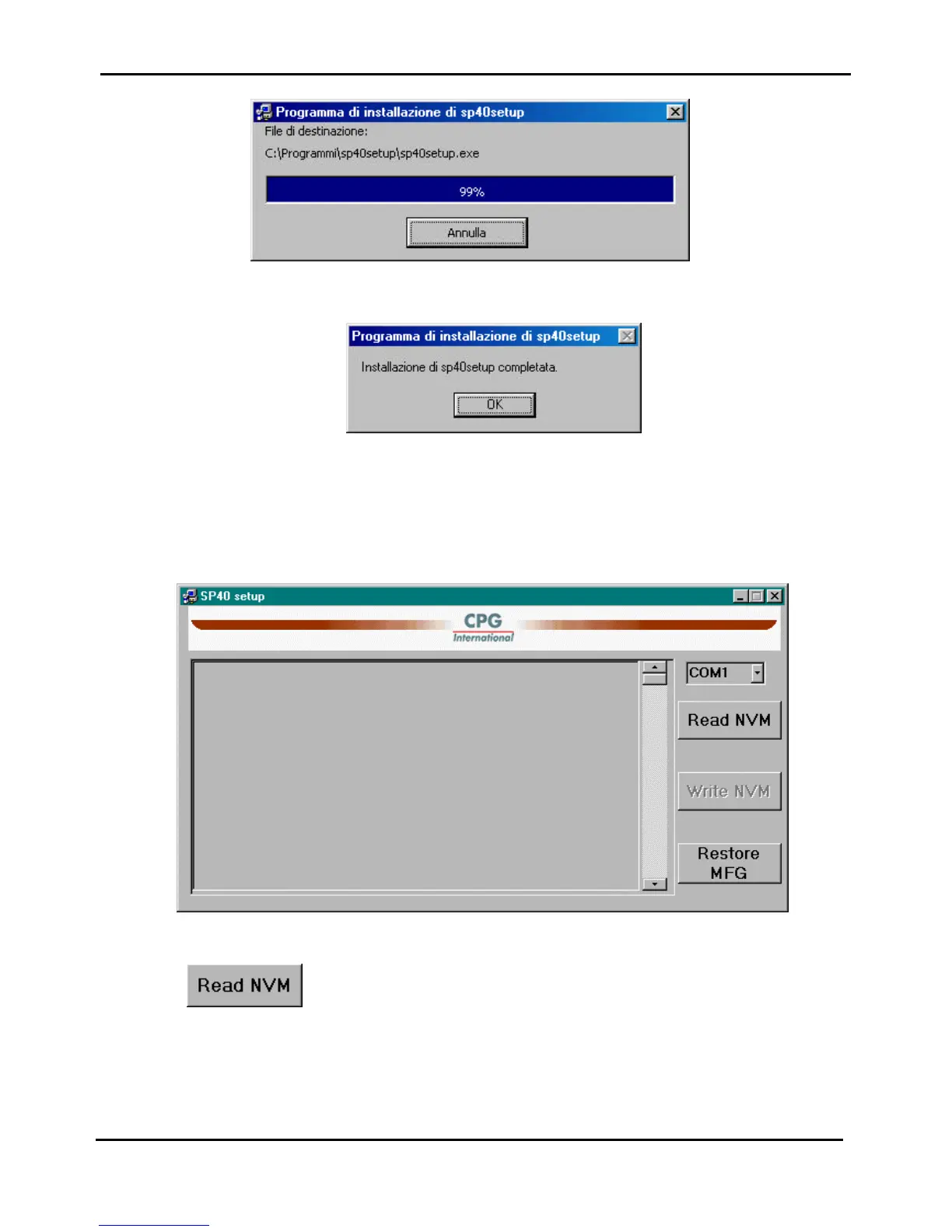
Figure 3.12f - Other mask for SP40setup installation
Figure 3.12g - Other mask for SP40setup installation
3.5.3 Run the SP40Setup application
Double click on the icon created in the Program of Windows, and you can get an empty page:
Figure 3.13 - Initial mask of the SP40setup application
Pressing the button the current printer configuration is read from the printer and it is displayed :



 To Next Page